How to Schedule TikTok Videos for Maximum Growth

Learn how to schedule TikTok videos using native tools, third-party apps, and AI. A complete guide to saving time and boosting your content strategy.

F

FlowShorts Team

17 min read3 views
How to Schedule TikTok Videos for Maximum Growth

You have two main ways to schedule your TikTok videos: directly through the TikTok desktop app's Video Scheduler, which lets you plan posts up to 10 days out, or by using a third-party social media tool for more advanced features. Either way, you'll be able to upload your video, craft your caption, and set a specific time for it to go live, shifting your content strategy from reactive to proactive.

Why You Absolutely Need a TikTok Scheduling Strategy

A desk with a smartphone showing the TikTok logo, laptop, camera, and a calendar saying 'Consistent Sronth'.

Trying to manually post every single video is a one-way ticket to creator burnout. It seems manageable at first, but the daily grind of filming, editing, writing a caption, finding hashtags, and posting at the exact right time gets old, fast.

This is where scheduling your TikToks stops being a nice-to-have and becomes a core part of your growth strategy.

When you plan your content ahead of time, you take back control. Instead of scrambling to get a video out, you can batch-create your content in dedicated blocks. This frees up so much mental space to focus on what really moves the needle: making great videos. Plus, a consistent posting schedule is one of the clearest signals you can send to the TikTok algorithm, and scheduling is what makes that consistency truly manageable.

The Strategic Advantages of Scheduling

Adopting a scheduling mindset is about more than just saving time—it’s about gaining a serious competitive edge. You can strategically hit the peak engagement hours for your audience, even if that's in the middle of the night for you. Think about it: your content can go live and start racking up views while you're asleep, all because you timed it perfectly for another time zone.

Here’s what a solid scheduling strategy really gives you:

  • Algorithmic Consistency: It helps you keep a steady posting rhythm, which is crucial for staying on the For You page.
  • Creative Freedom: With the logistics handled, you can pour your energy into the fun stuff—brainstorming, filming, and editing better videos. If you're stuck, a video topic generator can be a lifesaver for fresh ideas.
  • Global Reach: Scheduling lets you connect with viewers across the world by posting when they're most active, not just when you are.

The goal isn't just to post more; it's to post smarter. Scheduling is what turns a good content idea into a video that reaches its maximum potential. It transforms your channel from a daily chore into a reliable content machine.

At the end of the day, scheduling tools—whether you use TikTok’s built-in features or more advanced automation platforms—are what make a sustainable, long-term presence on the platform possible.

Using TikTok's Native Scheduler on Desktop and Mobile

Sometimes the best tool for the job is the one you already have. For a simple, no-frills way to schedule your content, TikTok's own built-in scheduler is an excellent place to start. You can access it right from your desktop browser, making it super convenient for planning your posts without juggling extra software.

Now, while the mobile app itself doesn't offer a scheduling feature for everyone, Business Accounts get a special perk: they can schedule right from their phone through the in-app Business Suite. For most creators, though, the desktop version is the real star of the show.

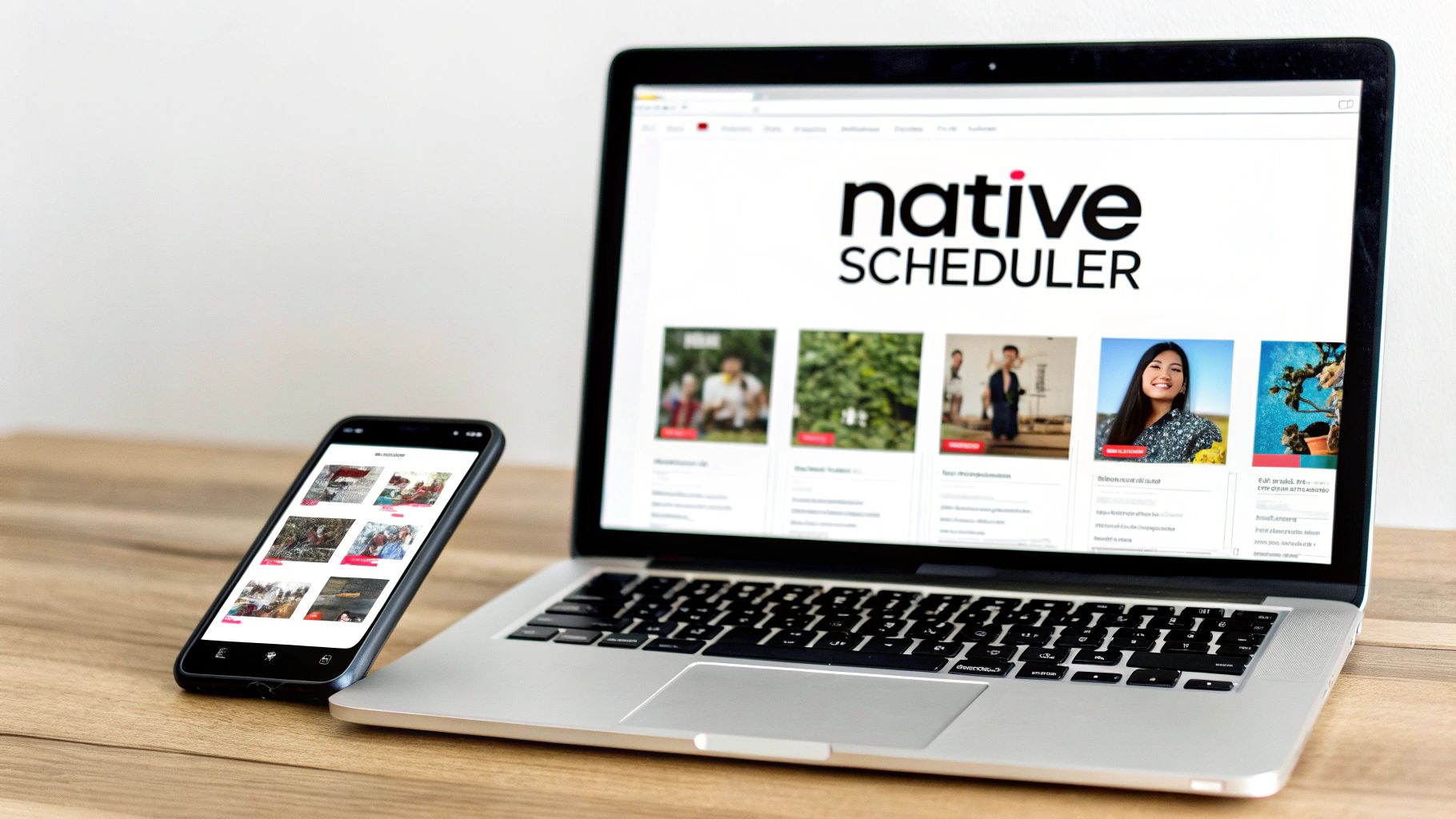
A black smartphone and a silver laptop display the Native Scheduler app on a wooden desk.

Scheduling TikToks on Your Desktop

The easiest and most reliable way to schedule a TikTok is by hopping on your computer and using a web browser. This method is open to all account types and gives you a much bigger, clearer view of all your options. It's a lifesaver when you're trying to batch-create and schedule a week's worth of videos at once.

Getting it done is pretty straightforward:

  • First, log in to your TikTok account on your favorite web browser.
  • Look for the "Upload" button in the top-right corner and give it a click.
  • Next, you'll select your video file to upload. Just make sure it fits TikTok’s specs: MP4 or WebM format, 720x1280 resolution or higher, and under 10 GB.
  • Now for the fun part: craft your post. Write your caption, add relevant hashtags, and @mention any other accounts. This is also where you can choose a killer cover image.
  • Finally, just toggle on the "Schedule video" switch. This will pop open the date and time options.

From there, you just pick a date and time—up to 10 days in advance—and hit "Schedule." That’s it. Your video is officially in the queue and will go live automatically, so you don't have to scramble to post it yourself.

My Go-To Workflow: I always keep my captions and hashtag sets ready to go in a separate document. When it's time to schedule, it's just a quick copy-and-paste job. This little bit of prep work lets me line up a full week of content in a matter of minutes.

Mobile Scheduling for Business Accounts

Are you running a TikTok Business Account? If so, you're in luck. You can schedule posts directly from your phone using the Business Suite. It’s a great option if you do most of your content creation and management on the go.

Here's how to find it:

  1. Head to your profile and tap the three-line menu icon in the top-right.
  2. Choose "Business Suite" from the list.
  3. Tap on "Video Scheduler" to open the calendar and upload your video.

The in-app process is very similar to the desktop version—you upload a video you've already edited, write your caption, and pick a time for it to go live. It's incredibly handy, but just remember, this is a feature exclusive to Business Accounts. If you have a personal or creator account, the desktop uploader is your best bet for native scheduling.

Unlocking Powerful Features with Third-Party Schedulers

Let's be honest: TikTok’s native scheduler is a decent start, but it has its limits. If you're a serious creator, a social media manager, or part of a marketing agency, you'll probably hit a wall with that 10-day scheduling window pretty fast. That’s where third-party tools come in to save the day.

Imagine trying to map out an entire holiday campaign or a month-long content series. Logging in to manually upload each video is a huge time-suck and a serious creativity killer. This is exactly the problem dedicated scheduling platforms solve. They let you bulk upload your entire content calendar, schedule videos weeks or even months out, and often let you manage your Instagram Reels and YouTube Shorts all from one dashboard.

This isn't just about convenience; it's about transforming your workflow. Instead of bouncing between three different apps, you get a bird's-eye view of your entire short-form video strategy. You’re no longer just posting videos; you're executing a real, cohesive content plan across all your key platforms.

Finding the Right Tool for Your Goals

The social media scheduler market is crowded, and there's a tool for just about everyone—from solo creators on a budget to massive enterprise teams. The "best" one really comes down to your specific needs, your daily workflow, and what you're willing to spend. Some tools are amazing for deep analytics, while others are built for teams who need things like approval workflows.

To help you cut through the noise, let's look at how some of the most trusted tools in the game compare. Think about what’s a deal-breaker for you. Do you absolutely need detailed analytics for client reports, or is a simple, visual calendar your number one priority?

Comparing Popular TikTok Scheduling Tools

Choosing a platform can feel overwhelming, so I've put together this quick comparison of some leading third-party schedulers. This should give you a better idea of the landscape and help you find the best fit for your specific workflow and budget.

Tool Best For Key Scheduling Features Price Point
Later Visual Planners & Creators Drag-and-drop visual calendar, hashtag suggestions, analytics. Free plan available; paid plans start around $25/month.
Buffer Small Businesses & Simplicity Clean interface, multi-channel scheduling, simple analytics. Free plan available; paid plans start around $6/month per channel.
Hootsuite Agencies & Large Teams Advanced analytics, team collaboration, approval workflows. Higher price point, typically starting around $99/month.
Sprout Social Enterprise & Data-Driven Brands Deep analytics, social listening tools, comprehensive reporting. Premium pricing, often starting at $249/month.

Each of these tools has its own strengths. Later is a favorite among creators who plan their feed visually, while a tool like Sprout Social is a powerhouse for large brands that need robust data and listening capabilities.

The Real Value of Investing in a Scheduler

Making the jump to a paid scheduling tool is about so much more than just saving a few minutes. It's a strategic investment in your consistency and, ultimately, your growth on the platform. Being able to plan far ahead means your content pipeline never runs dry—a critical factor for keeping the algorithm happy.

But the biggest win here is getting your time back. When you automate the tedious, logistical side of posting, you free up precious hours and mental bandwidth to focus on what actually grows your account: creating amazing videos that your audience loves.

Many of these platforms also offer their own data-backed suggestions for the best times to post, which takes a lot of the guesswork out of maximizing your reach. This combination of long-term planning, multi-platform management, and smart insights is why a third-party scheduler is practically a non-negotiable for anyone serious about TikTok. It provides the structure you need to turn a creative hobby into a sustainable content business.

Put Your Content on Autopilot with AI Automation

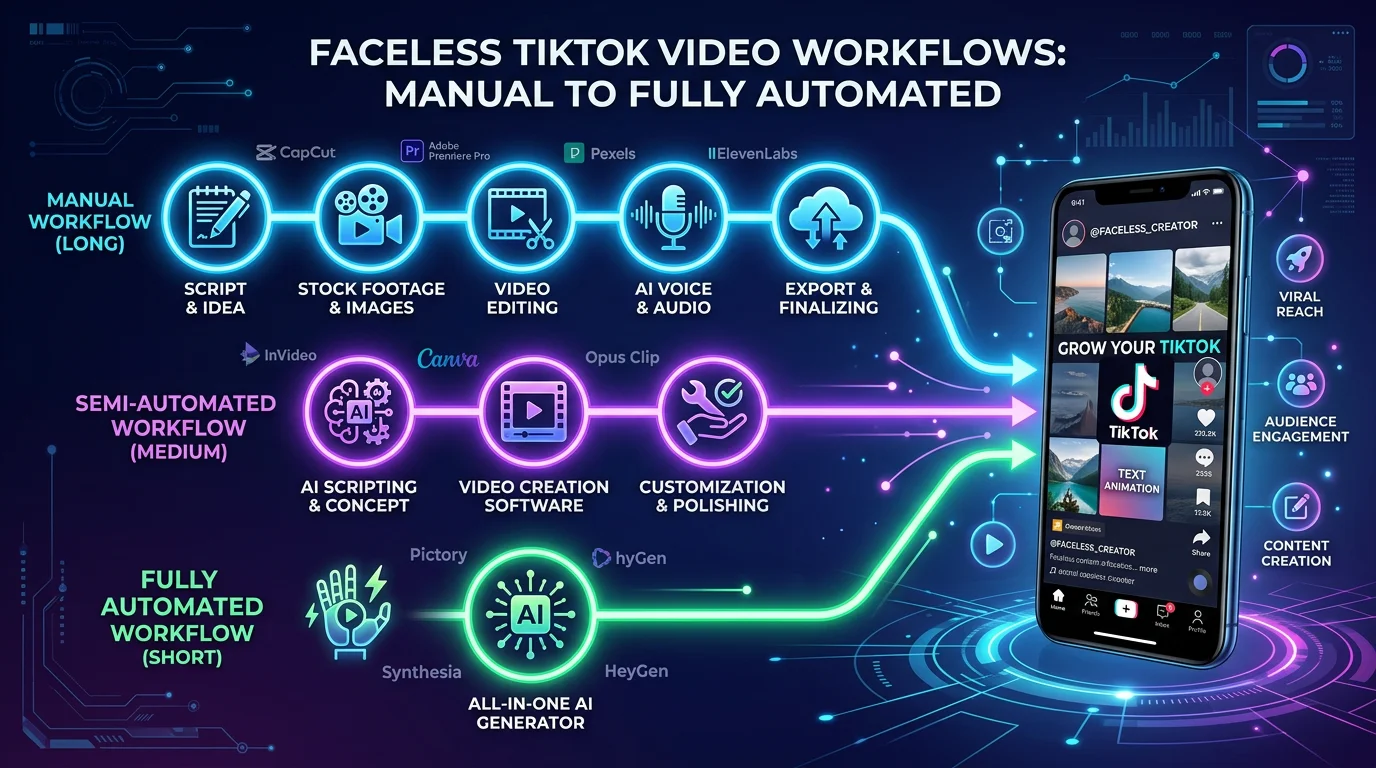
Third-party schedulers are a lifesaver for planning out content you’ve already made. But what if you could automate the entire process? I'm talking about going from a simple idea to a published video without touching a single editing tool.

This is where true AI automation steps in. Imagine a system that doesn't just schedule your posts, but actually creates the videos for you and publishes them on a set schedule. It’s the ultimate hands-off approach for scaling your TikTok presence without the burnout. Platforms like FlowShorts are built for this, acting like a personal content team that handles everything from the script to the upload. You guide the strategy, and the AI handles the daily grind.

How AI-Powered Scheduling Actually Works

A standard scheduler just pushes a finished video live at a specific time. An AI automation platform, on the other hand, is a full-blown content engine.

It all starts when you securely connect your TikTok account and define your content niche. Let's say you're a personal finance guru. From there, the workflow is surprisingly straightforward:

  • You feed it topics: You give the system high-level ideas, like "budgeting tips for beginners" or "how compound interest works."
  • AI generates the content: The magic happens here. The AI writes a script, finds relevant stock footage and visuals, and even adds a natural-sounding voiceover.
  • The video is assembled: It stitches everything together into a polished, engaging video, complete with those all-important synchronized captions.
  • It posts for you: Finally, the platform automatically schedules and posts the video directly to your TikTok profile based on the frequency you set.

You’re essentially the creative director, providing the vision while the technology manages the entire production line. This is a massive advantage for anyone running faceless channels or for marketers who would rather spend their time on analytics and community building than on daily video editing.

A Real-World Automation Scenario

Let's circle back to our personal finance creator. Their goal is to post one high-quality, educational video every single day to build an audience and maximize reach. Doing this by hand is a recipe for exhaustion.

With an automation tool, their setup is simple:

  1. They define their niche as "Personal Finance."
  2. They set the tool to post once daily.
  3. The AI kicks in, creating and scheduling a nonstop stream of videos on topics like saving, investing, and getting out of debt.

What's the result? Their channel grows consistently without them ever needing to open a video editor or manually hit "post." This kind of consistency sends a powerful signal to the TikTok algorithm.

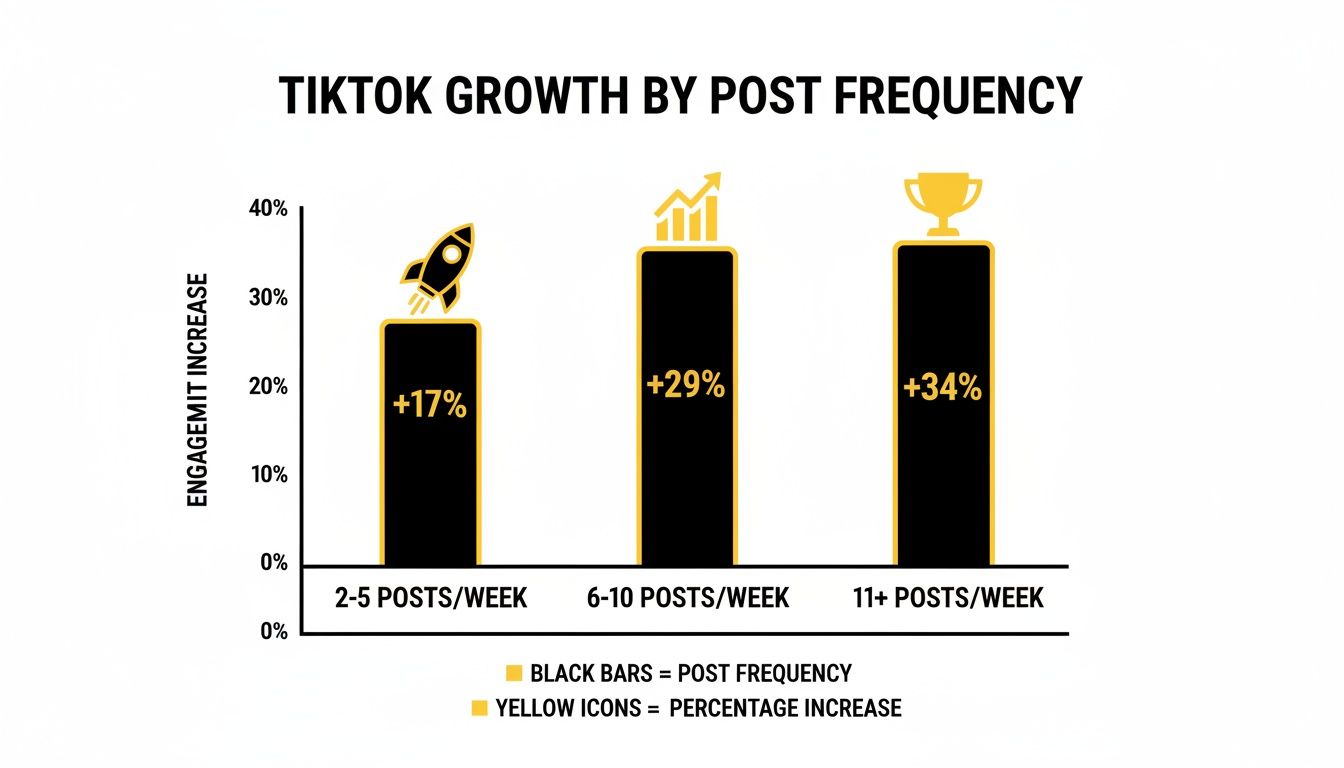
In fact, one of the best ways to get more views is simply to post more often. Data shows that jumping from one post a week to just two to five can boost views per post by up to 17%. For creators who really ramp it up to 11+ posts a week, that number climbs to a 34% lift. Automated daily posting is an incredible growth hack.

This level of automation isn't about killing creativity; it's about scaling it. It frees you up to think about the big picture for your brand while maintaining a powerful, consistent presence on the platform.

This approach is the closest you can get to a truly "set it and forget it" content calendar. By using an AI-powered TikTok video generator, you can build a self-sustaining content machine that works for you 24/7, making sure you never miss a chance to connect with your audience.

Getting the Most Out of Your Scheduled TikToks

Learning the mechanics of scheduling is one thing, but making sure your scheduled content actually performs is a whole different ball game. A perfectly timed post won't save a video that falls flat. To really make an impact, you need to treat every element—the caption, hashtags, and audio—as a crucial piece of your engagement puzzle.

Your caption isn't just a description; it’s your chance to start a conversation. Ask a question, share a polarizing opinion, or dare your audience to comment with their own take. Think of it as your video's wingman—it needs to be compelling enough to stop the scroll and get people talking.

Hashtags are how new audiences find you. Don't just slap on the biggest tags you can think of. A winning strategy uses a smart mix: a couple of high-volume tags (like #fyp), a few that are hyper-specific to your niche, and maybe one or two trending tags to catch a current wave.

Nail Your Posting Times and Frequency

On TikTok, consistency is everything. The algorithm tends to favor accounts that post regularly because it sees them as reliable creators. But what does "regularly" even mean? As you can see from the data, even small bumps in your posting frequency can make a big difference.

More posting often leads to more growth—it's that simple.

Bar chart shows TikTok engagement increase by post frequency: 11+ posts/week results in 34% growth.

The takeaway here is pretty clear: the more you feed the algorithm with quality content, the more it’s likely to show your videos to new people.

Of course, when you post is just as important as how often. You want your videos to go live right when your audience is scrolling. While every account is unique, we have some solid data that gives us a great place to start.

Pro Tip: Your own TikTok Analytics is the single best source of data. Use the general times below as a starting point, but always check the "Followers" tab in your analytics to pinpoint the exact hours and days your audience is most active.

Here's a quick cheat sheet with some of the most effective posting times, based on broader industry data. Think of this as your baseline before you start fine-tuning with your own analytics.

Data-Backed Optimal Posting Times for TikTok (EST)

Use this cheat sheet as a starting point for your scheduling strategy, then refine it using your own audience analytics for maximum impact.

Day of the Week Recommended Posting Times (EST)
Monday 6 AM, 10 AM, 10 PM
Tuesday 2 AM, 4 AM, 9 AM
Wednesday 7 AM, 8 AM, 11 PM
Thursday 9 AM, 12 PM, 7 PM
Friday 5 AM, 1 PM, 3 PM
Saturday 11 AM, 7 PM, 8 PM
Sunday 7 AM, 8 AM, 4 PM

Remember, these times are a fantastic guide, but the real magic happens when you cross-reference them with your account's specific data. For a deeper dive, check out more insights on global audience timing to see how you can tailor your schedule even further.

Your Pre-Flight Checklist for Maximum Impact

Okay, let's pull all of this together. Before you hit that final "Schedule" button, give your video a quick once-over with this pre-flight checklist.

  • The Hook: Do the first 3 seconds grab attention and make someone want to keep watching?
  • The Caption: Is there a question or a strong call-to-action to get the comments rolling?
  • The Hashtags: Have you used a strategic blend of broad, niche, and trending tags?
  • The Audio: Is the sound you picked currently popular and a good fit for your video?
  • The Timing: Are you scheduling for a peak time when your audience is online?

When you treat every scheduled post with this level of care, you shift from just filling a calendar to strategically building engagement. It's this intentional approach that separates the accounts that just exist from the ones that truly grow.

Got Questions About Scheduling TikToks? Let's Clear Things Up

Even the most organized creators run into questions when they start scheduling their TikToks. It's totally normal. Let's tackle some of the most common things people wonder about when they begin to automate their content flow.

Probably the biggest worry I hear is: "Will scheduling my video hurt its performance?" The short answer is a resounding no.

The TikTok algorithm genuinely doesn't care how a video is uploaded. It doesn't penalize you for using a scheduler. In fact, scheduling your posts to go live at the best times is one of the smartest ways to boost your reach and engagement. The algorithm is looking at your content's quality and how users interact with it, not whether you hit "post" yourself or had a tool do it for you.

What If I Need to Edit a Scheduled TikTok?

This is a great question, and the answer really shows the difference between the built-in scheduler and other tools. If you use TikTok’s native scheduling feature, you're stuck. To make any changes—even fixing a tiny typo—you have to delete the entire scheduled post and re-upload it from scratch. It's a pain.

This is exactly why so many creators and social media managers rely on third-party tools. Most professional schedulers are built with flexibility in mind, letting you easily edit your captions, change hashtags, or adjust the scheduled time right up until the moment it's set to publish.

How Far Out Can I Actually Schedule My Videos?

Planning ahead is key to a solid content strategy, and your scheduling window depends entirely on the tool you're using.

  • TikTok's Native Scheduler: You can schedule posts up to 10 days in advance. This is fine for planning your content week-to-week.
  • Third-Party Schedulers: If you're thinking long-term, these are a must. Many platforms let you schedule content weeks or even months out, which is a lifesaver for managing brand campaigns, seasonal content, or just getting way ahead of your work.

Here's the bottom line: a good scheduling system makes your content strategy stronger and more proactive. With 167 million TikToks being watched every single minute, consistency is your secret weapon for getting noticed. As embedsocial's research on TikTok stats shows, posting consistently with the right hashtags at the right time gives your videos the best shot at success.

Ultimately, having a schedule in place gives you a serious advantage. You maintain a steady presence without the daily scramble, freeing you up to focus on what really matters: creating awesome videos. For more tips on building a killer content strategy, check out the other guides on our blog.


Ready to put your TikTok on true autopilot? With FlowShorts, you can automate the entire video creation and scheduling process. Let our AI handle the scriptwriting, editing, and posting so you can focus on growth. Start building your automated content engine today.

Tags

#how to schedule tiktok videos#tiktok scheduler#content scheduling#tiktok for business#social media automation

Share this article

Ready to Create Your Own Viral Videos?

Start creating AI-powered short videos today with FlowShorts.

Get Started Free