Post Videos From YouTube to Instagram Like a Pro

Learn how to post videos from YouTube to Instagram with strategies that boost engagement. Our guide covers repurposing, editing, and scheduling for max reach.

F

FlowShorts Team

18 min read3 views
Post Videos From YouTube to Instagram Like a Pro

Trying to shoehorn a YouTube video onto Instagram often feels like forcing a square peg into a round hole. Let's be honest, it can be a headache. But for creators who want to get the most out of their work, it’s a strategy you can't afford to ignore. The trick isn't just to repost, but to smartly reformat your horizontal, long-form content into vertical clips perfect for Reels and Stories. It’s all about grabbing the best moments to stop a fast-scrolling thumb.

Unlocking Growth By Repurposing YouTube Videos for Instagram

A modern desk setup for content creation with a laptop, smartphone, camera, and monitor. Moving content from YouTube to Instagram is so much more than a simple time-saver; it’s a serious growth multiplier. I like to think of it as content compounding. You put in the hard work to create one great long-form video, and that single piece of content can now power two completely different—but connected—ecosystems. This lets you engage with your audience in ways that are native to each platform.

You've got YouTube on one side, which is basically a giant search engine. People go there actively looking for deep dives, tutorials, and detailed information. Then you have Instagram, a discovery platform where the algorithm serves up short, punchy clips based on what it thinks users will love. By repurposing, you're meeting your audience wherever they happen to be, squeezing every last drop of value out of your creation time.

The Strategic Advantage of Cross-Platform Content

If you're a numbers person, the data tells a pretty clear story. In 2023, YouTube pulled in a mind-boggling 1.35 trillion visits, while Instagram wasn't far behind with 87.3 billion. But here’s the kicker: there's a massive 75.5% audience overlap between them. A huge chunk of your potential audience is already hanging out on both platforms, ready to see your stuff.

By editing your YouTube content into Instagram Reels—which consistently get higher engagement than regular video posts—you're tapping directly into that shared audience. You can find more detail on these kinds of social media platform trends and what they mean for creators. The strategy works so well because both platforms are fundamentally mobile-first, which makes the viewing experience feel natural once you get the formatting right.

Repurposing isn’t about being lazy; it's about being smart. You're not just re-uploading a video—you're translating its core value for a new audience with different consumption habits.

Why This Is a Non-Negotiable Strategy

For any creator serious about growing their reach, cross-posting like this is absolutely essential. It’s not just a "nice to have." It's how you:

  • Boost Discoverability: Your content gets a second shot at life, and maybe even going viral, on Instagram's powerful algorithm.
  • Reinforce Your Brand: Showing up consistently with quality content across platforms cements your authority and makes your brand more recognizable.
  • Drive Traffic: Think of Reels as trailers. You can use short, engaging clips to hook viewers and send them back to your YouTube channel for the full story.

When you treat each platform as its own unique opportunity, you create a powerful flywheel. Growth on Instagram can feed your YouTube channel, and vice-versa.

Getting Your Video Ready for Its Instagram Debut

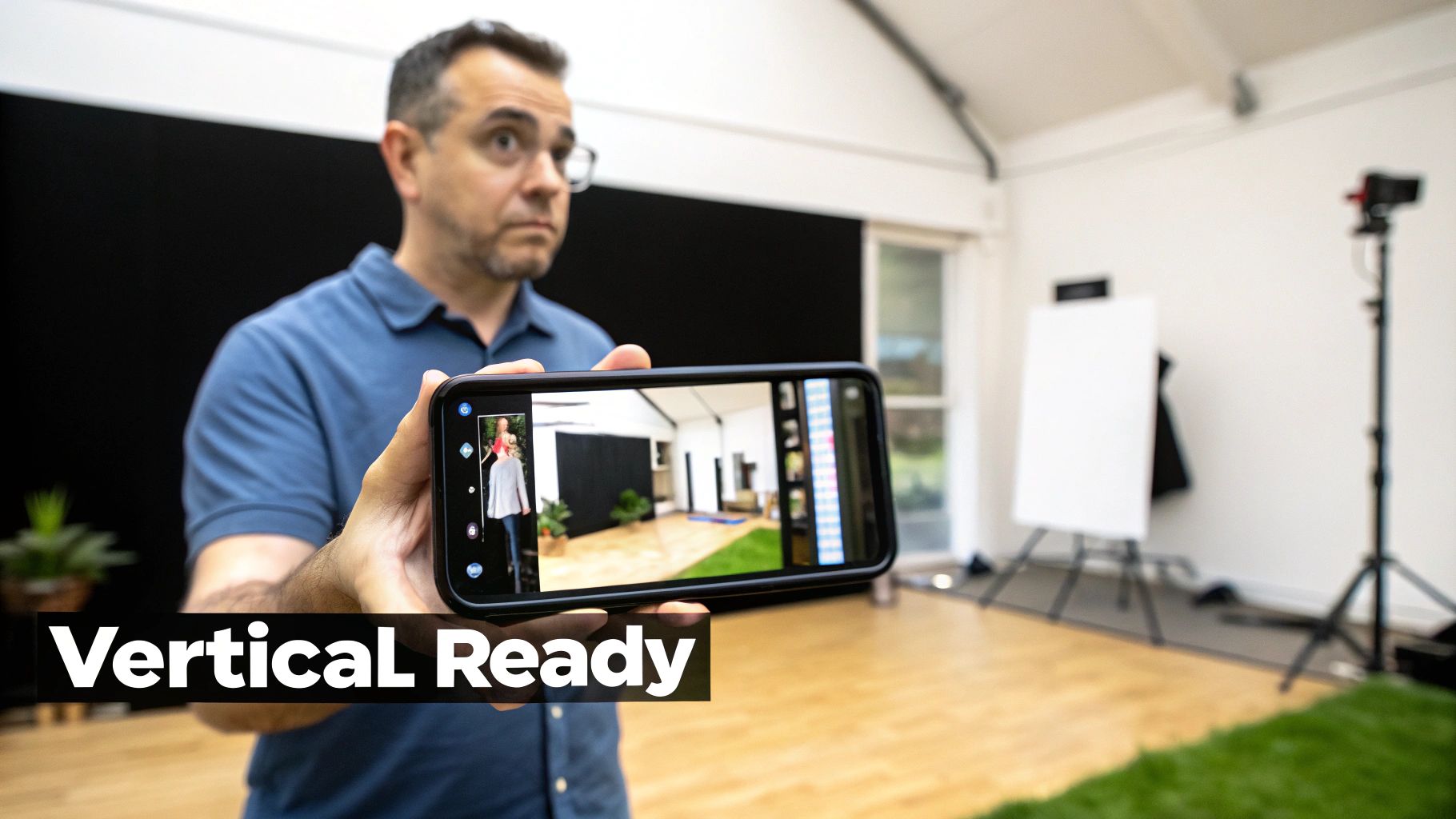
A man holds a smartphone horizontally, displaying vertical video clips and a studio background, indicating content creation.

Before you can throw your YouTube video onto Instagram, it needs a bit of a makeover. This isn't just a simple download-and-upload job. You have to adapt your content from YouTube’s widescreen, sit-back-and-watch world to Instagram's fast, vertical, on-the-go environment.

Getting this transition right from the start is non-negotiable. It’s the difference between content that looks polished and professional versus something that screams "lazy repost."

Understanding Instagram's Aspect Ratios

The biggest hurdle is the screen orientation. Most YouTube videos are filmed in a horizontal 16:9 aspect ratio—perfect for a computer monitor or TV. Instagram, however, plays by a completely different set of rules.

You'll mainly be dealing with two key formats:

  • 9:16 (Vertical): This is the magic number for Instagram Reels and Stories. It takes over the entire phone screen, creating that immersive look that grabs and holds attention.
  • 4:5 (Portrait): A great option for in-feed video posts. It’s taller than a standard square post, so it naturally commands more space and stops the scroll.

Skipping this step is a rookie mistake. If you upload a horizontal video directly to Reels, you'll get those jarring black bars on the top and bottom. It’s an instant signal to viewers that this content wasn't made for them, and they'll likely scroll right past.

To keep things straight, here's a quick reference guide comparing the specs.

YouTube vs Instagram Video Format Cheatsheet

A quick reference guide comparing the key video specifications for each platform to ensure your repurposed content is perfectly optimized.

Specification YouTube (Standard Video) Instagram Reels/Stories Instagram Feed
Aspect Ratio 16:9 (Horizontal) 9:16 (Vertical) 4:5 (Portrait) or 1:1 (Square)
Resolution 1920x1080p (HD) or higher 1080x1920p (Recommended) 1080x1350p (for 4:5)
Length Up to 12 hours 90 seconds (Reels), 60 seconds (Stories) 60 minutes (max)
File Format .MOV, .MP4 .MP4, .MOV .MP4, .MOV

Keep this cheatsheet handy. It's a simple way to make sure you're always formatting your videos correctly for each specific placement.

The Art of Reframing Your Shot

Okay, so you’ve picked your new aspect ratio. Now what? You can't just slap a vertical crop on your horizontal video and call it a day. Doing that often cuts out the most important parts of your shot.

Think about it: if you filmed a tutorial where you’re pointing to something on the far-left side of the frame, a simple center crop will completely miss it. The real skill is in reframing the shot—essentially moving that vertical crop window so it follows the action. This ensures your main subject is always front and center, even in the new format.

The goal is to make the repurposed clip feel intentional, not like a sloppy afterthought. Proper reframing preserves your video's story while making it look like it was born to be on Instagram.

This is what separates low-effort repurposing from a smart content strategy. When you take the time to properly post videos from YouTube to Instagram, you’re showing respect for the platform and giving your new audience content that feels made just for them.

Editing for Short Attention Spans

Hand scrolling a smartphone displaying a social media feed with a 'STOP THE SCROLL' banner.

Once your video is reframed, the real work begins. On Instagram, you’re not competing for minutes of attention; you’re fighting for seconds. You have a tiny window to convince someone to stop their endless scroll, which means your editing has to be sharp, strategic, and honestly, a little ruthless.

A ten-minute YouTube video is a goldmine of content, but you can't just slice off the first 60 seconds and call it a day. That's a surefire way to get ignored.

Instead, you need to hunt for what I call "micro-moments." Think of these as the knockout punches in your longer video—the punchline of a joke, a truly surprising statistic, or the single most important piece of advice you share. Your job is to find these moments and build a self-contained, high-impact story around them.

Finding the Golden Nuggets in Your Content

Put on your detective hat and re-watch your YouTube video, but this time, look for moments that give the viewer a quick, satisfying win. A fantastic shortcut is to check your YouTube analytics for audience retention spikes. Those peaks and bumps on the graph are literally a map showing you what resonated most with your audience.

Once you’ve identified a few potential clips, put them to the test by asking yourself:

  • Does it have a killer hook? The first three seconds must be compelling enough to stop a thumb mid-flick.
  • Is the payoff fast? A Reel needs to get to the point almost instantly. There’s no time for a slow buildup.
  • Can it stand alone? The clip has to make perfect sense without needing the context of the full video.

For example, let's say you have a 10-minute video on a "Beginner's Guide to Investing." You could easily pull three separate Reels from it: one explaining the "Rule of 72," another clarifying the difference between stocks and bonds, and a third sharing the best tip for new investors. Each one is a complete, valuable piece of content on its own.

Adding Dynamic Elements to Keep Eyes Locked

Static shots are the enemy of engagement on Instagram. Once you have your core clip, it's time to layer in some visual interest to guide the viewer's eye and make the whole thing feel more dynamic.

Dynamic text overlays are your best friend here. Use them to emphasize key points, pose questions, or add crucial context. Make sure the text is big, bold, and easy to read on a phone screen. I always recommend animating it to pop on-screen at just the right moment—it keeps the viewer’s attention exactly where you want it.

Remember, a huge portion of users watch with the sound off, so your text and visual cues are doing some heavy lifting.

A well-placed text overlay can completely transform a simple talking-head clip. It acts as a visual narrator, ensuring your message lands even if the viewer never hears your voice.

Short-form video is absolutely dominating right now. YouTube Shorts has rocketed past 50 billion daily views, and Instagram Reels now account for 30% of all time spent on the platform. With Reels enjoying such a high average engagement rate, it's a massive opportunity. If you want to dive deeper, you can find more Instagram engagement statistics that really show the full picture.

Crafting a Platform-Specific Call-to-Action

Finally, every repurposed clip needs a purpose. What do you actually want the viewer to do next? On YouTube, you might ask for a "like and subscribe," but that doesn't quite translate to Instagram's ecosystem. Your CTA needs to feel native to the platform.

Try one of these instead:

  • "Save this for later": This is a great one. It encourages users to bookmark your content, which signals value to the algorithm.
  • "Share this with a friend who...": This directly promotes virality by making your content easily shareable and relevant.
  • "Comment your thoughts below": This is perfect for sparking conversation and boosting your engagement metrics.

When you strategically post videos from YouTube to Instagram, you're not just uploading old footage. You’re creating a brand new asset that’s been redesigned to thrive in a completely different environment. If you want to speed things up, you might also want to explore a specialized YouTube Shorts generator to see how AI can help streamline parts of this process.

Writing Captions and Hashtags That Get You Discovered

A perfectly edited video can still get lost in the noise if you don't nail the words that go with it. When you're moving a video from YouTube over to Instagram, your caption and hashtags are your best tools for getting discovered. This isn't the place for your long, detailed YouTube description; Instagram is a completely different game.

Your main goal here is to boil down the core message of your clip into a short, punchy caption. You need to give it context, make people curious, and give them a solid reason to care. Think of it like a movie trailer—it has to be good enough to make someone stop scrolling.

From YouTube Description to Instagram Caption

Forget about long-form explanations. You need to entice your audience. While your YouTube description is packed with keywords and details for search, your Instagram caption is all about starting a conversation and delivering quick value.

The best captions kick off with a strong hook. This could be a question, a bold statement, or a surprising fact that ties directly into your video.

After grabbing their attention, give them one valuable takeaway. For instance, if your Reel is a quick tutorial, the caption could add a bonus tip that you didn't include in the video. This makes the caption feel essential, not just like an afterthought. Always wrap up with a clear call-to-action (CTA), like asking a question ("What's your biggest challenge with this?") or encouraging them to save the post for later.

Your caption should complement, not just repeat, what's in the video. If the video shows the "how," the caption can explain the "why." This creates a much richer experience for your viewers.

Building a Modern Hashtag Strategy

Gone are the days of stuffing 30 generic tags at the end of your post. A modern, effective hashtag strategy is all about layering and relevance. I like to think of it as building a pyramid.

  • Broad/High-Volume Hashtags (1-2): These are the big ones like #videomarketing or #contentcreator. They give you a shot at massive reach, but the competition is fierce.
  • Niche-Specific Hashtags (3-5): Now you're getting more targeted. If you're a finance creator, you might use #investingforbeginners or #personalfinancetips. These connect you with people who are actually looking for your specific content.
  • Community Hashtags (2-3): These are the tags that tap into a specific sub-culture, like #financetok or #entrepreneurmindset. They're fantastic for finding highly engaged communities.

The magic happens when you mix these together. The overlap between YouTube and Instagram is huge—there's a 75.5% user overlap between the two platforms, with very similar demographics. A smart hashtag strategy ensures your repurposed video finds its home on Instagram just as effectively as it did on YouTube.

Just look at the numbers: business accounts on Instagram see average monthly follower gains of 0.98%. You can absolutely boost that number with a solid discovery plan. You can dig into more social media marketing statistics to see just how powerful these small tweaks can be.

Doing a bit of research here is key. Don't just guess what tags will work; see what other creators in your space are using successfully. You can even use a good YouTube tags generator to spark ideas for keywords that translate well to Instagram. Building a go-to library of thoughtful hashtags is the difference between your content just being seen and being discovered by the right people.

Choosing Your Workflow: From Manual to Automated

So, you’ve done the hard work. Your video is perfectly edited, captioned, and ready for its big debut on Instagram. The final hurdle is actually getting it posted. You have a few different ways to approach this, and the best choice really comes down to your personal goals, how much time you have, and the volume of content you're aiming to publish.

There's no magic bullet here. The "best" method is simply the one that creates a sustainable workflow you can stick with over the long run. Let's walk through the options, from a completely hands-on approach to systems that do nearly all the work for you.

The Manual Method: Hands-On and Direct

The most straightforward way to get your video on Instagram is to do it manually. This is as simple as it sounds: save the final video file to your phone's camera roll and upload it directly through the Instagram app, just like you would with any personal video.

This approach is perfect if you're just starting out or only post a couple of times a week. It gives you maximum control over the final touches right before posting. You can easily add trending audio, drop in interactive stickers, or tag a location—all things that have to be done inside the app. It's definitely the most time-intensive on a per-video basis, but it allows you to be nimble and react to trends in real time.

Semi-Automated Schedulers: For Planning Ahead

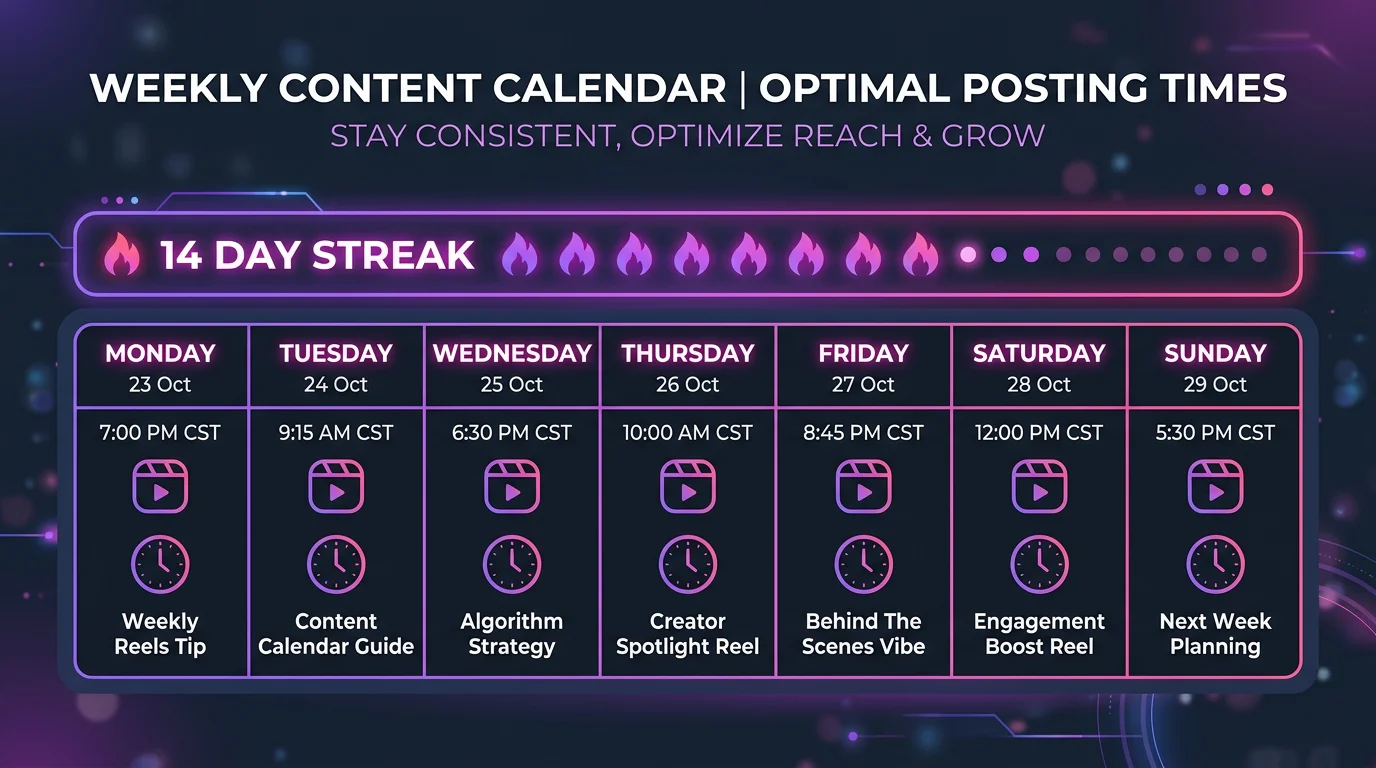
If you're batch-creating content, a scheduling tool is an absolute game-changer. Platforms like Later, Buffer, or even Meta's own Business Suite let you upload your finished videos and schedule them to go live at specific dates and times. This is a lifesaver for maintaining a consistent posting calendar without being glued to your phone every day.

These tools are brilliant for a few reasons:

  • Time Management: You can knock out a whole week's worth of content creation and scheduling in a single, focused session.
  • Consistency: Your videos post at optimal times for your audience, even if you're busy or sleeping.
  • Organization: You get a bird's-eye view of your content calendar, making it easy to plan your feed's overall look and feel.

You still need to handle all the editing and prep work yourself, but schedulers remove the daily pressure of having to manually hit "post."

The real power of scheduling is consistency. It transforms your content strategy from a reactive, day-to-day task into a proactive, long-term plan, which is essential for steady audience growth.

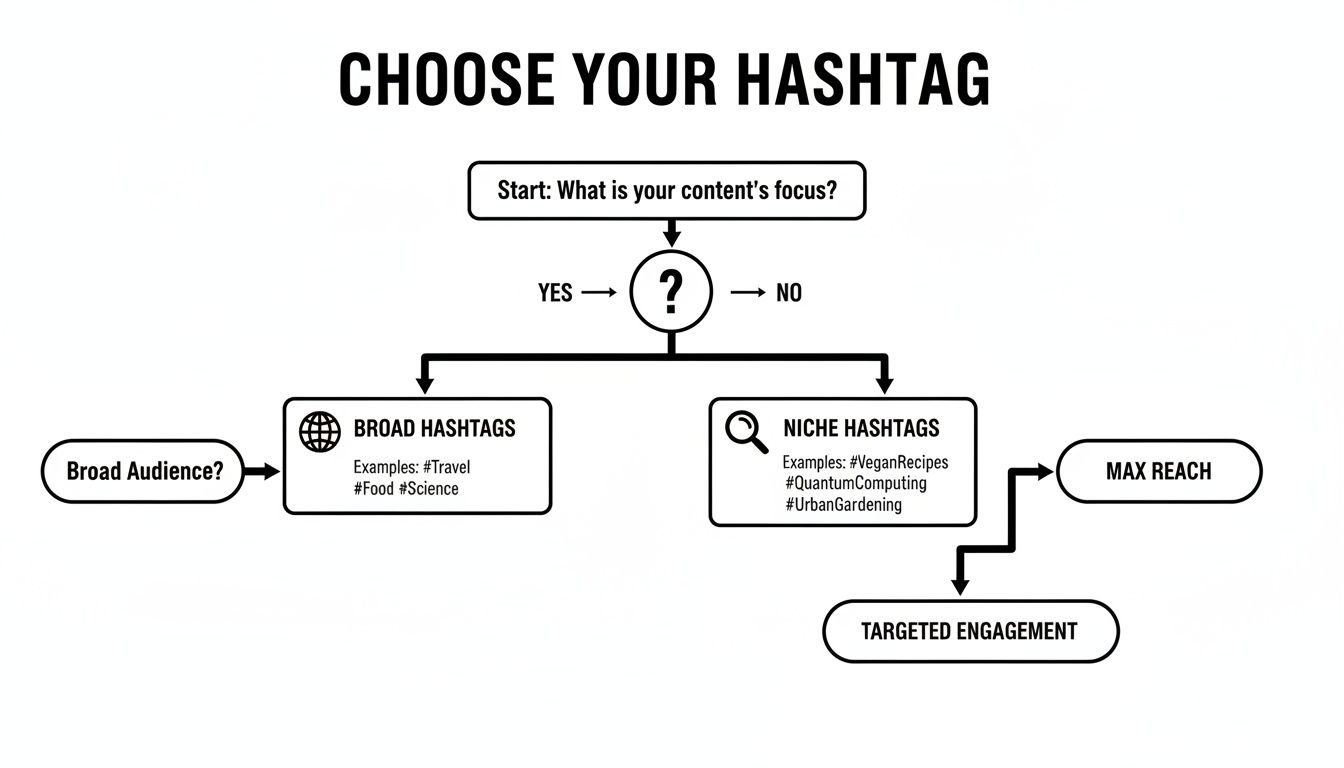
As you plan your posts, don't forget your hashtag strategy. This decision tree is a great visual guide for choosing between broad and niche hashtags to balance reach and engagement.

Flowchart guiding hashtag selection for content, distinguishing broad and niche for reach and engagement.

The flowchart shows how broad tags help you get in front of the most eyes, while niche tags are your secret weapon for connecting with a smaller but much more engaged audience.

Fully Automated Systems: For Maximum Scale

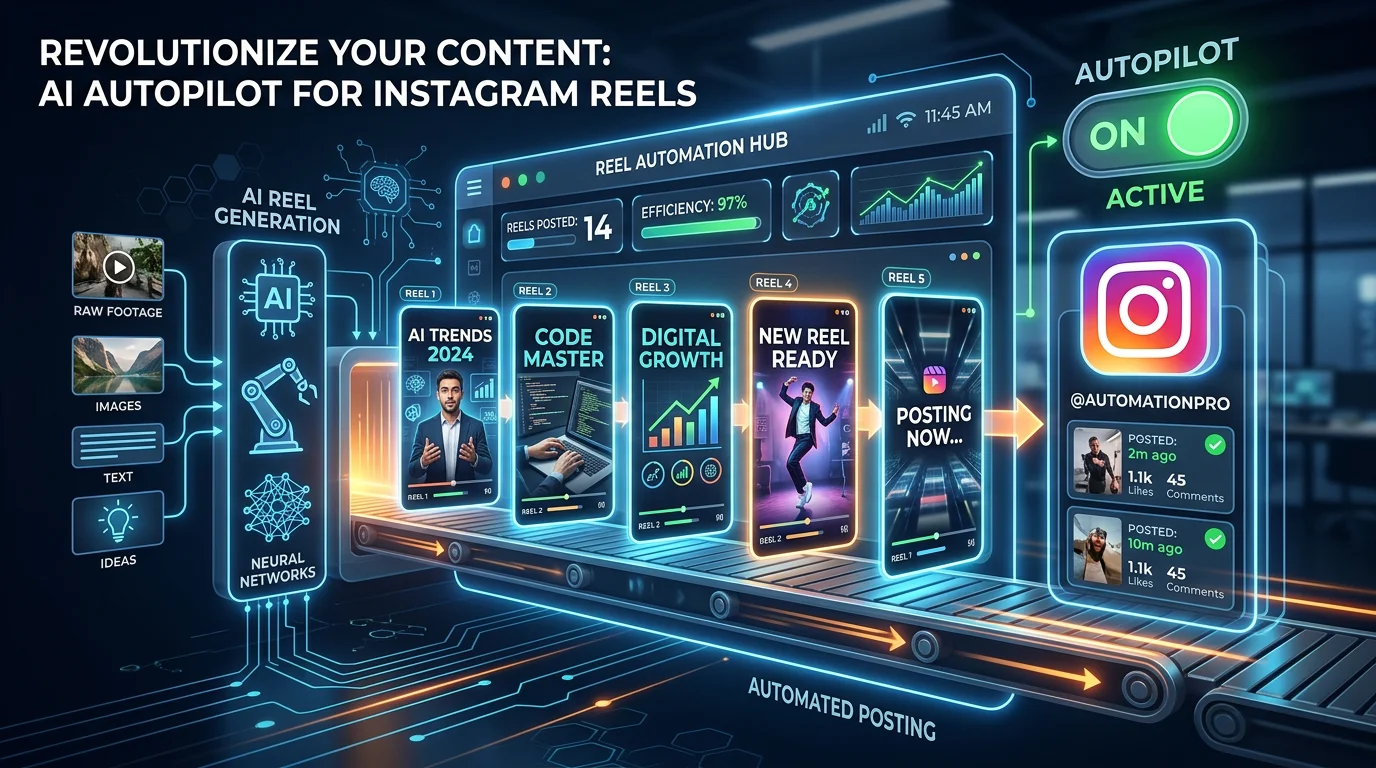
For creators who are laser-focused on scaling their output without scaling their workload, fully automated systems are the way to go. These AI-powered platforms can manage almost the entire workflow for you. They can identify the most compelling clips from your long-form videos, generate captions, and even post them directly to your accounts on a schedule.

An Instagram Reels generator can take a single YouTube link and spin it into a consistent pipeline of short-form videos. This hands-off approach is ideal for anyone looking to maximize their Instagram presence and fuel channel growth while they focus on what they do best: creating more great long-form content. It’s the closest you can get to putting your content repurposing on autopilot.

Posting Method Comparison

To make the decision a little easier, here's a quick breakdown of how these different workflows stack up. Think about your current needs and where you want to be in a few months.

Method Best For Time Commitment Key Benefit
Manual Posting Beginners, low-volume creators, trend-chasers High per post Total creative control, ability to use in-app features
Semi-Automated Consistent creators, planners, small teams Medium (upfront batching) Consistency, time-saving, better organization
Fully Automated High-volume creators, agencies, scale-focused users Low (initial setup) Maximum efficiency, hands-off growth, scalability

Ultimately, you might even use a mix of these methods. You could automate the bulk of your posts to ensure you're always active, but still jump in manually to post a timely Reel that capitalizes on a new trend. The key is finding a rhythm that works for you.

Answering Your Top YouTube-to-Instagram Questions

When you start turning your YouTube videos into Instagram content, a few tricky questions always seem to pop up. You want to make sure you’re doing things the right way—avoiding any mistakes that could hurt your reach or, worse, get your content flagged.

Let's clear up some of the most common uncertainties I see creators wrestle with all the time.

Can I Get a Copyright Strike for Posting My Own Video?

This is a big one, but the answer is pretty straightforward: no, you will not get a copyright strike for posting your own content. The real landmine here is usually the audio.

If your original YouTube video features a song that isn't licensed for you to use on Instagram, that's when the platform might mute your sound or even pull the video down.

My advice? Either stick to royalty-free music from the get-go or just strip the original audio out. You can then add a trending track directly in the Instagram app when you post the Reel.

This move does two things at once: it dodges any copyright headaches and gives your Reel a better shot at being discovered by tapping into what's currently popular.

What’s the Perfect Length for an Instagram Reel?

Instagram Reels can now be up to 90 seconds, but honestly, that's usually too long for a fast-scrolling audience. In my experience, the sweet spot is almost always between 15 and 30 seconds.

That’s just enough time to deliver one solid, punchy takeaway from your longer video without giving people a chance to get bored and swipe away.

Here's a pro-tip I swear by: dig into your YouTube analytics. Find the moments in your videos where audience retention spikes. Those little peaks are gold—they're literally your viewers showing you what they found most interesting. Those are the exact clips you should be turning into Reels.

Do I Really Need to Add Subtitles?

Yes. Absolutely. Think about how many people watch videos with the sound off—they might be on a quiet train, in a waiting room, or just scrolling before bed.

Adding open captions (the kind that are "burned" right into the video) makes sure your message gets across to everyone, sound on or off. It's a massive accessibility win and a huge boost for engagement.

Most video editors today can auto-generate captions for you. Take a few extra minutes to style them with your brand’s fonts and colors for a professional, consistent look. It’s a small step that makes a world of difference.


Ready to put your content repurposing on autopilot? FlowShorts uses AI to create and auto-post engaging short-form videos to your channels, so you can focus on growth without the daily grind. Start scaling your content effortlessly at https://flowshorts.app.

Tags

#post videos from youtube to instagram#youtube to instagram#repurpose video content#instagram video strategy#social media marketing

Share this article

Ready to Create Your Own Viral Videos?

Start creating AI-powered short videos today with FlowShorts.

Get Started Free