Your Guide to an AI Faceless Video Generator
Discover how an AI faceless video generator helps you create and automate content for TikTok, YouTube, and Reels to build passive income streams.
FlowShorts Team

Creating short-form videos every day is exhausting. Between scripting, editing, recording voiceovers, and uploading to three platforms, a single 60-second video can eat up hours. Most creators burn out within weeks.
AI faceless video generators solve this by automating the entire pipeline: script, visuals, voiceover, captions, and posting. No camera, no editing software, no daily grind. You pick a topic, set a schedule, and the system handles the rest.
This guide covers how these tools work, who they're best for, and how to pick the right one.
What Is an AI Faceless Video Generator?
An AI faceless video generator is a system that produces complete short-form videos without you appearing on screen. You give it a topic or niche (finance tips, history facts, motivational quotes), and it handles four jobs that would normally require a full production team:
- Scriptwriting: An LLM writes a short, hook-driven script based on trending topics in your niche.
- Visual assembly: The AI matches stock footage and images to each line of the script, creating a visual narrative that follows the story.
- Voiceover: Text-to-speech generates a natural-sounding narration. Today's TTS voices are far beyond the robotic outputs of a few years ago.
- Auto-posting: The finished video gets published directly to YouTube Shorts, TikTok, or Instagram Reels on the schedule you set.
The result: your channels stay active daily without you touching a video editor. Platforms like FlowShorts are built around this end-to-end workflow, while others like InVideo AI and Nullface AI handle parts of the process.
How the Automation Works (Step by Step)
Step 1: Script Generation
The AI scans for trending topics in your niche, then writes a script built for short-form video. That means a strong opening hook, punchy sentences, and a structure designed to hold attention for 30-90 seconds. If you want to test this yourself, try our free AI prompt generator for video scripts.
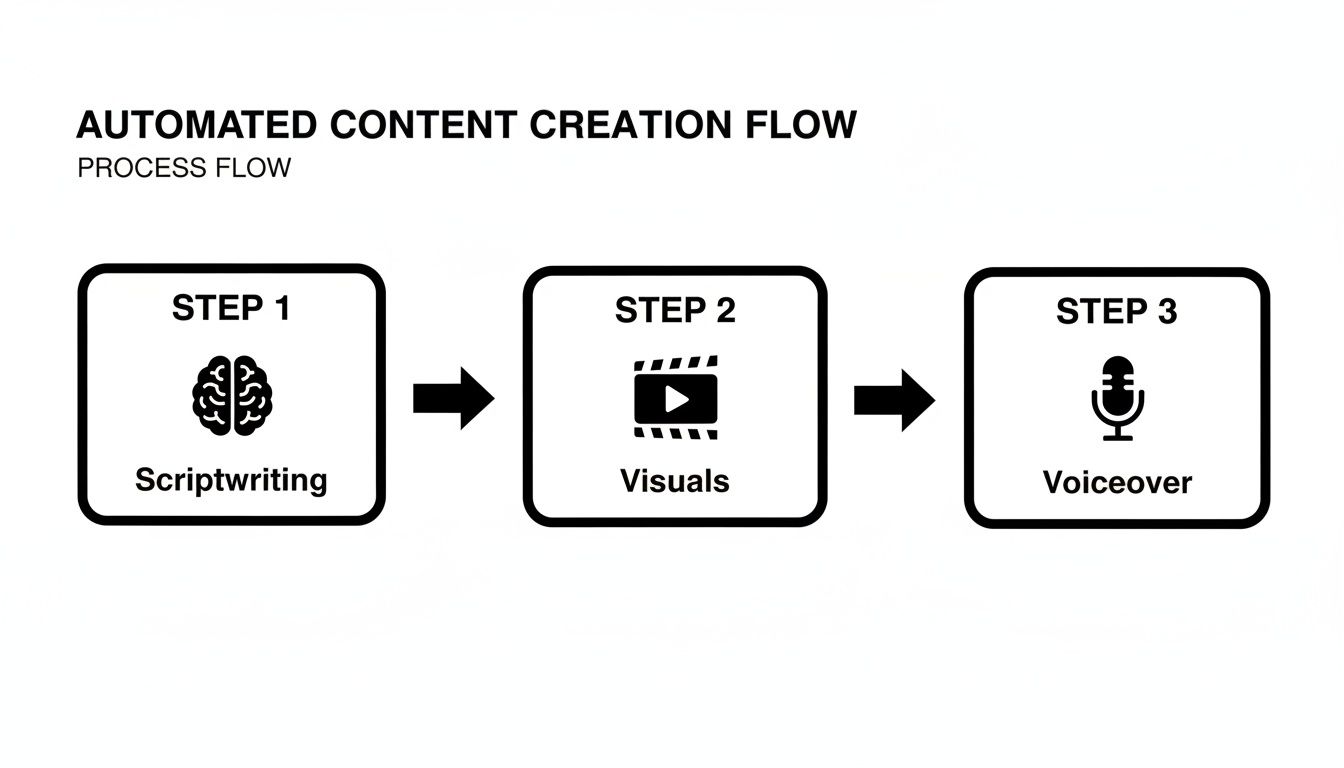
Step 2: Visual Assembly
The system reads the script line by line, identifies the concepts being discussed, and pulls matching footage from a licensed stock library. This goes beyond keyword matching. If your script mentions "ancient Roman architecture," the AI selects dynamic shots of the Colosseum or Forum, not a static image of a column.
Step 3: Voiceover and Captions
Text-to-speech turns the script into narration with natural pacing and inflection. At the same time, the AI generates word-by-word synchronized captions. Since a large share of social media viewers watch with sound off, captions aren't optional; they're a retention tool.
Step 4: Auto-Posting
The video gets published directly to your connected YouTube, TikTok, and Instagram accounts on your chosen schedule. This is what separates a true faceless video generator from a basic video editor: the output goes from idea to published post without you touching it.
Why Faceless Channels Work
Consistency Without Burnout
Social media algorithms reward channels that post on a predictable schedule. But maintaining a daily cadence manually is where most creators stall. An automated system keeps your channel active every day, giving platforms the regular activity signal they look for, without requiring your daily attention.
Create Faceless Videos on Autopilot
FlowShorts generates and posts AI videos to YouTube, TikTok & Instagram while you sleep.
Try FlowShorts Free →Scale Beyond One Channel
With manual production, running one channel is hard enough. With automation, running five channels across different niches becomes realistic for a single person. Each channel posts daily, tests a different topic, and builds its own audience independently. This lets you diversify your content portfolio and find winning niches faster.
No Camera Required
Many would-be creators never start because they don't want to be on screen. Faceless channels remove that barrier entirely. Your brand is built on the content itself, not your personality. This also means the channel isn't tied to one person, making it easier to manage long-term or sell later.
Time and Cost Comparison
| Factor | Traditional Production | AI Faceless Generator |
|---|---|---|
| Time per video | 2-6 hours (script, shoot, edit, upload) | Minutes (automated end-to-end) |
| Cost | Camera, mic, editing software, stock footage | $19-69/month subscription |
| Skills needed | Video editing, sound mixing, on-camera presence | None (pick niche, set schedule) |
| Daily posting | Impractical for one person | Default mode |
What You Can Build With Faceless AI Videos
Educational Niche Channels
Daily history facts, quick finance tips, psychology insights, science trivia. These formats work because they pack value into 60 seconds and reward consistent posting. An AI generator can research topics, write scripts, source matching visuals, and post a new video daily without you repeating the same production steps.
Motivational and Affirmation Content
Pair inspiring quotes or life advice with calming visuals (ocean waves, mountain landscapes, sunrise timelapses). The formula is straightforward, and it performs well because the message is universal. When there's no face on screen, the viewer projects themselves into the content.
Brand Explainers and Product Stories
Businesses can use faceless video to break down product features, share industry insights, or turn customer testimonials into visual stories. Short explainer videos outperform long blog posts for engagement, especially on mobile-first platforms.
Content Repurposing
Take a blog post you've already written and turn its key points into five short videos. Take a podcast episode and create a dozen clips with visual backgrounds. This stretches the value of content you've already produced and reaches the audience segment that prefers video over text.
How to Choose the Right Tool

Judge the Output Quality First
The most important test: watch the generated videos. Check two things:
- Voiceover quality: Does the narration sound natural, or does it have the flat, robotic pacing of early TTS? Viewers leave immediately when narration sounds mechanical.
- Visual relevance: Does the AI pick footage that follows the story, or does it just match keywords? Disjointed visuals signal a weak AI model.
Create Faceless Videos on Autopilot
FlowShorts generates and posts AI videos to YouTube, TikTok & Instagram while you sleep.
Try FlowShorts Free →Check the Automation Depth
Some tools generate a video and hand it to you for manual uploading. Others handle the full pipeline through to posting. The difference matters. If you're looking for a hands-off content system, make sure the tool actually connects to your social accounts and publishes on schedule.
Look for Niche Customization
Generic outputs won't build a loyal audience. The tool should let you specify your niche (history, finance, motivation, etc.) so the AI generates scripts and selects visuals that match your channel's focus.
Compare the Options
Different tools have different strengths:
- FlowShorts handles the full pipeline from script to auto-post across YouTube, TikTok, and Instagram. Best for creators who want zero daily involvement.
- InVideo AI gives you more editing control after generation. Better if you want to tweak scenes before publishing.
- Nullface AI focuses specifically on faceless content. Worth comparing if the niche focus matters to you.
For a full breakdown of 12 options, see our guide to the best AI video generators.
Common Questions
Can You Monetize AI Faceless Videos on YouTube?
Yes. YouTube's monetization policies focus on viewer value, not production method. As long as your videos educate, entertain, or inform your audience with original compilation and narration, they qualify for the YouTube Partner Program. The key is ensuring the AI produces unique scripts and visual combinations each time, not recycled content.
Is the Content Actually Unique?
A good AI generator writes a new script for every video, selects a different combination of stock footage, and pairs it with a chosen voice. Because the three core elements (script, visuals, audio) are assembled fresh each time, duplicate content is unlikely. That said, you should still spot-check technical accuracy, especially for niche topics like finance or health where errors could mislead your audience.
How Long Does Setup Take?
Initial setup typically takes a few minutes:
- Connect your YouTube, TikTok, or Instagram accounts (secure OAuth login).
- Choose your niche.
- Set your posting frequency (1/day, 2/day, etc.).
After that, the system runs in the background. You check in when you want to review performance or adjust your niche focus.
Related Guides
- How to Start a Faceless YouTube Channel with AI
- Top Faceless YouTube Niches: 10 Profitable Ideas
- How to Automate Social Media Posts for Real Growth
Compare Faceless Video Generators
See how FlowShorts compares to other faceless video tools:
Explore niches: Browse Faceless YouTube Channel Ideas by Niche — 30+ niches with CPM data and video topics.


