FlowShorts vs BigMotion AI: Which Faceless Video Generator Is Better? (2026)
An honest side-by-side comparison of FlowShorts and BigMotion AI for faceless video creation. Covers features, pricing, voiceover quality, visual approach, auto-posting, and which tool fits different creator needs.
FlowShorts Team
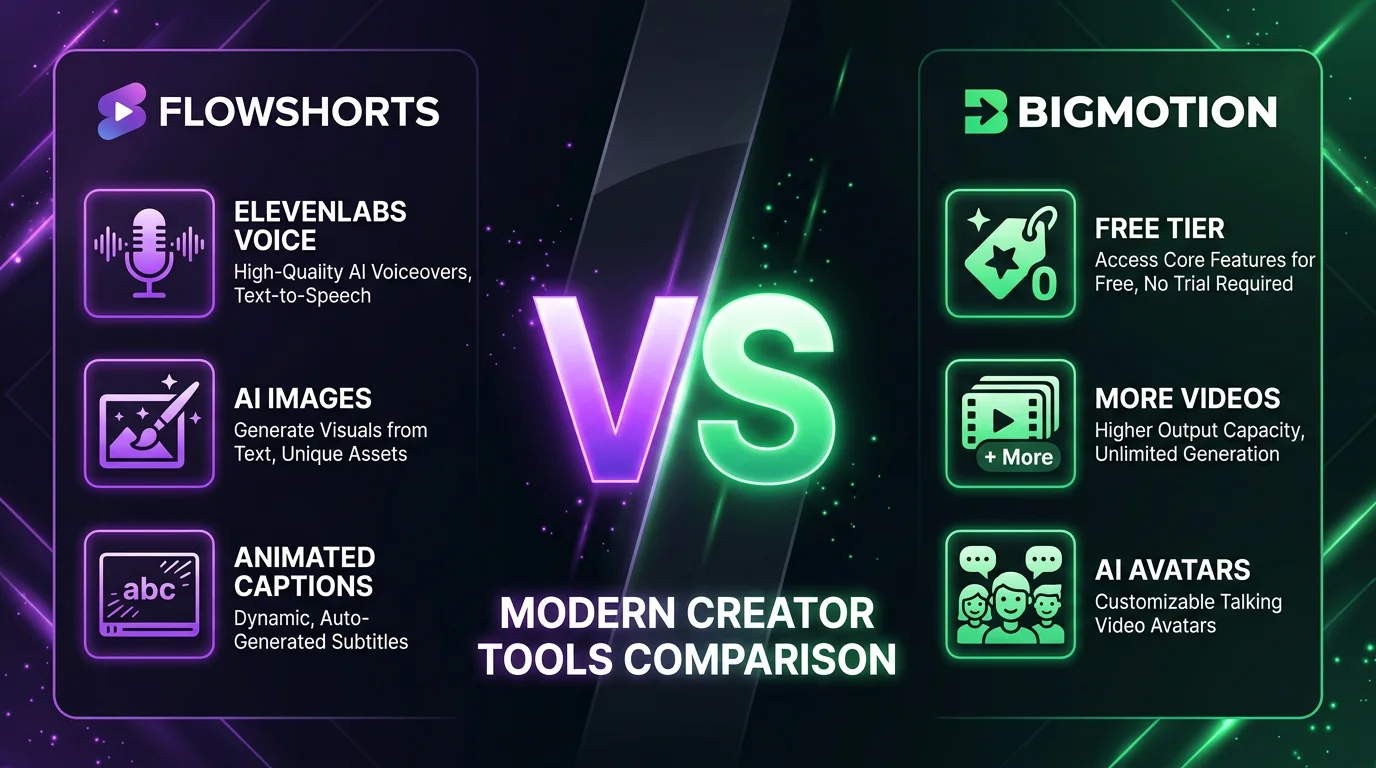
Both FlowShorts and BigMotion AI start at $19 per month. Both auto-post to YouTube Shorts, TikTok, and Instagram Reels. Both promise to put your faceless content on autopilot. On paper, they look nearly identical. But the differences — in voice quality, visual approach, scheduling control, and content features — matter more than you would expect. This comparison breaks down exactly where each tool wins and which one fits your workflow.
Quick Comparison Table
| Feature | FlowShorts | BigMotion AI |
|---|---|---|
| Starting Price | $19/month | $19/month |
| Free Tier | No | Yes (3 videos/month) |
| Platforms | YouTube, TikTok, Instagram | YouTube, TikTok, Instagram |
| AI Voices | ElevenLabs (premium) | Basic AI TTS |
| Visuals | AI-generated images (unique per scene) | Stock footage + AI avatars |
| Animated Captions | 6 styles (hormozi, mrbeast, bold, etc.) | Basic subtitles only |
| Timezone Scheduling | Yes (per-user timezone + posting hour) | Fixed UTC scheduling |
| Post-Generation Editing | No (fully automated) | Yes (edit before posting) |
| AI Avatars | No (faceless only) | Yes |
| Videos on Starter Plan | 8/month | 12/month |
| Content Planning | Category-based topic banks | Series-based planning |
| Analytics Dashboard | Yes (built-in) | Basic stats |
| Niches/Categories | 8 built-in + custom topics | 15+ templates |
| Max Video Length | ~60 seconds | ~90 seconds |
| Auto-Posting | Fully automated on schedule | Automated with optional review |
Where FlowShorts Wins
Voice Quality (ElevenLabs vs Basic AI TTS)
This is the single biggest differentiator. FlowShorts uses ElevenLabs for text-to-speech, which is widely considered the most natural-sounding AI voice engine available in 2026. The voices have realistic pacing, natural emphasis, and subtle inflections that make narration sound like a real person recorded it. BigMotion uses a more basic AI TTS engine that gets the job done but sounds noticeably more robotic — especially on longer sentences or emotional content. If your niche relies heavily on narration (motivation, storytelling, finance explainers), this gap is hard to ignore.
AI-Generated Images (Unique Visuals per Scene)
FlowShorts generates a unique AI image for every scene in your video using models like Flux and fal.ai. That means each video has visuals that literally do not exist anywhere else on the internet. BigMotion takes a different approach, pulling from stock footage libraries and pairing clips with AI avatars. Stock footage is perfectly fine for many niches, but if you have watched enough faceless content on YouTube Shorts or TikTok, you have probably noticed the same Pexels clips appearing across dozens of channels. AI-generated images solve that repetition problem entirely.
Animated Captions (6 Styles)
FlowShorts offers six distinct TikTok-style animated caption styles — including hormozi, mrbeast, bold, minimal, classic, and boxed. These are word-level animated captions generated from speech-to-text timestamps, matching the style that performs best on short-form platforms right now. BigMotion includes basic subtitles but does not offer the same variety of animated caption styles. Given how much captions influence watch time and retention, this is a meaningful advantage for creators optimizing for engagement.
Timezone-Aware Scheduling
FlowShorts lets you set your timezone and preferred posting hour. Videos go out when your audience is actually online, whether you are in New York, London, or Sydney. BigMotion schedules posts on a fixed UTC basis, which means you either need to do the timezone math yourself or accept that your posting times might not align with your audience''s peak hours. For creators targeting specific regional audiences, FlowShorts'' approach is more practical.
Analytics Dashboard
FlowShorts includes a built-in analytics dashboard that tracks video performance across your connected accounts. You can see which videos are performing, spot trends, and adjust your content strategy without switching to a separate tool. BigMotion provides basic statistics but does not offer the same depth of analytics within the platform itself.
Create Faceless Videos on Autopilot
FlowShorts generates and posts AI videos to YouTube, TikTok & Instagram while you sleep.
Try FlowShorts Free →Where BigMotion Wins
Free Tier
BigMotion offers a free plan that includes 3 videos per month. FlowShorts does not have a free tier at all — the lowest entry point is $19 per month. If you are just exploring faceless video creation and want to test the waters without spending anything, BigMotion is the obvious choice. You can generate a few videos, see how the workflow feels, and decide if automated faceless content is worth investing in before you commit any money. That is a genuine advantage, especially for beginners who are not sure this approach will work for their niche.
More Videos Per Dollar
On the $19/month starter plan, BigMotion gives you 12 videos per month compared to FlowShorts'' 8. That works out to roughly $1.58 per video on BigMotion versus $2.38 per video on FlowShorts. If volume is your priority — maybe you are testing multiple niches or want to post more frequently to grow faster — BigMotion delivers more content for the same budget. The gap narrows on higher-tier plans, but at the entry level, BigMotion is the better value on a per-video basis.
AI Avatars
BigMotion supports AI avatar videos where a digital presenter appears on screen, talking directly to the viewer. FlowShorts is faceless-only by design — no talking heads, no avatars. For some niches (product reviews, educational content, personal branding), having a face on screen can significantly boost trust and engagement. If you want the option to create both faceless and avatar-style content from one platform, BigMotion is the only choice between the two.
Post-Generation Editing
BigMotion lets you review and edit videos before they get posted. You can tweak the script, swap clips, or adjust timing after the AI generates the initial video. FlowShorts is fully automated — the pipeline runs from script to posting without a manual review step. That hands-off approach is a selling point for some creators who want true autopilot, but it is a limitation for others who want more creative control. If you like to review every piece of content before it goes live, BigMotion''s editing step is a clear win.
Series-Based Content Planning
BigMotion organizes content around series — you can create a multi-part series on a topic and the AI will maintain continuity across episodes. FlowShorts uses a category-based topic bank system where you pick a niche and the AI generates individual standalone videos. Both approaches work, but series-based planning is better for creators who want to build narrative arcs or educational sequences that keep viewers coming back for the next installment.
Pricing Comparison
| Plan Detail | FlowShorts Starter | FlowShorts Creator | FlowShorts Pro | BigMotion Starter | BigMotion Growth | BigMotion Business |
|---|---|---|---|---|---|---|
| Monthly Price | $19 | $39 | $69 | $19 | $39 | $79 |
| Annual Price | $190/yr | $390/yr | $690/yr | $180/yr | $348/yr | $708/yr |
| Videos/Month | 8 | 30 | 60 | 12 | 30 | 60 |
| Cost per Video (Monthly) | $2.38 | $1.30 | $1.15 | $1.58 | $1.30 | $1.32 |
| Platforms | 3 | 3 | 3 | 3 | 3 | 3 |
| AI Voices | ElevenLabs | ElevenLabs | ElevenLabs | Basic TTS | Basic TTS | Premium TTS |
| AI Avatars | No | No | No | Yes | Yes | Yes |
At the mid-tier ($39/month), both platforms offer 30 videos per month at the same per-video cost. The pricing difference shows up most at the entry level, where BigMotion offers 50% more videos, and at the top tier, where FlowShorts is slightly cheaper per video ($1.15 vs $1.32). BigMotion''s annual pricing is also marginally more aggressive across all tiers.
Create Faceless Videos on Autopilot
FlowShorts generates and posts AI videos to YouTube, TikTok & Instagram while you sleep.
Try FlowShorts Free →Which Should You Choose?
There is no single "better" tool here. The right choice depends entirely on what you prioritize:
- Want the highest quality per video? FlowShorts. ElevenLabs voices and AI-generated images produce a more polished result per video.
- Want a free option to test first? BigMotion. The free tier lets you try before you spend anything.
- Want more videos for the budget? BigMotion. 12 videos for $19/month versus 8 is a meaningful difference when you are starting out.
- Want premium voiceover quality? FlowShorts. ElevenLabs is in a different league from basic AI TTS.
- Want to edit videos before posting? BigMotion. FlowShorts is fully automated with no manual review step.
- Want timezone-aware scheduling? FlowShorts. Post when your audience is online, not when UTC says so.
- Want AI avatars? BigMotion. FlowShorts is faceless-only.
- Want animated caption styles? FlowShorts. Six styles versus basic subtitles.
- Want series-based content? BigMotion. Better for multi-part narrative content.
- Want built-in analytics? FlowShorts. Deeper performance tracking without leaving the platform.
If you are still not sure, check out the faceless niche finder to figure out your niche first — the right niche matters more than the right tool.
Frequently Asked Questions
Is FlowShorts or BigMotion better for beginners?
BigMotion is easier to start with because of its free tier and post-generation editing. You can test the platform without spending money and review every video before it goes live. FlowShorts is also straightforward to set up — you pick a category, connect your accounts, and it runs on autopilot — but it requires a paid plan from day one and does not let you edit videos after generation. If you want training wheels, go with BigMotion. If you want to set it and forget it from the start, FlowShorts is simpler once running.
Which has better video quality?
FlowShorts produces higher-quality output on a per-video basis. ElevenLabs voices sound more natural than BigMotion''s default TTS, and AI-generated images are more visually unique than stock footage. BigMotion''s quality is solid — especially with AI avatars, which FlowShorts does not offer — but if you put two narrated faceless videos side by side, FlowShorts'' will typically sound and look more polished. BigMotion does unlock premium TTS on its highest-tier Business plan, which narrows the voice quality gap at that price point.
Can I switch from BigMotion to FlowShorts?
Yes. Both platforms use their own content pipelines, so there is no migration needed. You would sign up for FlowShorts, pick your category, connect your social accounts, and start generating. Your existing BigMotion videos and social accounts are not affected. Some creators run both platforms simultaneously on different channels to compare results — that is a perfectly valid approach if you want to test both before committing to one. For a broader look at options, see our roundup of the best faceless video generators that auto-post.
Do both auto-post to Instagram Reels?
Yes. Both FlowShorts and BigMotion support auto-posting to Instagram Reels, along with YouTube Shorts and TikTok. FlowShorts handles posting through a scheduling system where you set your timezone and posting hour, and videos go out automatically. BigMotion also auto-posts but gives you the option to review and approve each video before it gets published. Both approaches work — it comes down to whether you prefer full automation or a review step in the workflow. For tips on creating effective Reels content, check out our guide on how to make faceless Reels.
The Bottom Line
Both FlowShorts and BigMotion AI are solid tools for automated faceless video creation. They are not the same product wearing different branding — they make genuinely different trade-offs. FlowShorts wins on per-video quality: better voices, unique AI images, animated captions, and smarter scheduling. BigMotion wins on value and flexibility: a free tier, more videos per dollar, AI avatars, post-generation editing, and series-based planning.
If quality per video is your top priority and you are willing to pay from day one, FlowShorts is the stronger choice. If you want to start free, get more videos for your budget, or need features like avatars and editing, BigMotion AI is the better fit. Either way, the best move is to pick one, commit to a niche, and start posting consistently — that matters more than which platform you are on.
For a more detailed feature-by-feature breakdown, visit our full FlowShorts vs BigMotion comparison page. And if you are exploring other options too, check our list of the best AI tools for faceless Reels.


