AI YouTube Shorts Generator: 7 Best Tools to Create Shorts Automatically (2026)
7 best AI YouTube Shorts generators compared. From fully automated daily posting (FlowShorts) to AI clipping (Opus Clip), prompt-to-video (InVideo), and free editing (CapCut).
FlowShorts Team
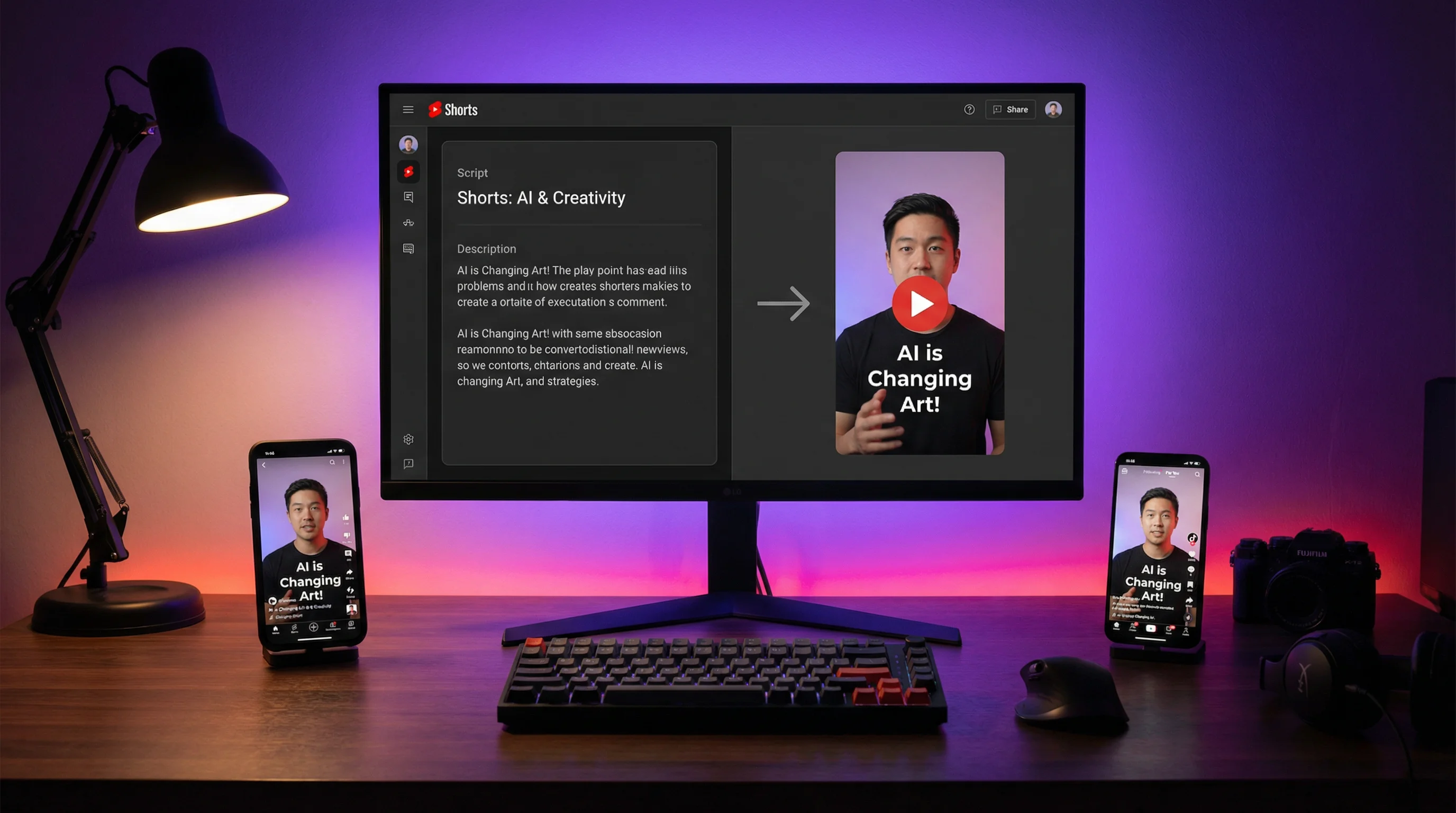
An AI YouTube Shorts generator creates short-form vertical videos automatically — typically from a text prompt, topic, or script — without requiring manual filming, editing, or production work.
The tools in this category range from clip extractors that cut long-form content into Shorts, to fully automated systems that generate original Shorts from scratch on a daily schedule. This guide covers the 7 best options in 2026, their ideal use cases, and how to choose the right tool for your channel.
7 Best AI YouTube Shorts Generators (2026)
1. FlowShorts — Best for Fully Automated Daily Shorts
FlowShorts is the most hands-off option: pick a niche, connect your YouTube channel, and the system generates and posts Shorts on autopilot — every day, without your involvement.
How it works:
- You select a content category (motivation, finance, history, tech, science, fitness, etc.)
- FlowShorts generates a script using AI (Gemini Pro)
- AI images are generated for each scene (fal.ai)
- Voiceover is created via ElevenLabs text-to-speech
- Captions are auto-synced with word-level timing
- Background music is selected automatically
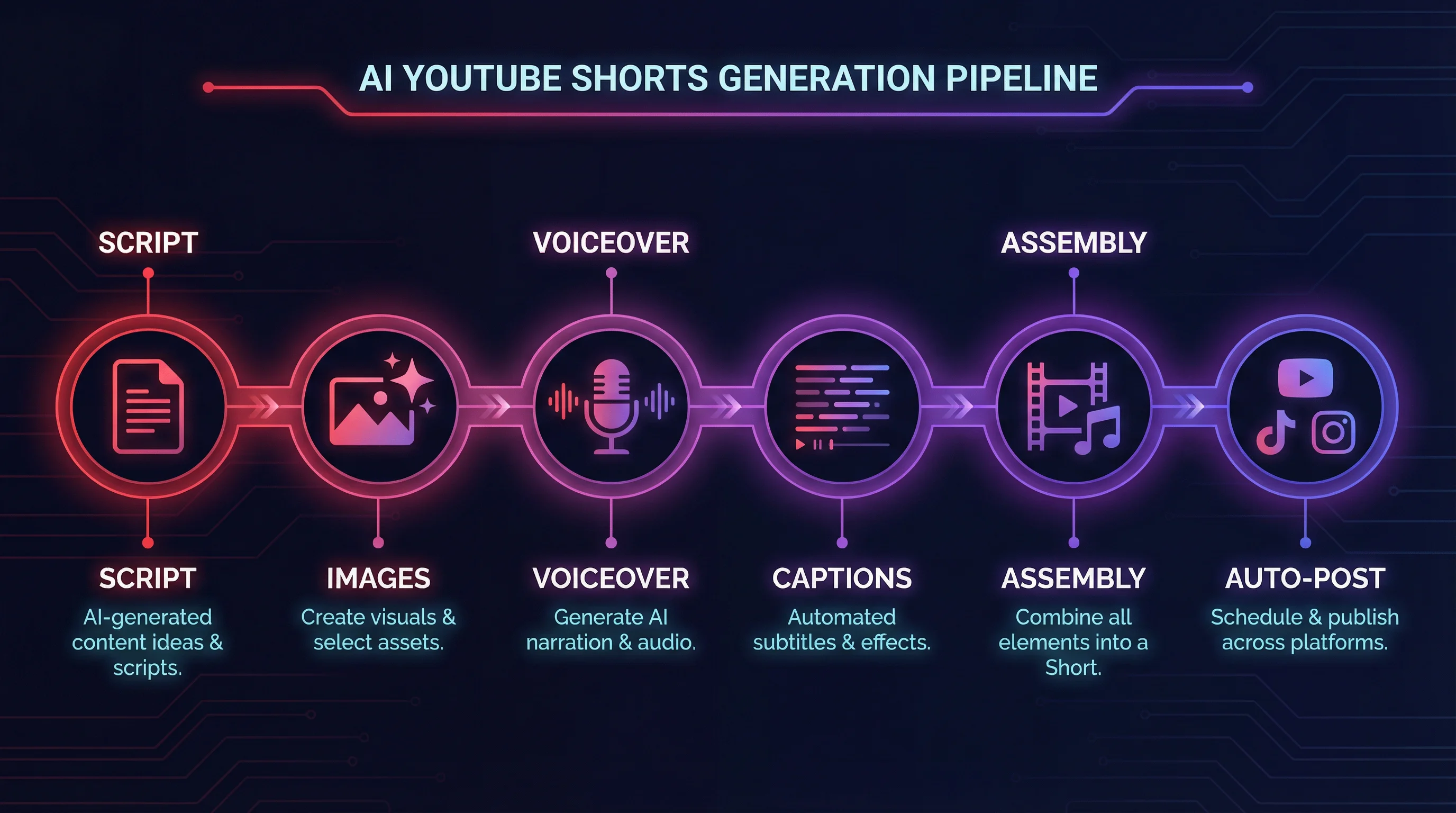
- The finished 1080×1920 Short is posted to YouTube (and optionally TikTok and Instagram Reels) on a schedule
Best for: Faceless content creators who want daily posting without daily effort. Channels in motivation, education, history, science, finance, and similar narration-based niches.
Pricing: Starter $19/mo (8 videos/month), Creator $39/mo (30/month), Pro $69/mo (60/month). Free trial available.
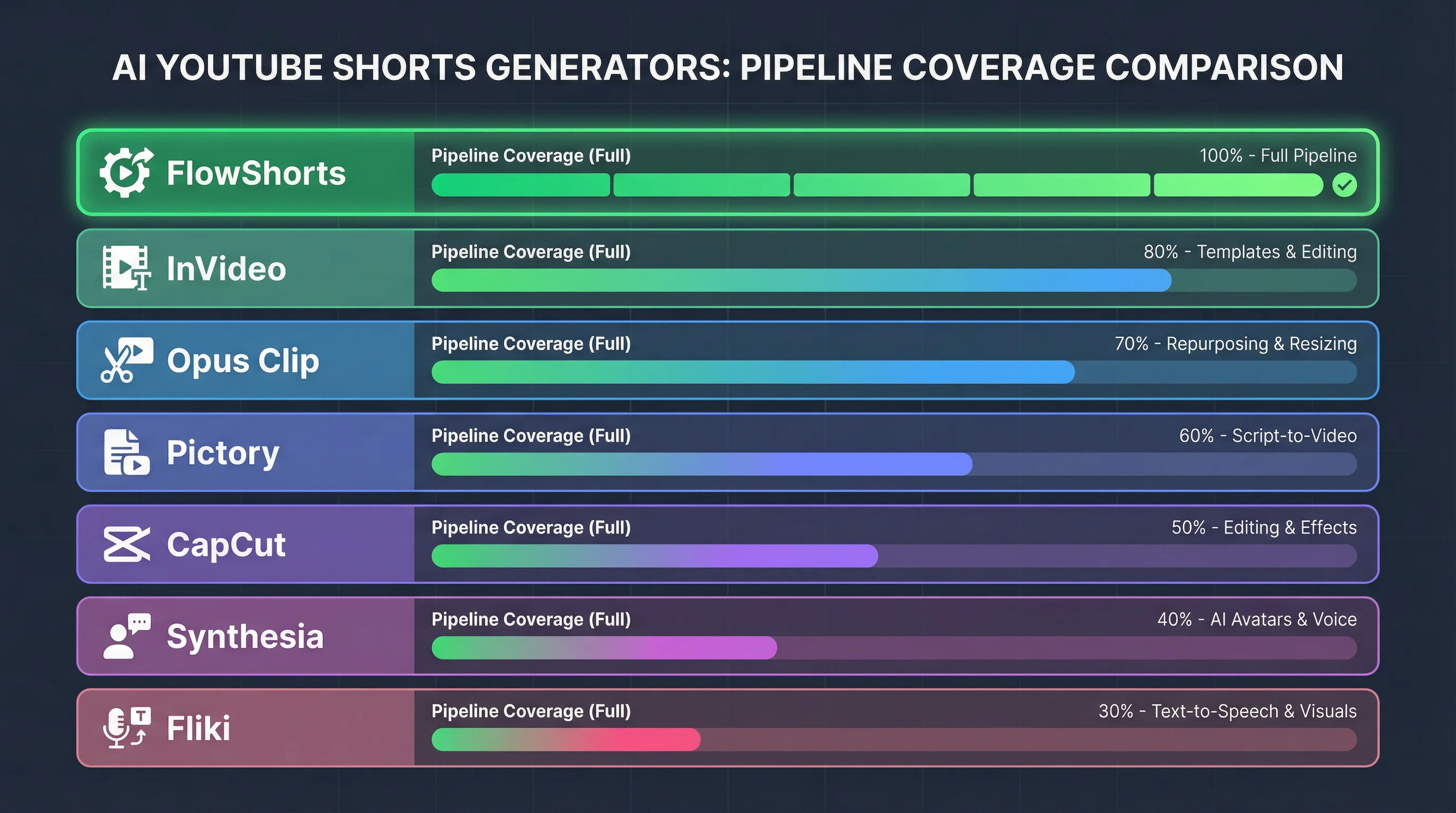
Key advantage: The only tool in this list that handles the complete pipeline — script → images → voice → captions → music → posting — with zero manual steps required after initial setup.
2. InVideo AI — Best for Prompt-to-Video With Stock Footage
InVideo AI generates short-form videos from a text prompt, combining stock footage with AI-written narration. You describe what you want ("Create a 60-second Short about the Roman Empire"), and InVideo produces a video with relevant stock clips, voiceover, and captions.
Best for: Creators who want stock footage-based Shorts without generating images from scratch. Works well for news, explainer content, and topics with readily available stock visuals.
Pricing: $25/month for AI plan.
Limitation: Stock footage is stock — it doesn't create visually original content. Videos can look generic if the same popular clips appear across many channels.
3. Opus Clip — Best for Cutting Long-Form Content Into Shorts
Opus Clip takes existing long-form YouTube videos, podcasts, or webinars and automatically identifies the most "clipworthy" moments, then cuts them into Short-form clips with captions.
Best for: Creators who already produce long-form content (YouTube videos, podcasts, webinars) and want to repurpose it into Shorts without manual editing.
Pricing: $15/month for 150 clips/month.
Limitation: Requires existing long-form content. If you don't have a long-form library to draw from, this tool isn't useful. Quality depends heavily on how "clippable" your source material is.
4. Pictory — Best for Text/Blog-to-Video
Pictory converts text content (blog posts, articles, scripts) into videos using stock footage. Upload a script or paste a blog post URL, and Pictory matches footage to the text and generates a video with voiceover and captions.
Create Faceless Videos on Autopilot
FlowShorts generates and posts AI videos to YouTube, TikTok & Instagram while you sleep.
Try FlowShorts Free →Best for: Content marketers who have written content they want to convert to video format. Works well for businesses repurposing blog content into Shorts.
Pricing: $19/month for Starter plan.
Limitation: Like InVideo, relies on stock footage. Better suited for business/marketing content than entertainment or educational Shorts.
5. CapCut — Best Free Option With AI Features
CapCut is a full video editor with AI-powered tools: auto-captions, background removal, AI avatars, script-to-video, and template-based creation. The free tier is extensive.
Best for: Creators comfortable with manual editing who want AI-assisted features to speed up their workflow. Best for on-camera content with AI captions and effects added.
Pricing: Free tier (watermark), Pro $8/month.
Limitation: Not fully automated — you still need to film or source footage. CapCut assists with editing but doesn't generate original video from scratch.
6. Synthesia — Best for AI Avatar Presenter Shorts
Synthesia generates videos featuring AI avatar presenters that lip-sync to any script in 140+ languages. You write a script, choose an avatar, and Synthesia produces a talking-head style video without on-camera filming.
Best for: B2B content, corporate training, multilingual content, and creators who want a human-like presenter without being on camera themselves.
Pricing: $22/month for Starter plan.
Limitation: AI avatars are identifiable as AI, which some audiences find off-putting. Not ideal for entertainment or viral content — better for informational/instructional use cases.
7. Fliki — Best for Voiceover-First Shorts
Fliki converts scripts into videos with AI voiceover paired with stock footage or AI images. Strong voiceover quality with 2,000+ voices in 75+ languages makes it useful for localized content.
Best for: Multilingual content creators and those prioritizing voiceover quality. Good for narration-based educational Shorts in multiple languages.
Pricing: $28/month for Standard plan.
Limitation: Interface is more complex than alternatives. Voiceover quality is the standout feature, but overall automation is less streamlined than FlowShorts for daily posting.
Comparison Table
| Tool | Creates Original Content | Visual Source | Auto-Posts to YouTube | Free Tier | Starting Price |
|---|---|---|---|---|---|
| FlowShorts | Yes (fully) | AI-generated images | Yes (daily autopilot) | Yes (1 video) | $19/mo |
| InVideo AI | Yes (from prompt) | Stock footage | No (manual) | Yes (limited) | $25/mo |
| Opus Clip | No (clips existing video) | Your footage | No (manual) | Yes (40 clips/mo) | $15/mo |
| Pictory | Partial (script to video) | Stock footage | No (manual) | Yes (3 videos) | $19/mo |
| CapCut | Partial (assists editing) | Your footage | No (manual) | Yes (watermark) | $8/mo |
| Synthesia | Yes (AI avatar) | AI avatar | No (manual) | No | $22/mo |
| Fliki | Partial (script to video) | Stock + AI images | No (manual) | Yes (limited) | $28/mo |
How to Choose the Right AI Shorts Generator
Create Faceless Videos on Autopilot
FlowShorts generates and posts AI videos to YouTube, TikTok & Instagram while you sleep.
Try FlowShorts Free →| If you want... | Best tool |
|---|---|
| Fully automated daily posting with no effort | FlowShorts |
| To turn existing YouTube videos into Shorts | Opus Clip |
| Stock footage-based videos from a prompt | InVideo AI |
| To convert blog posts to video | Pictory |
| Free editing help with AI features | CapCut |
| AI avatar presenter without filming | Synthesia |
| Multilingual voiceover-focused content | Fliki |
How the FlowShorts Pipeline Works
For creators interested in the fully automated approach, here's exactly what FlowShorts does to generate a Short:
- Topic selection — System selects a topic from your niche category or lets you specify a custom topic
- Script generation — AI writes a 60-second script with 6-8 scenes, optimized for narration pacing
- Image generation — One AI image per scene, generated at 1080×1920 to fit the Short format
- Voiceover generation — ElevenLabs TTS narrates the script with natural pacing and intonation
- Caption generation — Word-level timestamps from speech recognition create animated captions (6 TikTok-style styles available)
- Video composition — Remotion renders all scenes with transitions, captions, background music, and VFX
- Auto-posting — The finished 1080×1920 MP4 posts to YouTube Shorts (and optionally TikTok and Instagram Reels) on a configured schedule
The entire pipeline runs without any user action after initial setup.
YouTube Shorts Technical Specs (2026)
| Specification | Requirement |
|---|---|
| Resolution | 1080 × 1920 pixels (9:16) |
| Frame rate | 30 fps |
| Max length | 60 seconds (extended to 3 minutes for some creators as of 2025) |
| Format | MP4 |
| Max file size | 256 MB |
| Audio | AAC recommended |
Can You Make Money From AI-Generated YouTube Shorts?
Yes. AI-generated Shorts are eligible for YouTube Partner Program monetization, including Shorts ad revenue. YouTube's policies require that content is original and doesn't violate community guidelines — AI-generated images, voiceover, and scripts are allowed.
The key consideration: content quality, not production method. YouTube evaluates Shorts on viewer engagement (completion rate, likes, shares) and advertiser-friendliness. A high-quality AI-generated Short with engaging content earns the same distribution and revenue as a hand-crafted Short.
For complete monetization requirements, see our YouTube monetization guide and our YouTube Partner Program requirements guide.
Frequently Asked Questions
What is the best AI YouTube Shorts generator?
The best AI YouTube Shorts generator depends on your use case. FlowShorts is best for fully automated faceless content posted daily without effort. Opus Clip is best for repurposing existing long-form content. InVideo AI is best for prompt-to-video with stock footage. CapCut is best for free editing assistance with AI features.
Can AI generate YouTube Shorts automatically?
Yes. FlowShorts generates and posts complete YouTube Shorts automatically on a daily schedule — script, images, voiceover, captions, music, and posting to YouTube. After initial setup (picking your niche and connecting your YouTube account), no further action is needed.
Are AI-generated YouTube Shorts allowed by YouTube?
Yes, AI-generated content is allowed on YouTube, including Shorts. YouTube does not prohibit AI-generated images, voiceover, or scripts. The platform does require that content is original (not reposting others' content), accurate (no synthetic misinformation), and follows community guidelines. AI-generated Shorts are eligible for monetization via the YouTube Partner Program.
How long does it take to make a YouTube Short with AI?
With a fully automated tool like FlowShorts, a complete Short takes approximately 5-10 minutes to generate after you initiate the request — or 0 minutes if you're using automated scheduling. Manual AI-assisted workflows (using tools like CapCut or InVideo) typically take 15-30 minutes per Short.
How many YouTube Shorts should I post per day?
For channel growth, 1 Short per day is the recommended baseline. More frequent posting (2-3/day) can accelerate subscriber growth but requires ensuring content quality stays consistent. For full strategy guidance, see our guide on how many YouTube Shorts to post per day.
Related Guides
- How Many YouTube Shorts to Post Per Day
- How to Get Monetized on YouTube
- 50 YouTube Channel Ideas by RPM
- YouTube Analytics: Complete Guide
- How to Schedule YouTube Shorts
The Most Automated AI Shorts Generator
FlowShorts is the only tool that handles the complete pipeline — script, AI images, voiceover, captions, music, and daily posting to YouTube Shorts, TikTok, and Instagram Reels. Set up once, post daily, grow on autopilot.


