Schedule instagram reels: A Quick Guide to Smart Scheduling
Discover how to schedule instagram reels using native tools and apps to save time, stay consistent, and boost growth.
FlowShorts Team

Of course you can schedule Instagram Reels ahead of time. You can do it right inside Meta's own tools or by using one of the many third-party apps out there. And honestly, it's one of the single best things you can do for your content strategy. It's the move that takes you from a frantic, last-minute scramble to a calm, consistent process that actually grows your account.
Why Scheduling Reels Is a Game-Changer for Instagram Growth

If you're anything like me, you know the pressure. That constant need to create, edit, and post an engaging Reel every single day can quickly lead to burnout. But what if scheduling wasn't just about saving your sanity? What if it was the secret weapon for your entire Instagram growth plan?
In 2026, consistency with high-quality Reels is what the algorithm craves. When you start scheduling your content, you’re no longer just reacting to the day. You’re finally able to be proactive, which gives you the space to maintain a much higher standard of quality and make sure every video you post is polished and purposeful.
Building Strategic Momentum
Imagine this: instead of panicking about what to post today, you set aside a few hours to film a handful of Reels all at once. This is called batching, and it's a lifesaver. You can film everything in one go, then schedule the finished videos to roll out over the next week or two. This workflow doesn't just buy you back precious time; it helps your feed feel more cohesive and keeps your content perfectly aligned with your brand voice.
This consistency sends a huge signal to the Instagram algorithm. The platform's logic has definitely shifted. While we've seen overall post reach take a hit, consistent Reel posting is a proven way to drive growth. In fact, recent data shows accounts that post four or more Reels per week grew their followers 2.8 times faster than those posting less often. This happened even as average post reach dropped by 31% between 2024 and 2025.
Scheduling turns your content from a bunch of random posts into a strategic asset. It's the difference between hoping for engagement and actually engineering it.
Maximizing Your Content's Impact
When you plan ahead, you can be incredibly strategic about when you post. Dropping a Reel right when your audience is most active can give it the initial boost it needs—that quick burst of likes, comments, and shares. This early traction is what tells Instagram to push your content to a wider audience on the Explore page and Reels tab. That’s how you break out beyond your current followers and build real momentum.
This organized approach gives you some pretty clear wins:
- Dodge the Burnout: Finally, an end to the daily "what do I post?" panic.
- Keep Quality High: Give yourself the time to produce better, more polished Reels. Learn how to make Reels on Instagram for tips on quality.
- Post at the Best Times: Hit those peak engagement windows without being glued to your phone.
- Connect to Your Goals: Make sure every single Reel serves a specific purpose, whether it's for a marketing campaign or a content pillar.
Ultimately, when you schedule Instagram Reels, you’re making a smart investment in your channel’s long-term success. It’s a foundational habit that supports everything from audience growth to brand consistency. And if you're ready to take it a step further, learning how to automate social media posts can multiply these benefits, turning your content strategy into a true hands-off growth machine.
Scheduling Reels Directly with Meta Business Suite

You don’t have to shell out for a bunch of different software just to schedule your content. Meta’s own Meta Business Suite is the official—and completely free—way to schedule Instagram Reels. It's a surprisingly solid tool that I find myself using all the time, especially for basic scheduling where I don't need a ton of advanced analytics.
Let’s be honest, though: navigating Meta’s ecosystem can feel a bit clunky at times. But once you get the hang of it, you’ve got a powerful way to manage your content pipeline right from the source. This is a huge plus because it guarantees perfect compatibility and gives you first dibs on new features as they roll out.
Getting Started with the Content Planner
Your command center for all things scheduling is the Content Planner inside Meta Business Suite. Before you can dive in, you need to make sure your Instagram and Facebook accounts are properly connected. Once that’s done, I highly recommend using the desktop browser version for a much smoother workflow than the mobile app.
This is the main dashboard where you'll see everything from your posts and messages to your ads, all in one place for both Facebook and Instagram.
Having this unified view makes it so much easier to keep your content strategy coordinated across both platforms.
Inside the Planner, just look for the "Create Reel" button. Clicking this opens up a clean, focused composer where you'll build out your post. The first thing you'll do is upload your final video file directly from your computer.
Pro Tip: Make sure your Reel is 100% edited before you upload it. While Meta Business Suite lets you trim the video, it doesn’t have any real editing features. Get your cuts, color correction, and audio mixing done in a proper video editing app first.
Fine-Tuning Your Reel for Publication
With your video uploaded, it's time to add all the details that actually drive engagement. This is where you can turn a good Reel into a great one.
- Write a Compelling Caption: Your caption is your chance to add context, spark a conversation with a question, or guide your audience to take action. You get a generous 2,200 characters, which is more than enough space to tell a story. And don’t forget to mix in relevant hashtags to broaden your reach.
- Choose a Standout Cover Image: You can either pick a frame from your video or upload a custom cover. I almost always recommend a custom cover—it creates a clean, branded look on your profile grid and can seriously boost clicks.
- Add Collaborators: If you created the Reel with another account, you can add them as a collaborator right here. This is a fantastic feature for cross-promotion, as the Reel will show up on both of your profiles, sharing the views and engagement.
Once all your details are locked in, you just hit the "Schedule" button. A calendar will pop up, letting you choose the exact date and time for your Reel to go live. Because this is a native tool, the process is seamless and reliable—you're using Instagram's own system to get the job done.
Create Faceless Videos on Autopilot
FlowShorts generates and posts AI videos to YouTube, TikTok & Instagram while you sleep.
Try FlowShorts Free →Exploring Third-Party Instagram Scheduling Tools
Meta's free tools, like Business Suite, are a fantastic starting point. They get the job done, and you can't beat the price. But at some point, you'll likely hit a wall. When your content strategy gets more sophisticated and you need more power, better analytics, and smarter workflows, it's time to look at dedicated third-party scheduling tools.
These platforms are built from the ground up for social media managers, agencies, and creators who are serious about growth. They’re designed to handle a level of complexity and scale that Meta’s native scheduler just isn’t built for.
What Actually Matters in a Scheduling Tool
When I'm vetting a new platform, I cut right through the marketing fluff. A slick interface is great, but I’m looking for features that solve real-world problems and save me time. After testing dozens of tools over the years, a few non-negotiable features always rise to the top.
Here’s what I personally look for:
- A True Visual Planner: I need to see my grid laid out visually. A drag-and-drop calendar is essential for curating your feed’s aesthetic and making sure everything looks cohesive before it’s published.
- First Comment Scheduling: This is a game-changer. Being able to automatically post your block of hashtags in the first comment keeps your caption clean and focused on the message. It’s a small detail that looks incredibly professional.
- Analytics That Tell a Story: Forget basic likes and views. The best tools give you deep insights on reach, engagement rate trends, and what content formats are actually working. Some even offer competitor tracking.
- Team & Client Approval Workflows: If you’re not a solo act, this is a must. It lets other stakeholders (like your boss or a client) review and sign off on posts before they go live, which prevents costly mistakes and keeps the whole team on the same page.
These are the exact features that make paying a monthly subscription worth it. The hours you save and the strategic clarity you gain deliver a return on investment almost immediately.
Comparing Top Instagram Reels Scheduling Tools (2026)
To help you navigate the options, I've put together a quick comparison of the most popular tools I see teams using today. This isn't an exhaustive list, but it covers the main players and where they shine.
| Tool | Best For | Key Features | Pricing Model |
|---|---|---|---|
| Meta Business Suite | Beginners & Solopreneurs | - Direct integration with Instagram & Facebook - Post & Reel scheduling - Basic performance analytics |
Free |
| Later | Visual-first Brands & Creators | - Best-in-class visual planner - Linkin.bio tool - First comment scheduling - User-generated content tools |
Freemium & Paid Tiers |
| Buffer | Small Businesses & Simplicity | - Clean, intuitive interface - Multi-channel scheduling - Engagement tools - Simple analytics reports |
Freemium & Paid Tiers |
| Sprout Social | Agencies & Large Teams | - All-in-one social media suite - Advanced analytics & reporting - Social listening & monitoring - Team collaboration & approval workflows |
Premium Subscription |
Ultimately, there's no single "best" tool—only the one that's best for your specific workflow, team size, and budget.
The Top Contenders in the Scheduling Space
A few platforms really own the market, and each has a distinct personality. Later, for instance, is famous for its visual-first approach and is a huge favorite among creators and brands where aesthetics are everything. On the other hand, a tool like Buffer is all about clean, simple, and efficient scheduling, making it perfect for small businesses that just need to get content out the door without a fuss.
Then you have the heavyweights like Sprout Social or Hootsuite. These are less "schedulers" and more "social media command centers." They’re built for larger organizations and agencies that need deep analytics, social listening, and complex reporting to justify their higher price tags.
The right tool for you depends entirely on your specific needs and budget. A solo creator doesn't need the same enterprise-level features as a global brand's social media team.
My best advice? Don't commit until you've tried it. Almost every platform offers a free trial. I always recommend testing at least two different tools side-by-side. Connect your accounts, schedule Instagram Reels, and get a feel for the workflow. Is the calendar intuitive? How easy is it to upload your videos? Do the analytics give you information you can actually use?
Your goal is to find a tool that doesn’t just add more buttons to click, but one that makes your entire content process faster, smarter, and more effective.
Putting Your Content Creation on Autopilot
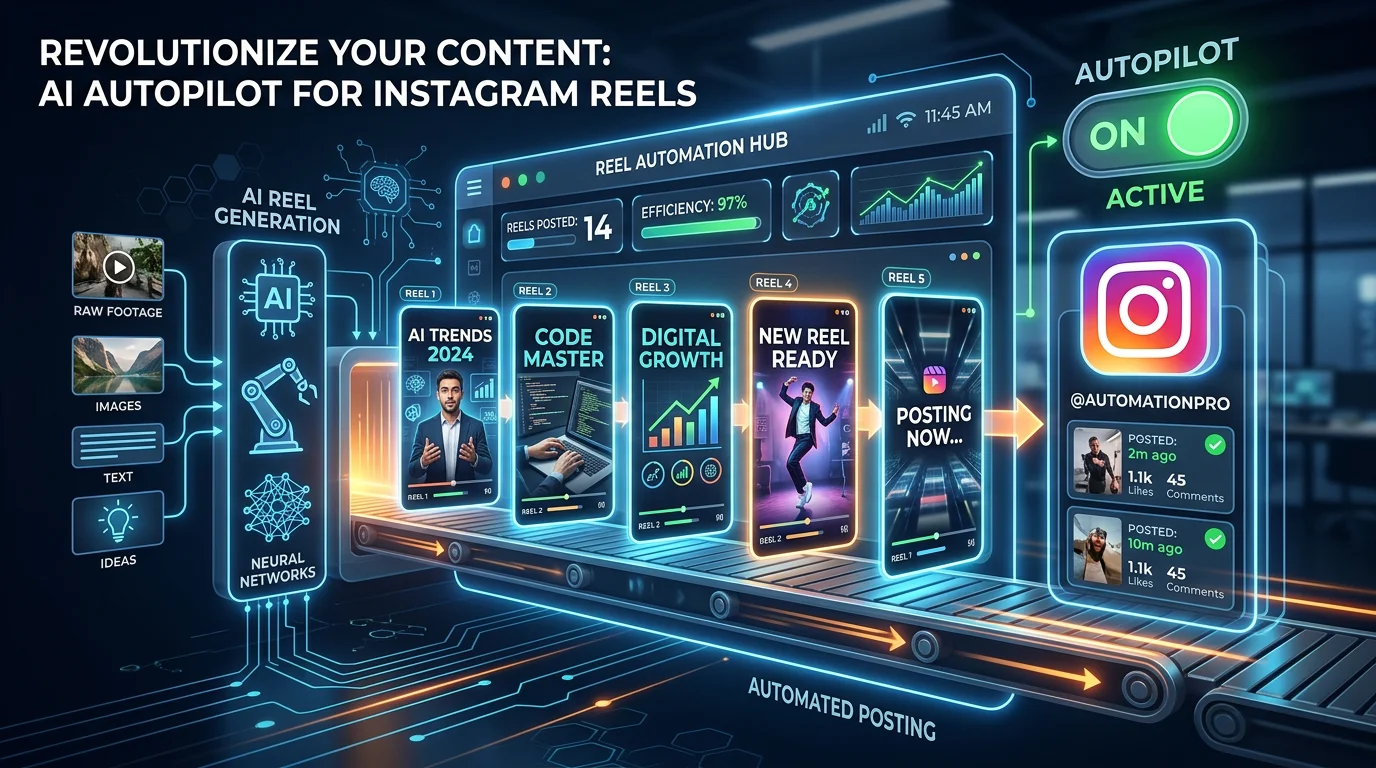
Scheduling your Reels is a huge time-saver, there's no doubt about it. But what if you could take it a step further and automate the creation process itself? Imagine your Reels being conceptualized, produced, and posted for you, freeing you up to actually run your business. This isn't science fiction anymore—it's what full automation looks like, and it’s a total game-changer for creators and brands stretched thin.
This is a big leap from just scheduling posts. We're moving away from the daily grind of manual content creation and toward a new role: overseeing an automated system that does the heavy lifting.
From Scheduling to True Automation
So, how does this actually work in the real world? It's simpler than you might think. You kick things off by telling the AI your niche—maybe it's personal finance, ancient history, or daily motivation—and how often you want to post.
From that point on, the AI takes the wheel. It handles everything:
- Writing the script
- Finding the right stock footage to match the content
- Generating a surprisingly natural-sounding voiceover
- Adding and timing the captions perfectly
Once the video is polished and ready, the system doesn't just send it to you for approval. It goes ahead and schedules the final Reel directly to your Instagram profile based on the calendar you set up. This completely removes the biggest hurdle for most people: the sheer time and creative energy it takes to consistently produce good video content.
This is more than just a convenient shortcut. It’s a strategic play to maintain perfect consistency, which is a massive signal to the Instagram algorithm. When you post on schedule without fail, you build a kind of momentum that's incredibly tough to achieve by hand.
If you're curious about this hands-off strategy, checking out a dedicated Instagram Reels generator will give you a concrete look at how this technology operates. It really is a completely different way of thinking about your social media workflow.
Choosing Your Scheduling Path
Create Faceless Videos on Autopilot
FlowShorts generates and posts AI videos to YouTube, TikTok & Instagram while you sleep.
Try FlowShorts Free →With all these options on the table, from native tools to advanced AI, picking the right path can feel like a big decision. This diagram breaks down a pretty common journey that many creators take.

As you can see, most people start with the free and easy-to-access Meta Business Suite. As their needs become more complex—requiring deeper analytics or better team workflows—they often graduate to specialized platforms like Later or Sprout Social.
At the end of the day, the goal is to reclaim your time and mental space. Automating the most repetitive parts of content creation lets you scale your output without burning yourself out. You get to reinvest those hours into what really matters: engaging with your community, fine-tuning your strategy, and growing your business. It turns content from a daily chore into a powerful, self-running engine for growth.
Strategic Scheduling for Maximum Reach and Engagement

Let's be real—just picking a random time for your Reel to go live isn't a strategy. That's just hitting a button. To actually make scheduling a tool for growth, you need to think like a content strategist, not just a social media manager. It’s about moving beyond how to schedule and digging into why you’re choosing a specific time.
The whole point is to post when your audience is already scrolling. A well-timed Reel gets that immediate burst of likes and comments, signaling to the algorithm that you've got something good. That initial traction is what helps you break out of your follower bubble and land on the For You page.
Find Your Personal Primetime
Forget any article that claims there’s one "best time to post." Your perfect schedule is unique to your audience, and Instagram gives you all the clues you need to figure it out.
Just head over to your Professional Dashboard, tap into Total Followers, and scroll down. You'll see a breakdown of the days and hours your followers are most active. That data is your goldmine.
See a big spike in activity on Thursday at 8 PM? That's your first experiment. Schedule a top-tier Reel for that slot and watch its performance. Do the same for your next two most active times. You’ll quickly learn which slots give you the best launchpad. We cover this in much more detail in our guide to finding the best time to post Reels.
The goal isn't just to post when people are online, but to post when they are most receptive to your content. A well-timed Reel can transform a passive scroll into an active engagement.
Map Out Your Content with a Calendar
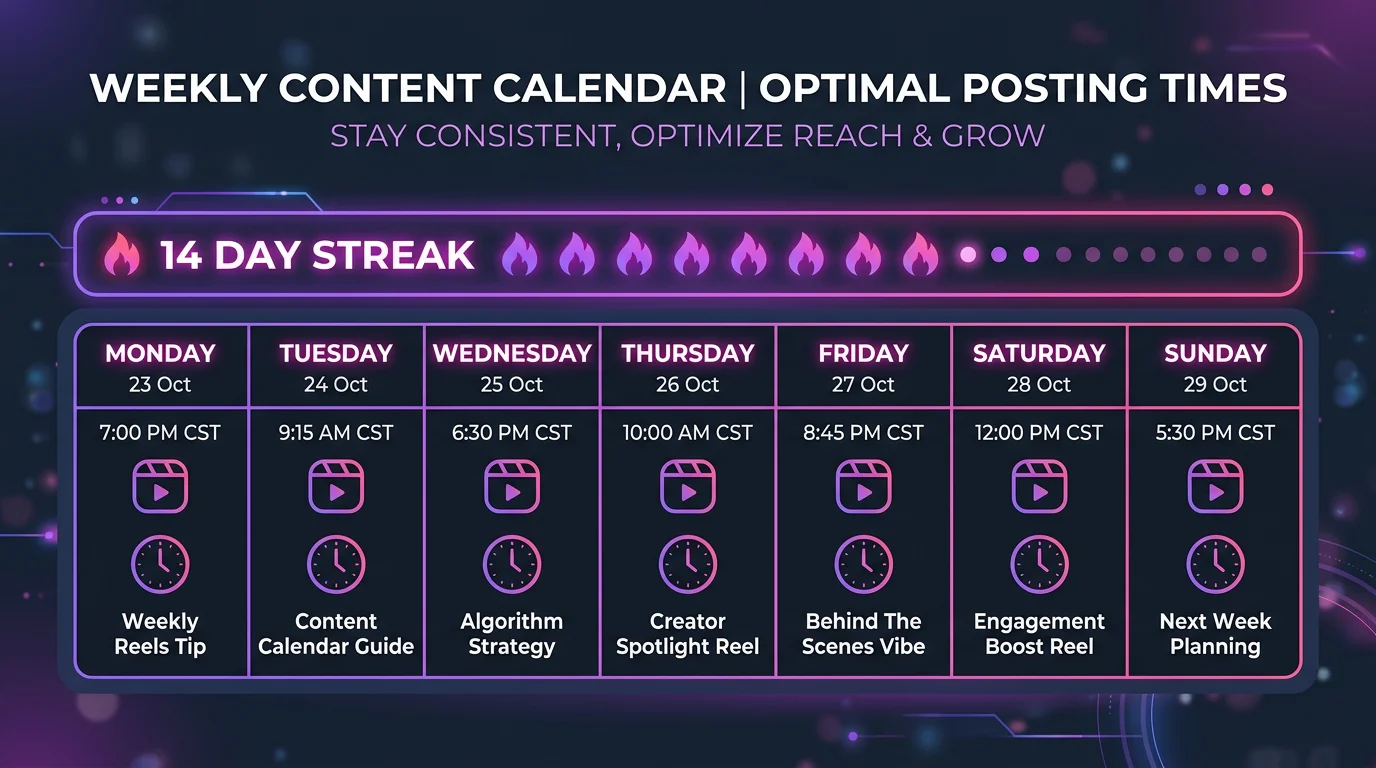
Your workflow shouldn't stop at timing. What you post is just as important. This is where batching content and mapping it out on a calendar becomes a game-changer. Instead of scrambling for an idea every single day, you dedicate a block of time to create a week or two's worth of Reels all at once.
This approach lets you get way more strategic:
- Plan Around Key Moments: Schedule Reels to support a product launch, a big sale, or a holiday campaign.
- Ride a Trend's Wave: You can create content using a trending audio or format and schedule it to go live while it's still hot.
- Keep Your Brand Tight: Planning ahead ensures your feed maintains a consistent look, feel, and message.
Think about a real estate agent batching their content for the week. They might schedule a "Market Update" Reel for Monday morning, a sleek "Luxury Listing Tour" for Wednesday evening when people are browsing, and a "First-Time Buyer Q&A" for Friday afternoon. Each piece is timed to reach a specific mindset.
The payoff for this consistency is huge. Reels now rack up an unbelievable 140 billion daily views. Even more impressive, their average reach rate is 30.81%—more than double other post formats. The real magic is that 55% of Reels views come from people who don't even follow you, making it an incredible tool for discovery. If your account has under 5,000 followers, the engagement rate on Reels often jumps to 3.79%, proving that a consistent, strategic schedule is your best bet for getting in front of new faces. You can dig into more of these Instagram Reels statistics on loopexdigital.com.
Common Questions About Scheduling Reels
Even when you have your tools and a solid strategy, a few practical questions always pop up. It's one thing to know the steps, but it's another to handle the real-world "what ifs" that come with a new workflow. Let's get into some of the most common things people ask when they start to schedule Instagram Reels.
Can I Edit a Scheduled Reel?
The short answer is yes, but there's a huge catch you need to know about. Before your Reel goes live, you can definitely tweak most of the details in whatever tool you used to schedule it, whether that's Meta Business Suite or a third-party app.
You can almost always change things like:
- The caption and your list of hashtags
- The exact time and date it's set to publish
- The custom cover image
- Any collaborators you've tagged
Here's the frustrating part: the one thing you cannot edit is the video file itself. If you notice a typo in your on-screen text or a jump-cut you missed, you have to delete the scheduled post, upload the corrected video, and reschedule it all over again. This is exactly why giving your video one last final watch-through is so critical before you hit "schedule."
Does Scheduling Reels Hurt My Engagement?
This is a stubborn myth that just won't go away, but the answer is a firm no. The Instagram algorithm doesn't penalize you for scheduling content through an official, approved tool. Both Meta's own schedulers and authorized platforms like Later or Buffer use Instagram's official API, which means you're working within the system, not against it.
In fact, the opposite is often true. Scheduling can actually help your engagement.
When you consistently post great content right when your audience is most likely to be scrolling, you give your Reels the best shot at getting that crucial early traction. The algorithm cares about that initial buzz, not whether you posted it manually or scheduled it ahead of time.
At the end of the day, engagement follows great content and smart timing, not how the post was published.
What Is the Best Time to Schedule Instagram Reels?
There’s no magic, one-size-fits-all answer here. The "best time" to post is completely dependent on your specific audience and when they are active. The good news is, Instagram gives you this data for free.
To find your own unique peak hours, just head to your profile and tap the Professional Dashboard. From there, go into your Total Followers stats and scroll all the way down to the "Most Active Times" chart. This graph shows you, day by day and hour by hour, when your followers are on the app.
If you need a place to start, general data suggests that weekday lunch hours (12 PM – 2 PM) and after-work evenings (5 PM – 8 PM) in your audience's primary time zone are strong bets. Treat those as your starting point, schedule some Reels, and then check your analytics to see what really works.
Ready to stop creating content and start overseeing its growth? FlowShorts automates the entire process, from scriptwriting and video creation to scheduling and posting, so your channel grows on autopilot. Start your hands-free content journey with FlowShorts today.
Free tools: Instagram Caption Generator · Instagram Reels Generator