How to Download YouTube Shorts: 5 Free Methods That Work (2026)
5 free methods to download YouTube Shorts in 2026: YouTube app, online downloaders, browser extensions, mobile apps, and yt-dlp command line. Step-by-step instructions and comparison.
FlowShorts Team
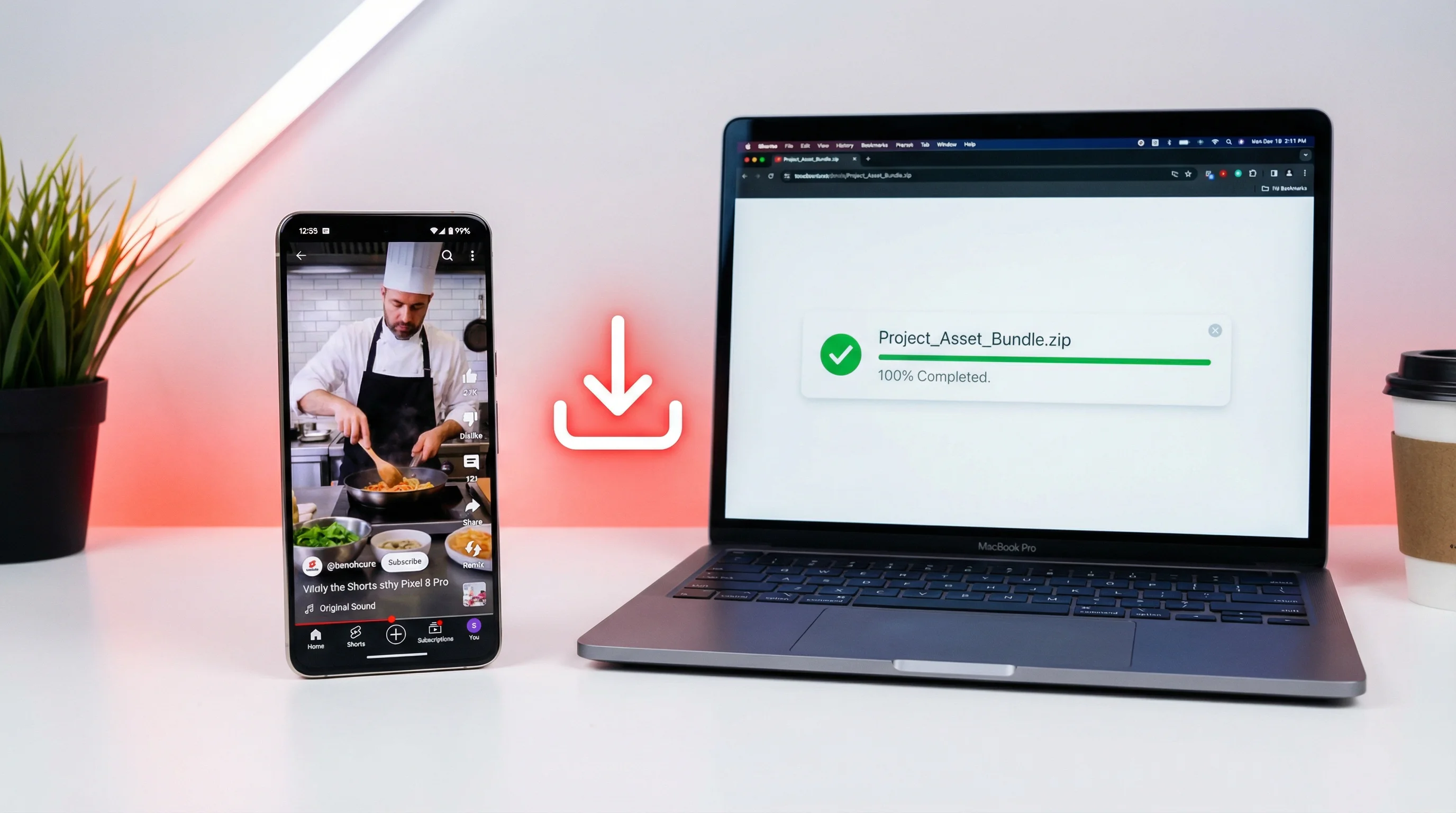
Want to save a YouTube Short to your phone or computer? Here are five methods that work right now — from YouTube's built-in download button to command-line tools for power users.
Method 1: YouTube's Built-In Download (Mobile Only)
The simplest option. YouTube lets you download Shorts directly in the app for offline viewing.
- Open the YouTube app on your phone
- Find the Short you want to save
- Tap the three dots (⋮) on the right side of the Short
- Tap Download
- The Short saves to your YouTube Downloads (accessible offline within the app)
Limitations
- Mobile only — not available on desktop
- Stays inside the YouTube app — you can't access the file in your camera roll or file system
- Requires YouTube Premium in most regions for offline downloads
- Downloaded Shorts expire after 30 days without an internet connection
This method works for offline viewing but not for repurposing, editing, or reposting. For that, you need one of the methods below.
Method 2: Online Downloaders (No Install Needed)
Browser-based tools that convert a YouTube Shorts URL into a downloadable file. No software to install — paste the link, click download.
How to Use an Online Downloader
- Copy the YouTube Short's URL (tap Share → Copy link on mobile, or copy from the address bar on desktop)
- Go to an online downloader site (examples below)
- Paste the URL into the input field
- Select your preferred quality (720p or 1080p)
- Click Download
- The MP4 file saves to your device's Downloads folder
Popular Online Downloaders
| Tool | Max Quality | Watermark | Ads |
|---|---|---|---|
| ssyoutube.com | 1080p | No | Moderate |
| savefrom.net | 720p (free) / 1080p (paid) | No | Heavy |
| y2mate.com | 1080p | No | Heavy |
| shorts.savetube.me | 1080p | No | Light |
Watch Out For
- Ad-heavy sites — most free downloaders rely on aggressive ads. Use an ad blocker.
- Fake download buttons — the actual download link is often buried among ad-disguised buttons. Look for the one that matches your chosen quality.
- Malware risk — stick to well-known tools. If a site asks you to install software, close it.
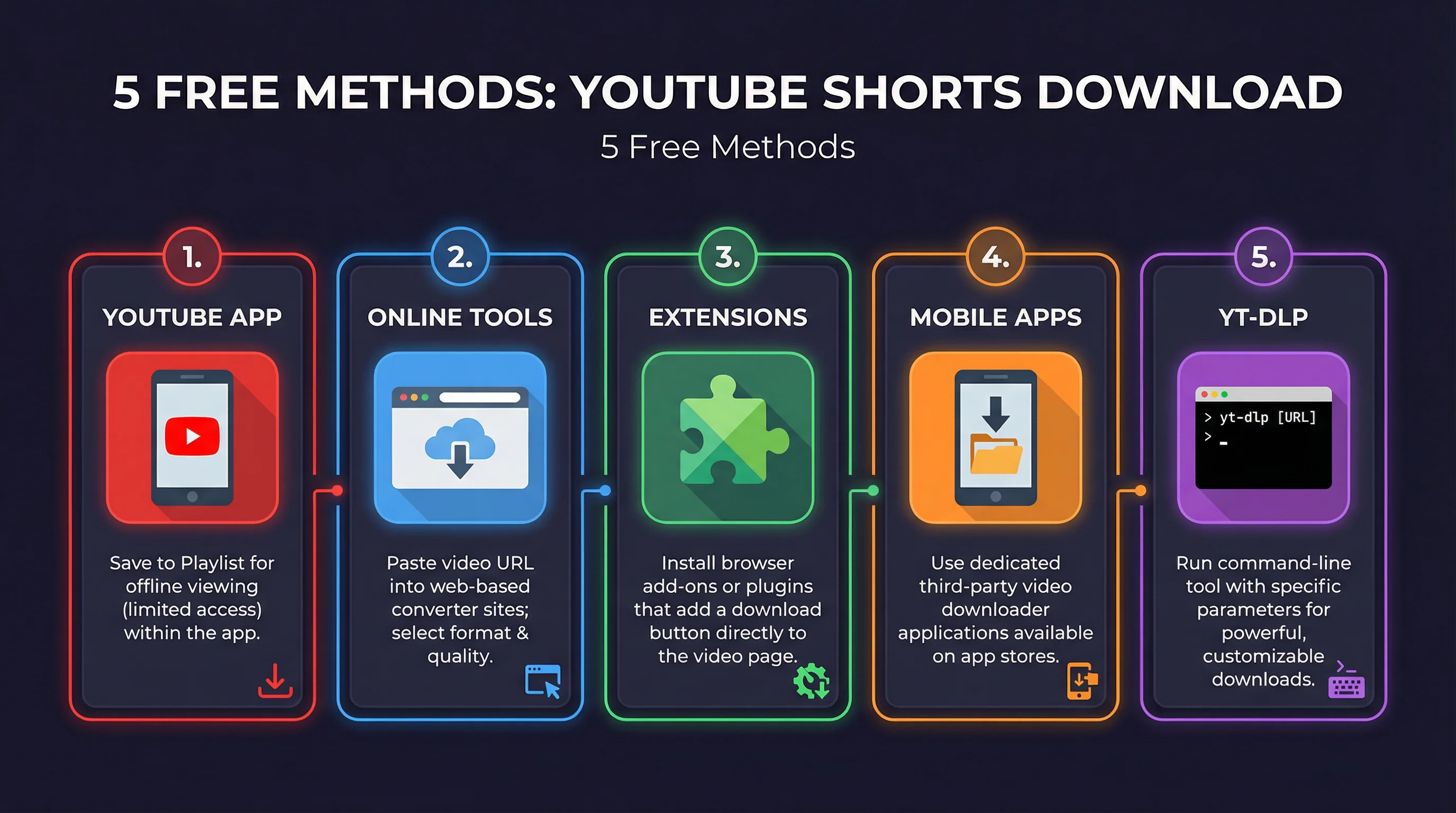
Method 3: Browser Extensions (Desktop)
Extensions add a download button directly to the YouTube page. One click downloads the Short without leaving the site.
Recommended Extensions
| Extension | Browser | Max Quality | Price |
|---|---|---|---|
| Video DownloadHelper | Chrome, Firefox | 1080p | Free (companion app for higher quality) |
| SaveFrom.net Helper | Chrome, Firefox, Edge | 720p free / 1080p paid | Free / $2.50/mo |
| YouTube Video Downloader | Firefox (not on Chrome Web Store) | 1080p | Free |
How to Use
- Install the extension from your browser's extension store
- Navigate to a YouTube Short
- Click the download button that appears below or beside the video player
- Select quality and save
Note: Google periodically removes YouTube downloader extensions from the Chrome Web Store. Firefox is more permissive. If your extension disappears after a Chrome update, check if it's still available on the developer's website for manual installation.
Method 4: Mobile Apps (iOS & Android)
Dedicated apps for saving YouTube Shorts to your camera roll.
Android
- TubeMate — Download from the official site (not on Google Play). Paste a YouTube Shorts URL and download in up to 1080p. Free with ads.
- Seal — Open-source downloader available on F-Droid. Clean interface, no ads, supports multiple sites. The best option for Android.
- 1DM (formerly IDM) — A download manager with built-in video detection. Detects Shorts playing in the browser and offers to download.
iOS
- Shortcuts app workflow — Apple's built-in Shortcuts app can run a custom "Download YouTube Video" shortcut. Search the Shortcuts Gallery or Reddit for shared workflows. Free, no app install needed beyond what's on your phone.
- Documents by Readdle — A file manager with a built-in browser. Navigate to an online downloader site within the app, download the Short, then save to your camera roll.
iOS is more restrictive than Android for video downloading. The Shortcuts method is the most reliable and doesn't require third-party apps.
Method 5: yt-dlp (Command Line — Power Users)
yt-dlp is a free, open-source command-line tool that downloads video from YouTube and hundreds of other sites. It's the most powerful and reliable option — no ads, no watermarks, no quality limits, no middleman websites.
Installation
Mac (Homebrew):
brew install yt-dlpWindows (winget):
winget install yt-dlpPython (any OS):
pip install yt-dlpDownload a YouTube Short
yt-dlp "https://youtube.com/shorts/VIDEO_ID"This downloads the highest available quality by default. For specific quality:
yt-dlp -f "bestvideo[height<=1080]+bestaudio" "https://youtube.com/shorts/VIDEO_ID"Why yt-dlp Is the Best Option
- No ads, no watermarks, no accounts, no subscriptions
- Downloads at the highest available quality (up to 4K if available)
- Works on any OS (Mac, Windows, Linux)
- Downloads audio-only (MP3) with
-xflag - Batch download multiple Shorts from a playlist or channel
- Actively maintained and updated (survives YouTube API changes)
The learning curve is the command line itself. If you're comfortable with a terminal, yt-dlp is unmatched.
All 5 Methods Compared
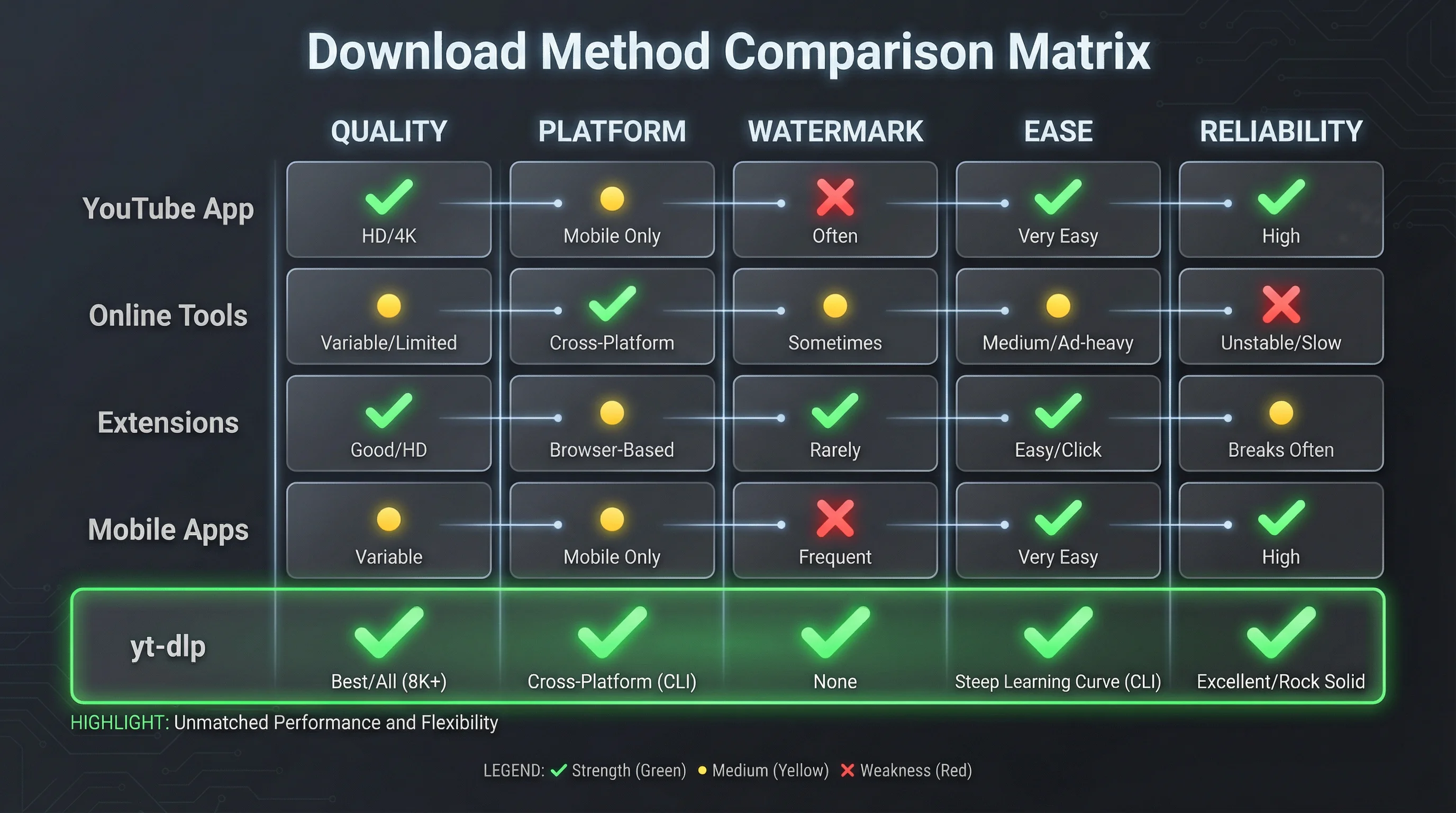
| Method | Quality | Platform | Watermark | Ease of Use | Reliability |
|---|---|---|---|---|---|
| YouTube app download | Original | Mobile only | No | Easiest | High (but stays in-app) |
| Online downloaders | Up to 1080p | Any (browser) | No | Easy | Medium (sites go down) |
| Browser extensions | Up to 1080p | Desktop | No | Easy | Medium (Chrome removes them) |
| Mobile apps | Up to 1080p | Mobile | No | Medium | Medium (not on app stores) |
| yt-dlp (command line) | Up to 4K | Any OS | No | Technical | Highest |
Quick pick: Use online downloaders for occasional saves. Use yt-dlp if you download regularly or need the highest quality. Use the YouTube app if you just want offline viewing.
Is Downloading YouTube Shorts Legal?
This matters. Here's the honest breakdown:
Generally OK
- Personal offline viewing — Saving a Short to watch later without internet. YouTube Premium explicitly supports this.
- Downloading your own content — You own it. Download and repurpose freely.
- Fair use — Commentary, criticism, education, and parody may qualify under fair use in the US. This is determined case by case.
Not OK
- Re-uploading someone else's Short as your own — This is copyright infringement. YouTube's Content ID system catches most reposts, and your channel can receive strikes.
- Downloading copyrighted music — Even if the Short is "free to watch," the music in it is licensed. Extracting audio for your own use is infringement.
- Commercial use of others' content — Using downloaded Shorts in ads, products, or monetized compilations without permission violates copyright.
YouTube's Terms of Service
YouTube's TOS technically prohibits downloading content through unofficial means (any method other than the YouTube app's built-in download). In practice, YouTube focuses enforcement on large-scale infringement and commercial piracy, not individuals saving Shorts for personal use. But be aware: the TOS technically applies.
Instead of Downloading — Create Your Own Shorts
If you're downloading Shorts for inspiration or reference, here's a better approach: create your own.
Most creators download Shorts to study what works — hooks, pacing, topics, formats. You can skip the analysis and go straight to production. FlowShorts generates complete YouTube Shorts from scratch — AI scripts, custom images, voiceover, animated captions, background music — and auto-posts them to YouTube Shorts, TikTok, and Instagram Reels on a schedule.
Instead of downloading 50 Shorts to study, tell FlowShorts your niche and let the AI handle scripts, visuals, and posting. You get daily published Shorts without filming, editing, or uploading.
- No source video needed — the AI creates everything from a topic
- No editing — script, voiceover, captions, music all handled automatically
- Auto-posts daily — to YouTube Shorts, TikTok, and Instagram Reels
- Perfect specs every time — 1080×1920, 9:16, 30fps. See our YouTube Shorts dimensions guide for the full spec breakdown.
For getting started, see how to make AI YouTube Shorts or explore faceless YouTube channel ideas for niche inspiration.
Frequently Asked Questions
Can I download YouTube Shorts for free?
Yes. Online downloaders (ssyoutube, savefrom), browser extensions (Video DownloadHelper), and yt-dlp are all free. The YouTube app's built-in download requires YouTube Premium in most regions. None of the free methods add watermarks.
How do I download YouTube Shorts without watermark?
All five methods in this guide download Shorts without watermarks. YouTube doesn't add watermarks to downloaded content (unlike TikTok). The file you get is the same quality as the original upload.
Can I download YouTube Shorts on iPhone?
Yes. Use the Apple Shortcuts app with a YouTube download workflow (search "YouTube download shortcut" online). Alternatively, use Documents by Readdle with an online downloader site. The YouTube app's built-in download saves within the app (requires Premium).
Can I download YouTube Shorts on PC?
Yes. Use an online downloader (paste the URL in your browser), a browser extension (Video DownloadHelper for Firefox/Chrome), or yt-dlp from the command line. All produce MP4 files saved to your Downloads folder.
Is it legal to download YouTube Shorts?
Downloading for personal offline viewing is generally accepted. Downloading your own content is fine. Re-uploading someone else's Short as your own is copyright infringement. YouTube's TOS technically prohibits unofficial downloads, but enforcement targets commercial piracy, not personal saves.
What quality can I download YouTube Shorts in?
Most methods support up to 1080p (the standard Shorts resolution). yt-dlp can download up to 4K if the creator uploaded at that resolution. Online downloaders and extensions typically max out at 1080p. For Shorts specs, see our YouTube Shorts dimensions guide.
Related Guides
- YouTube Shorts Dimensions & Specs Guide
- How to Make AI YouTube Shorts
- How to Post YouTube Shorts
- 50 Video Editing Tips
- Best AI Video Generators of 2026
Create Shorts Instead of Downloading Them
FlowShorts generates complete YouTube Shorts from scratch — AI scripts, images, voiceover, captions, music — and auto-posts daily. No filming, no editing, no downloading others' content.