Instagram Trial Reels: What They Are & How to Use Them for Growth (2026)
Instagram Trial Reels let you test content with non-followers before sharing to your profile. How they work, testing strategies, reading metrics, and using AI content for volume testing.
FlowShorts Team
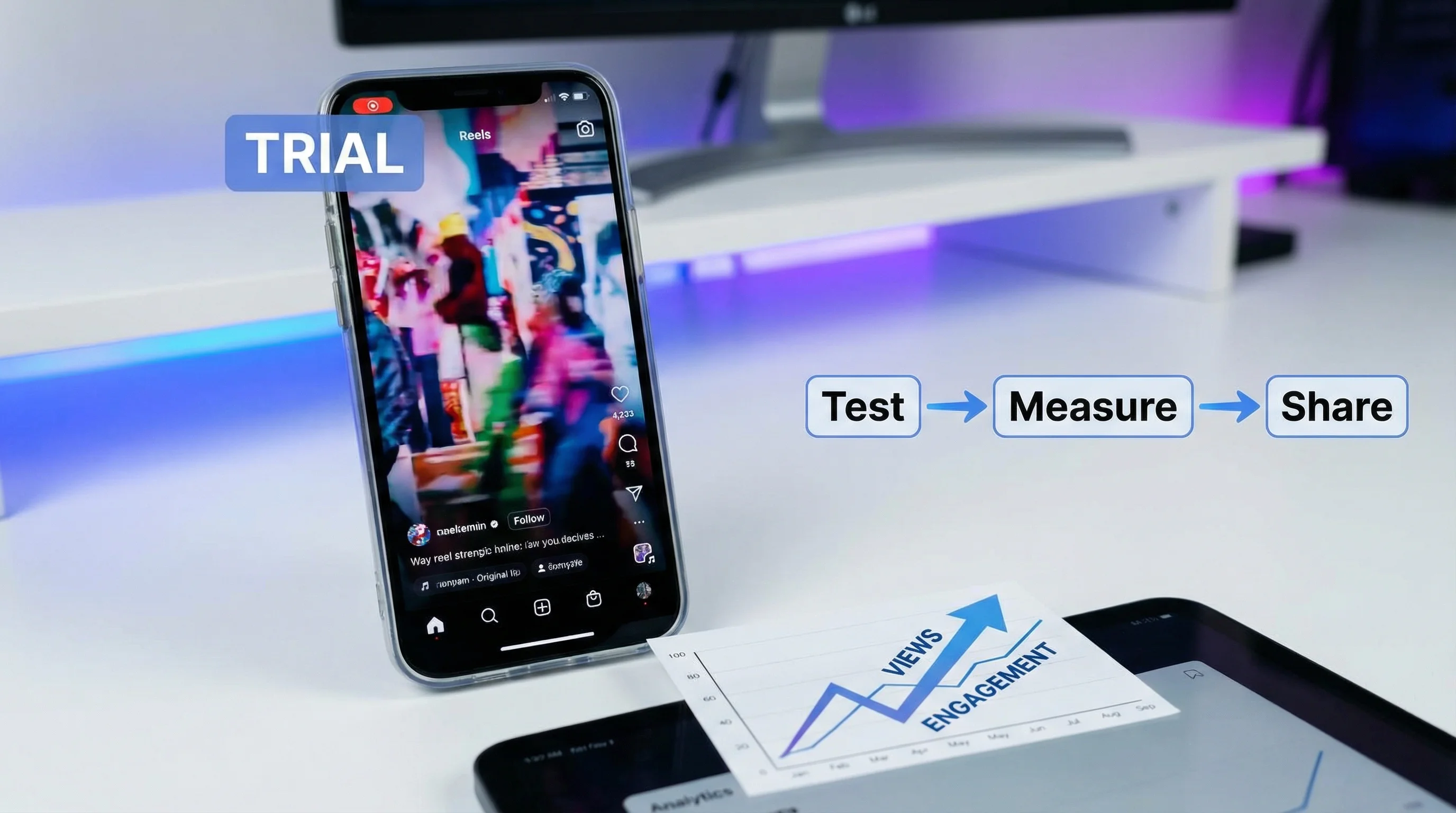
Trial Reels is an Instagram feature that lets you share a Reel exclusively to non-followers first — keeping it off your profile and hidden from your existing audience until you decide whether to post it publicly.
It's the closest thing Instagram offers to A/B testing your content before it goes live. This guide explains how it works, why it matters, and how to use it strategically to test what resonates before committing to a format.
What Are Trial Reels?
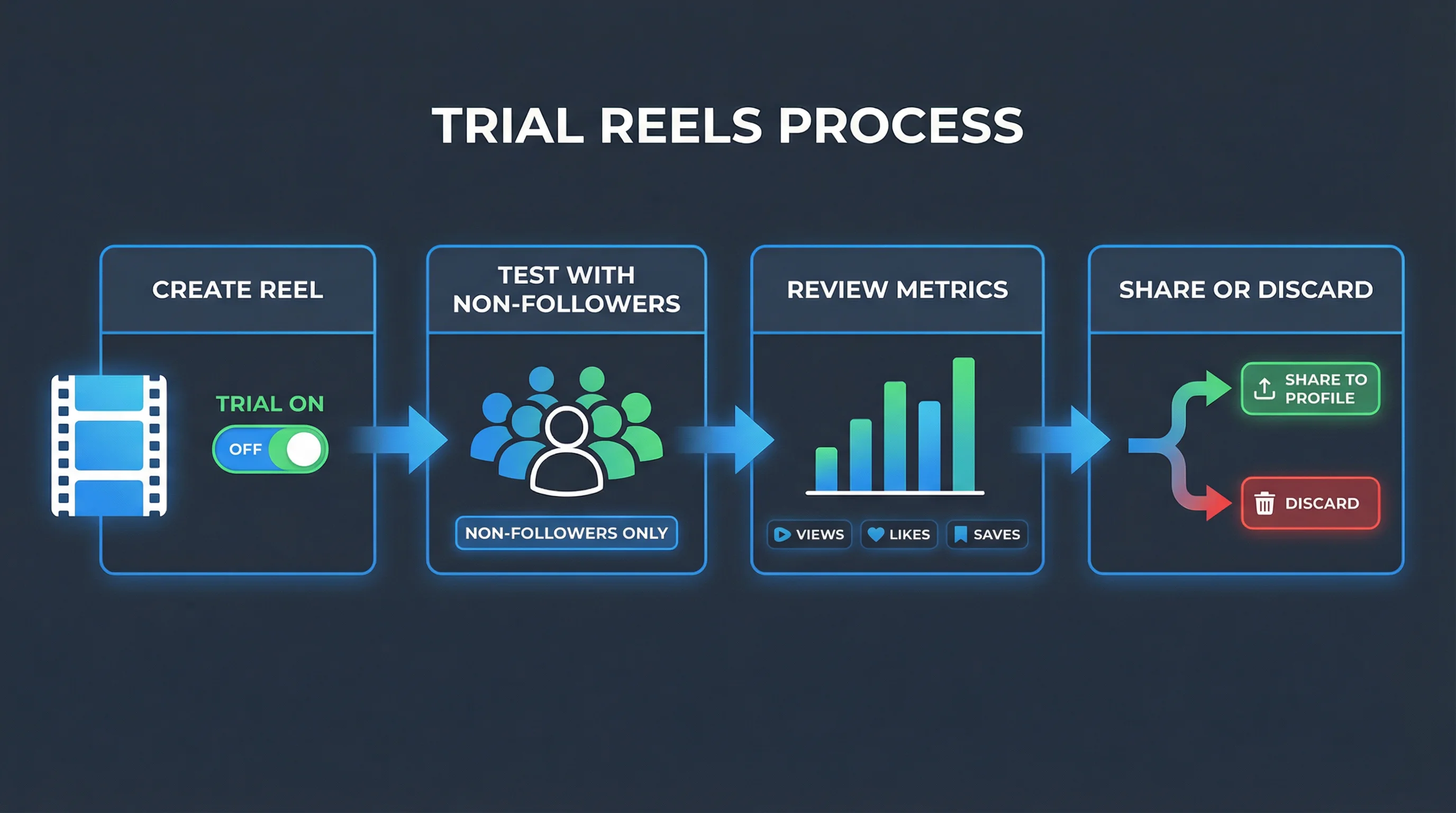
When you post a Trial Reel, Instagram:
- Shows the Reel only to non-followers via the Reels feed and Explore page
- Hides it from your profile grid (doesn't appear in your Reels tab)
- Hides it from your followers' feeds and subscriptions
- Collects engagement data (views, likes, comments, saves) for 24-72 hours
- Lets you decide: share it to your profile, or let it expire quietly
The key difference from a regular Reel: Your existing followers never see it unless you choose to share it. It's tested against cold audiences — people who don't know your account.
This removes the social pressure of posting something experimental that might underperform in front of your audience. You test in the wild without any downside to your existing community or engagement metrics.
How to Post a Trial Reel
- Create your Reel as normal in the Instagram app
- On the final share screen, tap Advanced settings
- Toggle on Trial (the toggle may show as "Share as Trial Reel")
- Tap Share
The Reel goes live to non-followers immediately but stays hidden from your profile and followers.
Where to Find Trial Reel Results
- Go to your Professional Dashboard in Instagram
- Tap Trial Reels in the insights section
- View performance data: views, likes, comments, shares, saves, and estimated reach
- See the Share to Profile button to promote a winner
Trial Reels are also accessible from your profile by tapping the grid icon → finding the Trial Reels section (separate from your main Reels tab).
Why Trial Reels Matter for Content Strategy
1. Risk-Free Experimentation
Posting something new and experimental to your full audience carries social risk — if it underperforms, it can temporarily suppress your account's distribution signals. Trial Reels let you test new formats, hooks, topics, or styles without any risk to your existing metrics or follower perception.
2. Algorithm Testing Without Follower Bias
Regular Reels are shown to your followers first. Their behavior (niche-interested, familiar with your style) makes initial engagement unrepresentative of how the Reel performs with cold audiences. Trial Reels bypass this — you see how a completely unfamiliar audience responds, which is closer to how the algorithm evaluates your content for broader distribution.
Create Faceless Videos on Autopilot
FlowShorts generates and posts AI videos to YouTube, TikTok & Instagram while you sleep.
Try FlowShorts Free →3. Non-Follower Reach Data
Because Trial Reels only go to non-followers, the engagement data tells you specifically whether your content can attract new people. High views + high completion on a Trial Reel is a stronger signal for growth potential than the same metrics on a regular Reel (where followers are more likely to watch).
4. Profile Curation
If a Trial Reel doesn't perform, it disappears. Your profile stays clean with only content you chose to share. This is valuable for brands and creators who maintain a curated aesthetic or content strategy — you can test freely without cluttering your grid with experiments that didn't work.
Trial Reels Testing Framework
Use Trial Reels systematically by testing one variable at a time:
| What to Test | Variable | How to Test |
|---|---|---|
| Hook | Opening line / opening visual | Same Reel topic, two different first-second openings |
| Length | 15s vs. 30s vs. 60s | Same content at different levels of detail/pacing |
| Audio | Trending audio vs. original audio vs. voiceover | Same visual content with three audio treatments |
| Format | Talking head vs. text overlay vs. b-roll | Same topic, different production format |
| Topic | New content category for your account | Trial new niches without contaminating your core content signal |
| CTA | Follow ask vs. save ask vs. share ask vs. none | Identical Reel with different closing call-to-action |
When you find a winning combination, share it to your profile and replicate the pattern across future content.
Interpreting Trial Reel Metrics
| Result | What It Means | Action |
|---|---|---|
| High views, high completion rate | Strong hook + strong content — algorithm will distribute broadly | Share to profile immediately. Make a series. |
| High views, low completion rate | Hook working, content drops off — retention problem | Share thumbnail/hook works, but fix pacing. Try shortened version. |
| Low views, high completion rate | Content quality good but hook or thumbnail isn't driving initial play | Repost as regular Reel with stronger cover photo |
| Low views, low completion rate | Neither hook nor content working for cold audiences | Let expire. Analyze why — wrong format, weak hook, niche mismatch. |
| High saves, low likes | Content is valuable/reference material (educational) but not emotionally engaging | Share — saves are a strong signal. More educational = more saves. |
| High shares, lower views | Relatable/shareable content with narrow initial reach | Share to profile and use in ads — shareable content amplifies paid distribution |
Trial Reels Volume Strategy
Trial Reels work best when used at volume. Rather than posting 1 Trial every two weeks, test 2-3 Trials per day when in an experimentation phase:
- Create 5-7 Reels on different variations of a theme
- Post all as Trials across 2-3 days
- Review analytics after 48-72 hours
- Share the top 1-2 performers to your profile
- Apply winning signals to your next batch
At this cadence, Trial Reels become a continuous feedback loop rather than an occasional experiment. For generating Reel content at scale for Trial testing, see how FlowShorts automates Reel creation for high-volume content strategies.

Trial Reels + AI Content Production
Trial Reels are most powerful when you can test many variations quickly. That means having the content production capacity to generate 2-3 Reels per day without spending 4+ hours editing.
For faceless content channels (motivation, education, history, science, finance, etc.), AI-generated Reels via FlowShorts make this achievable. The system generates complete Reels with AI scripts, images, voiceover, captions, and background music. You then post each as a Trial, review performance in 48 hours, and share the winners.
This combines AI content automation with Instagram's native testing infrastructure — systematically finding what your non-follower audience responds to, then doubling down on winners.
Create Faceless Videos on Autopilot
FlowShorts generates and posts AI videos to YouTube, TikTok & Instagram while you sleep.
Try FlowShorts Free →Trial Reels vs. Regular Reels
| Factor | Trial Reel | Regular Reel |
|---|---|---|
| Shown to followers | No | Yes |
| Appears on profile grid | No | Yes |
| Shown to non-followers | Yes (primary audience) | Yes (after follower engagement) |
| Risk to existing metrics | None | Underperformance can suppress future distribution |
| Can become regular Reel | Yes (via "Share to Profile") | Already a regular Reel |
| Audience data quality | Cold audience = more objective | Mixed warm/cold — early data reflects follower behavior |
| Best for | Experimentation, new formats, high-volume testing | Proven formats, brand content, community building |
Availability and Requirements
- Requires an Instagram Creator or Business account (not available on personal accounts)
- Available in most countries where Instagram is available (rolling out globally as of 2026)
- No minimum follower count required
- Accessible via the Instagram mobile app (not Instagram Lite or third-party scheduling apps that use the API)
Frequently Asked Questions
What is a Trial Reel on Instagram?
A Trial Reel is a Reel shared exclusively to non-followers — it stays off your profile and hidden from your existing followers until you choose to promote it publicly. Instagram shows it in the Reels feed and Explore to unfamiliar audiences, giving you performance data before committing to a full post.
How do I share a Trial Reel to my profile?
Go to your Professional Dashboard → Trial Reels → find the Trial you want to promote → tap Share to Profile. The Reel will appear on your profile grid and be shown to your followers as a regular Reel from that point forward.
Can followers see Trial Reels?
No — followers cannot see Trial Reels in their feed, subscriptions, or on your profile. Only non-followers see Trial Reels via the Reels discovery feed and Explore. The exception: if a follower specifically searches your profile and navigates to the Trial Reels section, they could view it there (but this requires active looking).
How long do Trial Reels last?
Trial Reels are active for 24-72 hours by default. During this window, Instagram collects engagement data. After the window closes, you can still share the Reel to your profile — there's no hard expiration on your ability to promote it, but the Trial data collection period ends.
Does posting Trial Reels affect your algorithm?
Trial Reels that you don't share to your profile should have minimal effect on your account's algorithmic signals. Because they don't accumulate likes, comments, and shares in your public post history, underperforming Trials don't drag down your engagement metrics the way a poorly-performing regular Reel can.
How many Trial Reels can I post?
Instagram doesn't publish a hard limit. In practice, most creators run 2-5 concurrent Trials without issues. Heavy testing (10+ simultaneous Trials) hasn't been publicly documented enough to confirm any platform limits.
Related Guides
- How the Instagram Algorithm Works
- Instagram Reels Size & Specs Guide
- Best Instagram Reels Templates
- Instagram Statistics 2026
- How to Make Reels on Instagram
Generate Reels to Trial-Test at Scale
FlowShorts creates complete faceless Reels — AI scripts, images, voiceover, captions, background music. Use Trial Reels to test batches from FlowShorts, promote winners to your profile, and build a data-driven content system.