AI Image to Video: 8 Best Tools to Turn Photos Into Videos (2026)
AI image-to-video tools turn still photos into animated videos with realistic motion, camera movement, and effects. Here are the 8 best tools in 2026 — from free options to pro-grade generators — with use cases and honest comparisons.
FlowShorts Team
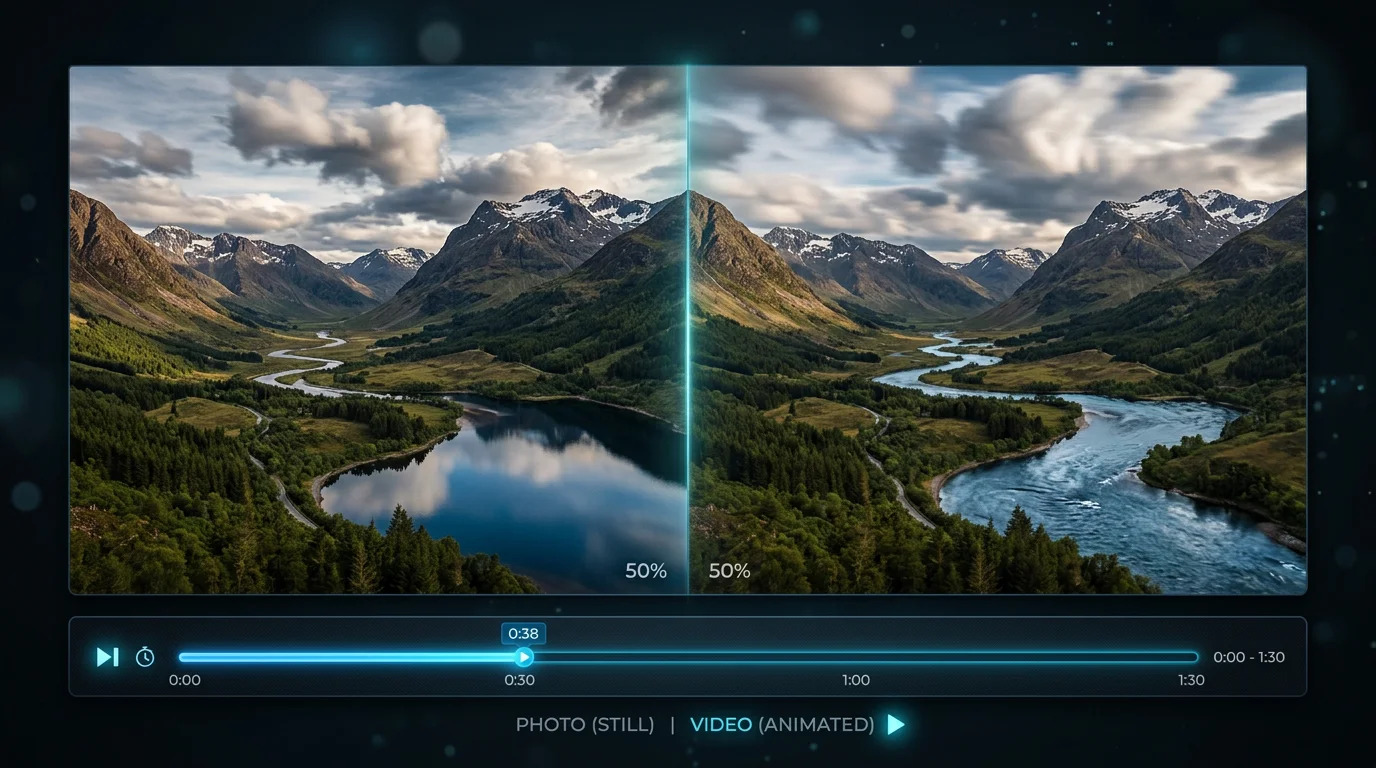
AI image-to-video technology takes a still image and generates a video clip from it — adding realistic motion, camera movement, lighting changes, and physics simulation. Upload a product photo and watch it rotate in 3D. Feed it a landscape and get a cinematic drone flyover. Give it a character portrait and see it come to life.
The technology has matured rapidly since 2024. In 2026, the best tools produce clips that are genuinely indistinguishable from real footage at first glance. Here are the 8 best tools, what each does well, and how creators and businesses are actually using them.
How AI Image-to-Video Works
The AI analyzes your uploaded image and predicts how depth, lighting, and motion would naturally behave within the scene. It then generates a video clip (typically 2-10 seconds) showing that predicted motion. The key capabilities:
- Camera movement — Zoom in, zoom out, pan left/right, orbit around the subject, dolly shot, crane shot
- Subject animation — Characters blink, turn their heads, change expressions. Animals move naturally. Objects rotate.
- Physics simulation — Water flows, fabric billows, hair moves in wind, particles scatter. The best tools handle physics realistically.
- Lighting effects — Time-of-day changes, dynamic shadows, light source movement
Most tools accept a text prompt alongside the image: "slow zoom into the subject with wind blowing through hair" or "product rotates 180 degrees on white background." The prompt guides what kind of motion the AI generates.
8 Best AI Image-to-Video Tools (2026)
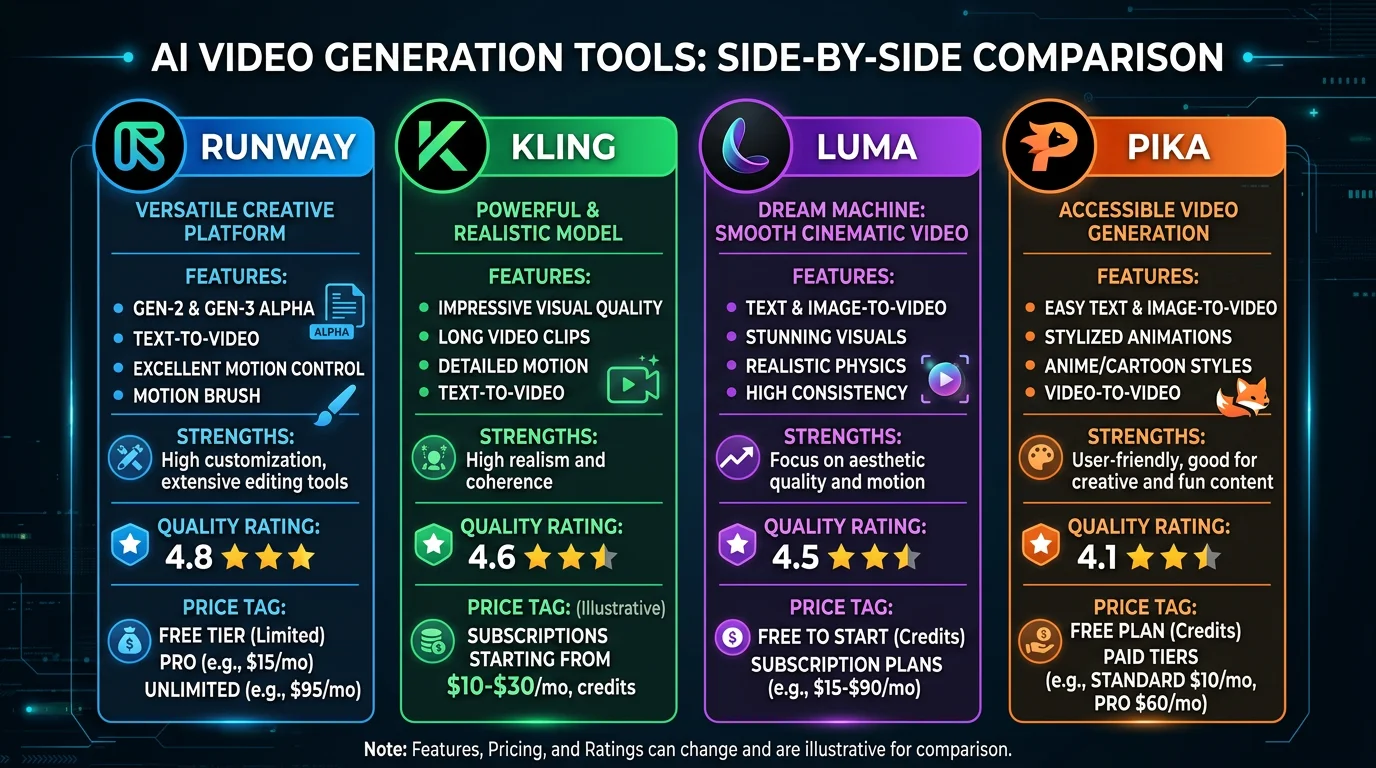
| Tool | Best For | Max Duration | Quality | Price |
|---|---|---|---|---|
| Runway Gen-4.5 | Pro creators, precise control | 16 sec | Highest benchmark | From $12/mo |
| Kling 3.0 | Longer clips, realistic physics | 5 min | Excellent | Free tier + paid |
| Luma Ray3 | Speed, 4K output | 10 sec | Hi-Fi 4K HDR | From $7.99/mo |
| Pika 2.5 | Fast iteration, social content | 10 sec | Good | From $8/mo |
| Adobe Firefly | Adobe ecosystem users | 5 sec | Good | Included in CC |
| VEED | Beginners, browser-based | 10 sec | Good | Free tier + paid |
| Pixlr | Quick social media animations | 5 sec | Good | Free tier |
| LTX (Open Source) | Developers, full control | Unlimited | Good | Free (self-host) |
1. Runway Gen-4.5 — Best Overall Quality
What it does: The current benchmark leader for AI video generation. Upload an image, describe the desired motion, and get cinema-quality output with motion brushes that let you control exactly which parts of the image move and how.
Strengths: Highest quality output. Character consistency across scenes. Motion brush for precise control. Professional editing features built in.
Weaknesses: Most expensive option. 16-second max per generation. Steeper learning curve than simpler tools.
Best for: Professional creators, filmmakers, agencies who need the highest quality and don't mind paying for it.
2. Kling 3.0 — Best for Long Clips
Create Faceless Videos on Autopilot
FlowShorts generates and posts AI videos to YouTube, TikTok & Instagram while you sleep.
Try FlowShorts Free →What it does: Generates the longest AI video clips available — up to 5 minutes from a single image. Kling 2.6 added simultaneous audio-visual generation (the video comes with matching sound).
Strengths: 5-minute clip generation (no other tool comes close). Realistic motion physics. Audio generation included. Free tier available.
Weaknesses: Quality slightly below Runway on short clips. Processing time is longer for extended generations.
Best for: Product demos, narrative content, and any use case where you need more than 10 seconds of footage.
3. Luma Ray3 — Best for Speed and 4K
What it does: Generates Hi-Fi 4K HDR video from images with superior physics simulation. Fast rendering times make it ideal for high-volume creators.
Strengths: 4K HDR output quality. Fast generation. Clean physics (water, fabric, particles). Affordable at $7.99/month.
Weaknesses: 10-second max duration. Less precise control than Runway's motion brushes.
Best for: Social media creators who need beautiful, fast output at scale. TikTok/Reels/Shorts content.
4. Pika 2.5 — Best for Social Media
What it does: Fast, accessible image-to-video with unique features like Pikaswaps (swap elements within a scene) and Pikaffects (apply style effects). Renders in about 42 seconds.
Strengths: Fastest render times. Unique creative tools (swap, effects). Simple interface. Good for rapid iteration.
Weaknesses: Lower ceiling on quality vs Runway/Kling. 10-second max.
Best for: Social media managers and creators who need to produce lots of variations quickly.
5-8: Other Notable Tools
Create Faceless Videos on Autopilot
FlowShorts generates and posts AI videos to YouTube, TikTok & Instagram while you sleep.
Try FlowShorts Free →- Adobe Firefly — Best if you're already in the Adobe ecosystem (Photoshop, Premiere). Integrated workflow. Commercial usage rights included. Limited to 5 seconds.
- VEED — Browser-based, no download required. Good for beginners. Free tier with watermark.
- Pixlr — Quick animations from photos for social media. Free tier available. Simpler than dedicated video AI tools.
- LTX (Open Source) — Self-hosted, unlimited usage, full control. Requires technical setup. FlowShorts uses LTX in its video pipeline for image-to-video generation.
Use Cases: How Creators and Businesses Use Image-to-Video
| Use Case | How It Works | Best Tool |
|---|---|---|
| Product marketing | Upload product photo → AI generates 360-degree rotation, lifestyle animation, or unboxing effect | Runway, Kling |
| Social media content | Turn still photos into animated posts for Instagram Reels, TikTok, Shorts | Pika, Luma, VEED |
| Real estate | Animate property photos into virtual walkthroughs with camera movement | Runway, Luma |
| Faceless video channels | Generate animated scenes from AI images for narration-based content | LTX (via FlowShorts) |
| Thumbnail animation | Animate YouTube thumbnails for Shorts previews and social teasers | Pika, Pixlr |
| Art and illustration | Bring illustrations, paintings, and digital art to life with subtle animation | Runway, Luma |
| Presentations | Add motion to slide graphics and charts for more engaging decks | Adobe Firefly, VEED |
How to Get the Best Results
Image Quality Matters
AI image-to-video works best with high-resolution, well-composed images. Blurry, low-res, or heavily compressed images produce noticeably worse video output. Use at least 1024x1024 resolution. Clean backgrounds help the AI distinguish subject from environment.
Write Specific Prompts
Vague prompts like "make this move" produce generic results. Specific prompts work much better:
- Bad: "Animate this photo"
- Good: "Slow zoom into subject's face, slight head turn to the right, wind blowing through hair, warm golden hour lighting"
- Good: "Product rotates 180 degrees clockwise on white background, soft studio lighting, subtle shadow movement"
Keep It Short
AI-generated video quality degrades with longer durations. A crisp 3-5 second clip looks far more professional than a blurry 15-second one. For social media, short animated clips often perform better than longer ones anyway.
Combine with Other Tools
The best workflow often chains tools: generate an image with Midjourney or DALL-E, animate it with Runway or Pika, edit the clip in CapCut or Premiere, then post. Each tool does one thing well.
Image-to-Video in the FlowShorts Pipeline
For context on how FlowShorts uses this technology: our video generation pipeline creates AI images for each scene of a video (using fal.ai), then can optionally animate them using LTX image-to-video before compositing into the final Short. This adds subtle motion to what would otherwise be static scenes, increasing viewer retention.
The image-to-video step is optional — most FlowShorts videos use static AI images with Ken Burns effects (slow zoom/pan) which is simpler and faster. But for premium-feeling output, the I2V animation step adds a cinematic quality that static images can't match.
Related Tools & Guides
- FlowShorts — AI video generator using image-to-video in its pipeline
- Best AI Video Generators — Broader comparison of all AI video tools
- Text to Video AI — Tools that generate video from text prompts
- Image to Video AI: 10 Best Tools — Our earlier tool roundup
- How to Make Faceless YouTube Videos
- Video Script Generator — Write video scripts with AI


