Text to Video AI: Best Tools to Turn Scripts Into Videos (2026)
Compare the 8 best text to video AI tools in 2026. Turn scripts, prompts, and blog posts into finished videos with AI visuals, voiceover, captions, and music.
FlowShorts Team
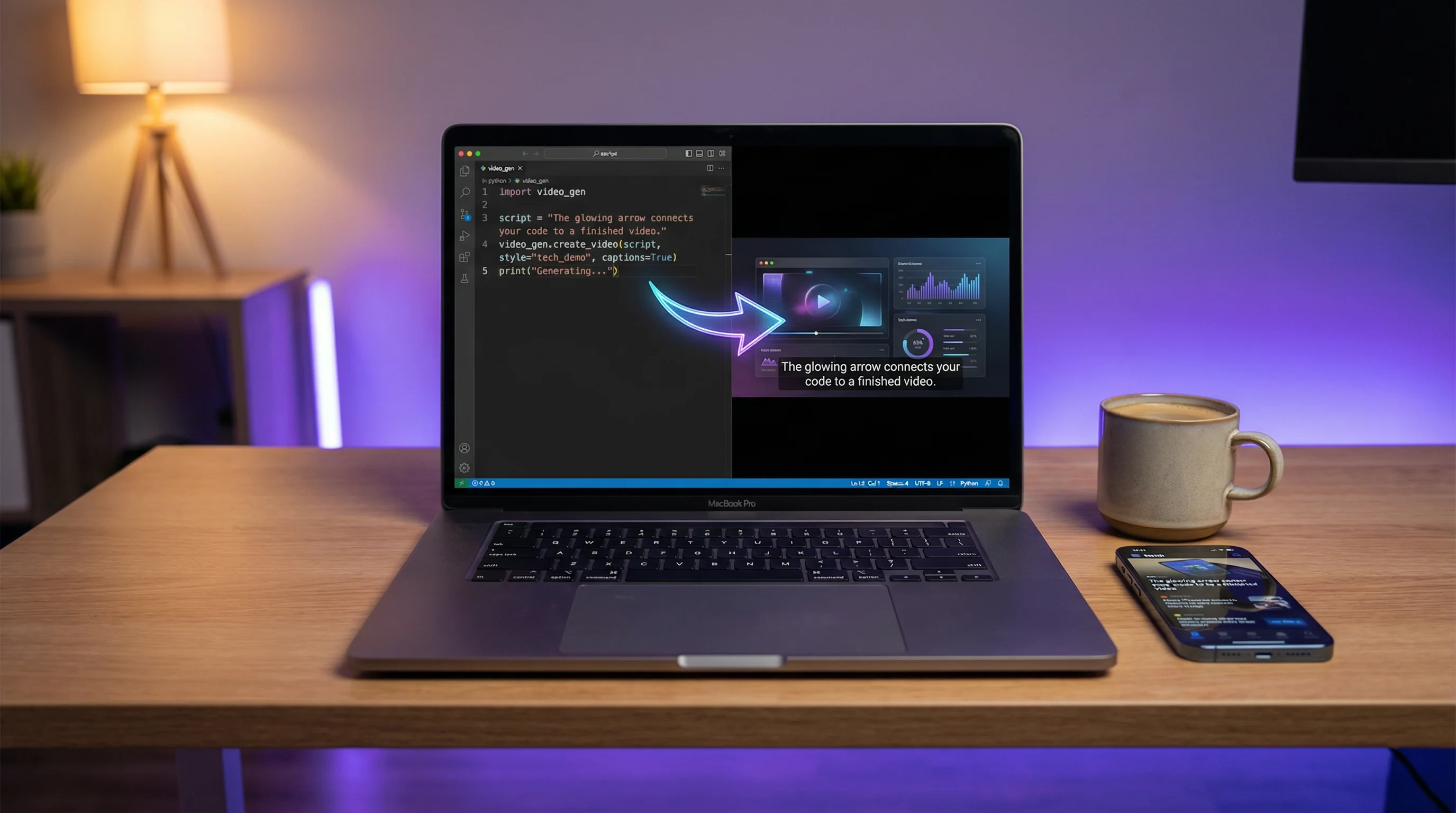
Text to video AI turns written scripts, prompts, or even blog posts into finished videos — with visuals, voiceover, captions, and music — without filming or editing. The technology has gone from "novelty demo" to "daily production tool" in under two years.
This guide covers how text-to-video AI works, the best tools available in 2026, what each one is good at, and how creators use them to produce content for YouTube Shorts, TikTok, and Instagram Reels.
How Text to Video AI Works
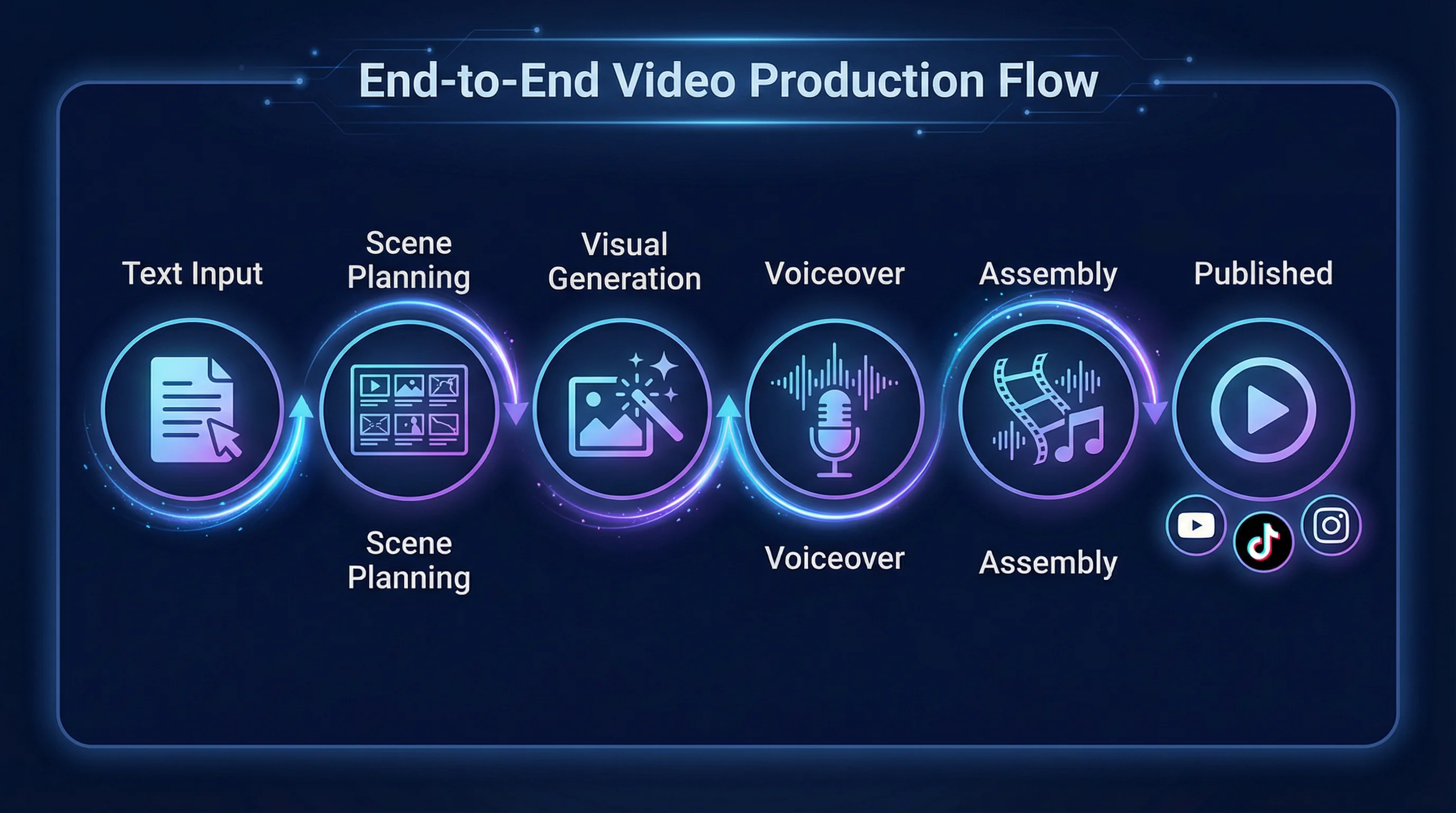
Text-to-video AI tools follow a general pipeline, though the specifics vary by tool:
- Text input — You provide a script, a topic prompt, or paste in existing text (a blog post, article, or bullet points)
- Scene planning — The AI breaks your text into scenes, determines pacing, and assigns visual descriptions to each section
- Visual generation — The AI either generates images from scratch (using models like Flux or DALL-E), selects matching stock footage, or creates animated graphics for each scene
- Voiceover — Text-to-speech converts your script into natural-sounding narration
- Assembly — The AI composites everything together: visuals with motion, voiceover, captions, transitions, background music
- Output — A finished video file ready to upload or (in some tools) auto-posted directly to platforms
The quality gap between tools is significant. Some produce videos that look obviously AI-generated. Others produce content indistinguishable from manually edited videos. The difference usually comes down to visual quality, voice naturalness, and how well the AI matches visuals to narration.
8 Best Text to Video AI Tools (2026)
1. FlowShorts — Best for Automated Short-Form Content
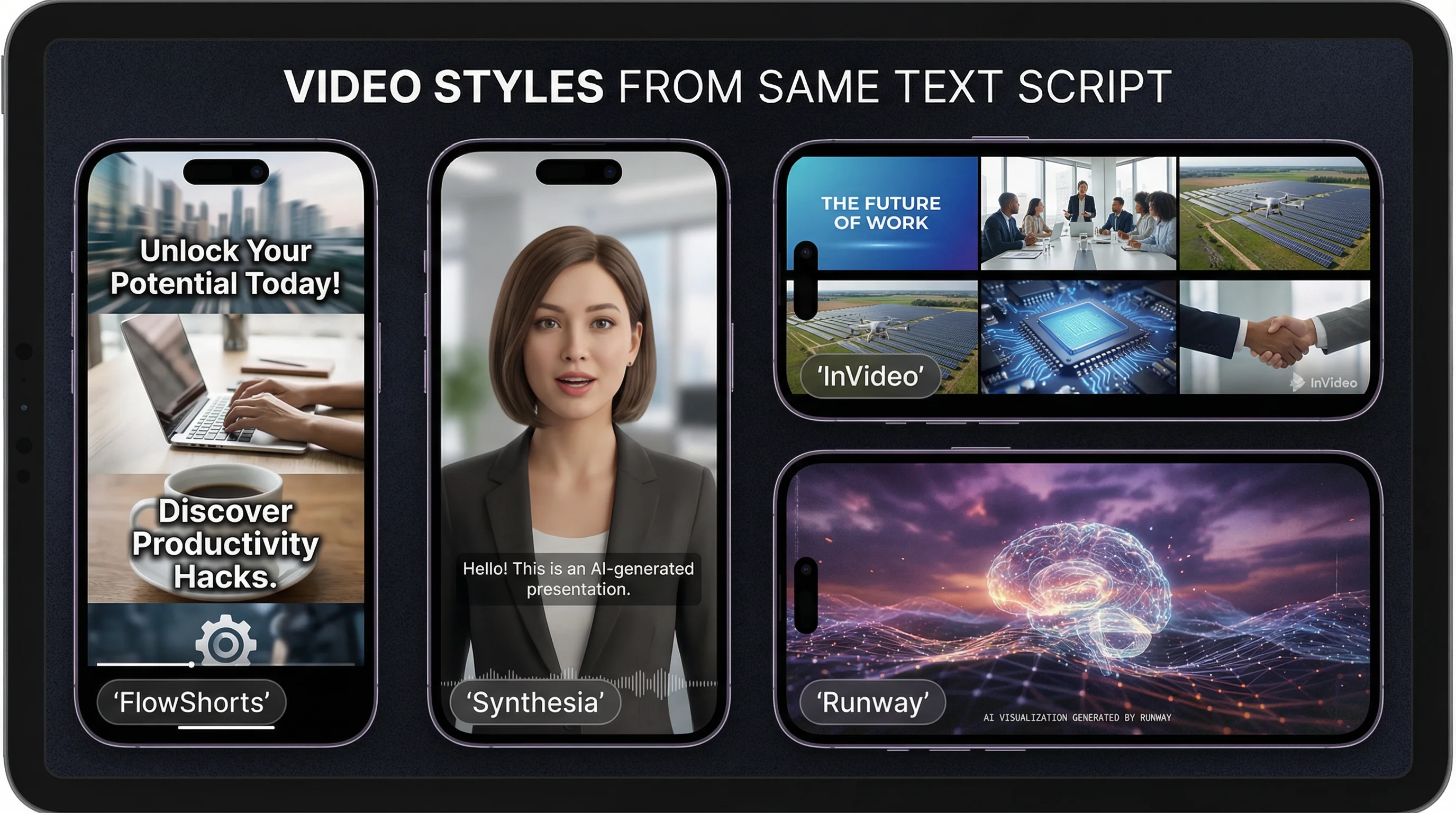
FlowShorts takes text-to-video a step further: you don't even need to write the script. Pick a niche and the system generates topics, writes scripts, creates AI images for each scene, generates voiceover, adds animated captions, layers background music, renders the video, and auto-posts to YouTube Shorts, TikTok, and Instagram Reels on a daily schedule.
If you do want to provide your own script, you can — but the default workflow is fully automated from topic to published video.
- Best for: Faceless channels, daily automated posting, hands-off content production
- Input: Topic/niche selection (or custom script)
- Output: 30-90 second vertical videos, auto-posted to 3 platforms
- Voice: ElevenLabs AI (natural-sounding, multiple voice options)
- Pricing: $19/mo (8 videos), $39/mo (30 videos), $69/mo (60 videos)
2. InVideo AI — Best for Prompt-to-Video
InVideo AI is the most user-friendly prompt-to-video tool. Type a description of the video you want ("a 2-minute explainer about climate change for a YouTube audience") and it generates a complete video with stock footage, voiceover, captions, and music. You can then edit individual scenes, swap clips, or change the voiceover.
- Best for: Quick marketing videos, explainers, social media content
- Input: Text prompt describing the video
- Output: Full-length videos (any duration), horizontal or vertical
- Voice: Multiple AI voices, supports custom voice cloning
- Pricing: Free tier, Plus $25/mo, Max $60/mo
3. Synthesia — Best for AI Presenter Videos
Synthesia converts scripts into professional presenter videos using AI avatars. Instead of stock footage or generated images, you get a realistic AI person reading your script with natural lip sync, gestures, and eye contact. Widely used for corporate training, product demos, and educational content.
- Best for: Corporate training, product demos, educational content, multilingual videos
- Input: Written script + avatar selection
- Output: Professional presenter videos
- Voice: AI avatars with lip sync in 130+ languages
- Pricing: From $22/mo
4. Pictory — Best for Blog-to-Video
Pictory specializes in turning long-form text (blog posts, articles, transcripts) into short video summaries. Paste a URL or text, and it extracts key points, matches them with stock footage, adds captions and music, and produces a shareable video. Useful for content repurposing — one blog post becomes multiple video clips.
- Best for: Repurposing blog content, article summaries, social video clips
- Input: URL, article text, or script
- Output: Short summary videos with stock footage
- Pricing: From $19/mo
5. HeyGen — Best for Personalized Video at Scale
HeyGen creates AI avatar videos similar to Synthesia but with a stronger focus on personalization. You can create custom avatars from a short video of yourself, then generate unlimited videos of "you" presenting different scripts. Popular for sales outreach, personalized marketing, and customer communication.
Create Faceless Videos on Autopilot
FlowShorts generates and posts AI videos to YouTube, TikTok & Instagram while you sleep.
Try FlowShorts Free →- Best for: Personalized sales videos, marketing at scale, custom avatar content
- Input: Script + custom or stock avatar
- Output: Personalized presenter videos
- Pricing: From $24/mo
6. Fliki — Best for Voiceover-First Videos
Fliki focuses on high-quality AI voiceover as the foundation, then matches visuals to the narration. It supports 2,000+ voices in 80+ languages. Paste a script or blog post, choose a voice, and Fliki generates a video with matched stock footage, subtitles, and music. Particularly strong for voiceover-heavy content like audiobook-style narration videos.
- Best for: Voiceover-centric content, multilingual videos, audiobook-style narration
- Input: Script or blog URL
- Output: Narration videos with matched stock footage
- Pricing: Free tier, Standard $28/mo
7. Kapwing AI — Best Free Editor With AI Features
Kapwing is primarily a video editor but has added AI text-to-video generation. Describe what you want and it creates a rough draft with stock clips, auto-generated captions, and background music. The strength is that you can then edit everything manually in Kapwing's full editing suite — a hybrid AI + manual approach.
- Best for: Creators who want AI assistance but manual control over the final edit
- Input: Text prompt or script
- Output: Editable video draft in Kapwing's editor
- Pricing: Free tier, Pro $16/mo
8. Runway — Best for Creative/Artistic Text-to-Video
Runway's Gen-3 model generates video directly from text descriptions — no stock footage, no templates. Type "a golden retriever running through a field of sunflowers at sunset" and it generates original video footage matching that description. The output is cinematic but limited to short clips (5-10 seconds per generation).
- Best for: Creative projects, cinematic B-roll, artistic content
- Input: Text description of the scene
- Output: 5-10 second generated video clips
- Limitation: Short clips; requires stitching for longer videos
- Pricing: From $12/mo
Comparison Table
| Tool | Best For | Auto-Post | AI Voice | Free Tier | Price From |
|---|---|---|---|---|---|
| FlowShorts | Automated daily Shorts | Yes (YT, TT, IG) | ElevenLabs | No | $19/mo |
| InVideo AI | Prompt-to-video | No | Multiple | Yes | $25/mo |
| Synthesia | AI presenter | No | Avatar lip-sync | No | $22/mo |
| Pictory | Blog-to-video | No | Basic TTS | Trial | $19/mo |
| HeyGen | Personalized video | No | Custom avatar | Trial | $24/mo |
| Fliki | Voiceover-first | No | 2000+ voices | Yes | $28/mo |
| Kapwing AI | AI + manual editing | No | Basic | Yes | $16/mo |
| Runway | Creative/cinematic | No | No | Limited | $12/mo |
Which Tool Should You Use?
For daily faceless content (YouTube Shorts, TikTok, Reels)
FlowShorts. It's the only tool that handles the entire pipeline from topic to published video, including auto-posting. Designed specifically for short-form vertical content at scale. Explore faceless channel ideas to find a profitable niche.
For one-off marketing or explainer videos
InVideo AI or Pictory. Quick prompt-to-video generation with editing control. Good for social media clips, product explainers, and ad content.
For corporate training or professional presentations
Synthesia or HeyGen. AI presenter format looks professional and scales across languages. No filming required.
For repurposing blog content into video
Pictory or Fliki. Paste your URL and get a video summary. Efficient way to create video from existing written content.
For creative cinematic content
Create Faceless Videos on Autopilot
FlowShorts generates and posts AI videos to YouTube, TikTok & Instagram while you sleep.
Try FlowShorts Free →Runway Gen-3. Generates original video footage from text descriptions. Best for artistic projects and B-roll, not for structured content.
Text to Video AI for YouTube Shorts
Short-form vertical video is where text-to-video AI shines brightest. The format is simple (30-90 seconds, 9:16), the production requirements are lower than long-form, and the demand for daily content is higher than any individual can manually produce.
The typical workflow for Shorts:
- Generate or write a script — Use our AI Video Script Generator or write your own 100-200 word narration
- Convert to video — Run through a text-to-video tool to generate visuals, voiceover, and captions
- Optimize for the platform — Ensure 9:16 aspect ratio, 1080×1920 resolution, captions enabled. Check our YouTube Shorts dimensions guide for exact specs.
- Post consistently — Daily Shorts posting produces the best algorithmic results. Automate with YouTube Shorts automation, TikTok automation, or Instagram Reels auto-posting.
Use our Speech Time Calculator to match your script length to your target video duration before generating.
Limitations to Know
Text-to-video AI is powerful but has clear limitations in 2026:
- Visual accuracy: AI-generated visuals sometimes don't precisely match the narration. A script about "5 investment strategies" might get generic finance imagery rather than strategy-specific visuals.
- Brand consistency: Most tools struggle to maintain consistent visual branding across videos. Custom brand templates help but aren't supported everywhere.
- Voiceover naturalness: Premium AI voices (ElevenLabs, OpenAI) sound nearly human. Cheaper or built-in TTS can still sound robotic, especially with unusual names or technical terms.
- Originality for YPP: YouTube requires original content for Partner Program monetization. AI-generated videos must provide genuine value — not just rehashed generic content. Channels that use AI for production but add original scripts and unique angles qualify fine.
- Clip length: Cinematic AI generation (Runway, Kling) is still limited to 5-10 second clips. Full pipeline tools (FlowShorts, InVideo) handle longer videos by compositing multiple scenes.
Frequently Asked Questions
What is text to video AI?
Text to video AI converts written text — scripts, prompts, or articles — into finished videos with visuals, voiceover, captions, and music. The AI handles scene planning, visual selection or generation, voice synthesis, and final assembly.
What is the best free text to video AI tool?
InVideo AI has the most capable free tier for general video creation. Kapwing offers a good free tier with manual editing control. For Shorts specifically, most full-pipeline tools require a paid plan, though free trials are common.
Can I use text to video AI for YouTube?
Yes. AI-generated video content is allowed on YouTube and eligible for monetization through the YouTube Partner Program. YouTube's policies focus on content value and originality, not production method. Channels using AI tools for video creation can earn ad revenue.
How long does it take to generate a video from text?
Most tools generate a 60-second video in 2-5 minutes. Full-pipeline tools like FlowShorts that include image generation, voiceover, and rendering take 5-10 minutes per video but handle everything automatically without user intervention.
Is text to video AI good enough for professional content?
For short-form social content and faceless channels, yes — the quality is production-ready. For brand-critical content (TV ads, enterprise presentations), you'll likely want to use AI as a starting point and refine manually. The quality gap is closing rapidly.
What's the difference between text to video and image to video AI?
Text to video starts with written text and generates everything (visuals + video). Image to video AI starts with existing images and adds motion. Text to video is faster for idea-to-content. Image to video gives more visual control. Many tools blend both approaches.
Related Guides
- Image to Video AI: 10 Best Tools
- Best AI Video Generators of 2026
- How to Make Faceless YouTube Videos
- 50 Video Editing Tips for Beginners & Pros
- YouTube Partner Program Guide
Turn Text Into Videos on Autopilot
FlowShorts converts topics into finished short-form videos — AI scripts, images, voiceover, captions, music — then auto-posts to YouTube Shorts, TikTok, and Instagram Reels daily. No editing, no uploading, no effort.


