How to Link IG to TikTok to Boost Your Social Reach
Learn how to link IG to TikTok with this easy guide. Maximize your cross-platform reach, fix common errors, and grow your audience on both platforms today.
FlowShorts Team

Connecting your Instagram and TikTok accounts is far more than just a box to check. I see it as one of the most powerful, yet simple, moves you can make to grow your audience. This one small action builds a bridge between two of social media's giants, letting you create a unified brand and get your followers flowing between both platforms.
Why Linking Your Instagram and TikTok Is a Growth Superpower

I always advise creators to think of their social media as an interconnected ecosystem, not a collection of separate islands. Each platform has its own unique strengths. TikTok is an incredible discovery engine; its algorithm can put your short-form videos in front of millions of new faces. Instagram, on the other hand, is the perfect place to nurture that newfound attention with a polished feed, personal Stories, and deeper content.
When you link your accounts, you create a seamless funnel for people to move from discovery to community.
A video that goes viral on TikTok can suddenly send thousands of curious viewers over to your Instagram profile. At the same time, your loyal Instagram followers can give your new TikTok videos that crucial initial boost they need to get picked up by the algorithm. For more on building that audience, see our guide on how to grow TikTok followers. It’s a win-win.
The Power of Audience Cross-Pollination
The real magic here is what's known as audience cross-pollination. You aren't just collecting followers on two different apps; you're building a single, more committed community that engages with your brand on multiple fronts. For anyone serious about growing their online presence, this isn't just a nice-to-have, it's essential. You can find a more detailed look into this concept and a smarter way to link IG to TikTok to maximize your growth.
The numbers alone tell a powerful story. Instagram has 2.3 billion monthly active users, and TikTok is right there with 1.6 billion. The potential for finding your audience on both is huge. Plus, with short-form video making up 43% of all social media consumption. Learning how to make TikTok videos that perform well is the first step, connecting the two platforms is the most direct way to capitalize on this trend without having to build two separate followings from scratch.
By guiding your viral TikTok audience to your polished Instagram grid, you offer them a richer, more complete picture of your brand. It transforms a one-time viewer into a long-term follower.
Ultimately, linking your accounts is a foundational piece of any solid online strategy. It takes a simple technical tweak and turns it into a powerful engine for growth, making sure your content gets the visibility it deserves. To build on this, take a look at our other proven social media growth strategies.
How to Add Your Instagram Link to Your TikTok Profile
If you're building an audience on TikTok, one of the first things you should do is connect your Instagram. TikTok actually gives you a dedicated, clickable Instagram icon right on your profile, making it a breeze for followers to check you out on the other platform. It’s a simple move that can really pay off.
Let's get it done. Pop open the TikTok app and tap the Profile icon in the bottom-right corner. You'll land on your main profile page. Look for the Edit Profile button sitting just under your follower and following counts—this is where you can tweak everything people see.
Finding the Social Integration Section
Once you’re in the "Edit Profile" screen, scroll down a bit until you spot the Social section. You should see "Instagram" and "YouTube" listed there.
Go ahead and tap on Add Instagram. An in-app browser will pop up asking you to log into your Instagram account. Just enter your username and password to give TikTok the green light.
A Quick Note on Security: This login happens through Instagram's official authentication window. TikTok never sees or saves your password; you’re simply authorizing them to display your public handle.
After you log in and approve the connection, TikTok automatically adds a neat little Instagram camera icon to your profile. It's that simple. Now, anyone who visits your page can hop over to your Instagram with a single tap.
What if the Instagram Button Is Missing?
So, you went to edit your profile, but the "Add Instagram" option is nowhere to be found. Don't worry, this happens all the time, and there’s an easy explanation: you probably have a TikTok Business Account. For some reason, TikTok removes the direct social link feature for Business Accounts, giving you a single "Website" field instead.
You've got two solid options here:
- Use the Website Field. This is the fastest fix. Just copy your full Instagram URL (like
https://www.instagram.com/yourusername) and paste it directly into the "Website" field on your profile. - Switch to a Creator Account. If you prefer the clean icon, you can switch your account type. Head to
Settings and privacy>Account>Switch to Creator Account. This brings back the social linking feature and often gives you access to better analytics and creative tools.
While pasting your link into the website field isn't quite as slick as the dedicated button, it works perfectly well. It's a common workaround that still lets you link IG to TikTok and keep your audience connected across platforms, no matter what type of account you're running.
Troubleshooting Common Linking Errors and Quick Fixes
Create Faceless Videos on Autopilot
FlowShorts generates and posts AI videos to YouTube, TikTok & Instagram while you sleep.
Try FlowShorts Free →So you tried to link your Instagram to TikTok, but it just won't cooperate. Hitting a snag here is surprisingly common, but don't get frustrated—the fixes are usually pretty simple. Let's get it sorted out.
The most frequent complaint I hear is the "Add Instagram" button has completely vanished. If you’ve looked under Edit Profile and it’s nowhere to be found, it’s almost always because you have a TikTok Business Account. These accounts sometimes have different features and restrictions.
The easiest workaround? Just drop your full Instagram URL (like https://www.instagram.com/yourusername) into the Website field in your bio instead.
This flowchart lays out your two main options pretty clearly.

No matter what, you have a way to connect your profiles, even if the dedicated button decides to play hide-and-seek.
Solving Authentication Loops and App Glitches
Okay, but what if you see the button, and it just gets you stuck? Sometimes you’ll tap to connect, try to log into Instagram, and get bounced right back to TikTok. This little circle of frustration is usually just a communication hiccup between the apps.
Here are a few things to try that almost always work:
- Clear Your Cache: This is the first thing I do. Go into your phone’s settings, find both the TikTok and Instagram apps, and clear their cached data. Old, stored information can cause all sorts of conflicts.
- Update Both Apps: Head over to your app store and check for updates. An outdated app is a classic culprit for login and connection issues.
- Log In Manually First: Before you even try linking from TikTok, open your Instagram app and make sure you’re logged in and everything is working normally there.
If you’re still stuck after all that, try clearing the cache and then restarting your phone. It sounds basic, but rebooting forces a fresh start for all app processes and can knock loose whatever was causing the problem.
Nailing these small technical fixes will help you link IG to TikTok smoothly and get your profile working to its full potential. This advice is also gold when you’re juggling multiple profiles, and you can find more tips in our guide on how to manage multiple social media accounts effectively.
Going Beyond the Link: How to Actually Grow on Both Platforms
 Okay, so you've added your Instagram link to your TikTok bio. That's a great start, but it's only half the battle. Just having the link there won't magically make people follow you in both places. The real trick is to give them a reason to.
You have to treat TikTok and Instagram as two different parts of the same story, not just two places to post the exact same video.
Think of it this way: your TikTok is the blockbuster movie trailer that grabs millions of views. It's fast, flashy, and designed to hook people in seconds. Your Instagram, on the other hand, is the exclusive behind-the-scenes featurette. It's where you share the director's commentary, deleted scenes, and candid cast photos.
For example, I've seen DIY creators crush this. They'll post a quick, 15-second TikTok showing a dramatic room makeover reveal set to a trending audio. It’s all about the "wow" factor. Then, they add a simple call to action in the caption or as on-screen text: “Want the full tutorial and a list of every product I used? It’s all waiting for you on my Instagram!”
That one move sends their most engaged viewers—the ones who really want the details—straight to their Instagram page.
When your content on one platform complements the other, you create a powerful incentive for people to follow you twice. They get more value, and you build a much deeper connection with your audience.
This isn't just about making more content; it's about respecting how people use each app. TikTok is all about fast, entertaining, and trend-driven videos. Instagram is where you can build a more polished aesthetic, share detailed carousels, and connect with your audience through Stories and DMs.
Create a Cohesive Brand, Not a Carbon Copy
While your content should be different, your brand identity needs to feel the same everywhere. Your profile picture, bio, and overall vibe should be instantly recognizable, whether someone finds you on TikTok or Instagram. This isn't about being boring—it's about building trust and looking professional.
A few things to keep consistent:
- Profile Picture: Use the same or very similar headshot or logo.
- Username: Snag the same handle on both platforms if you can.
- Brand Voice: Whether you’re funny, educational, or inspiring, let that personality shine through everywhere.
Create Faceless Videos on Autopilot
FlowShorts generates and posts AI videos to YouTube, TikTok & Instagram while you sleep.
Try FlowShorts Free →To keep everything looking sharp and professional without spending all day on it, it's worth looking into some quality social media content creation tools.
This strategy of sending traffic back and forth pays off. Short-form video is king right now, and by bridging the gap between its two biggest players, you get the best of both worlds. We know that Reels can increase engagement on Instagram by as much as 35% compared to regular videos. Pair that with TikTok’s famously high organic reach, and you’ve got a recipe for serious growth. You can dive deeper into the numbers with these 2026 social media demographics on creativenoggin.com.
How to Avoid Content Burnout with Automation
 So, you’ve linked your Instagram and TikTok accounts. That's a great first step for cross-platform growth, but it also means you’ve just doubled your workload. The pressure to feed two hungry algorithms with fresh content is relentless, and it’s the fastest route to creator burnout I’ve seen.
What if you could maintain that crucial consistency without chaining yourself to your video editor? This is where automation tools can step in, not to replace your unique personality, but to supplement your main videos. It’s about creating a steady stream of content that keeps your accounts active and growing, even on your off days.
Let AI Handle the Daily Grind
I've been genuinely impressed with how platforms like FlowShorts tackle this exact problem. The idea is simple: you connect your TikTok and Instagram accounts once, and the AI takes over the daily content creation.
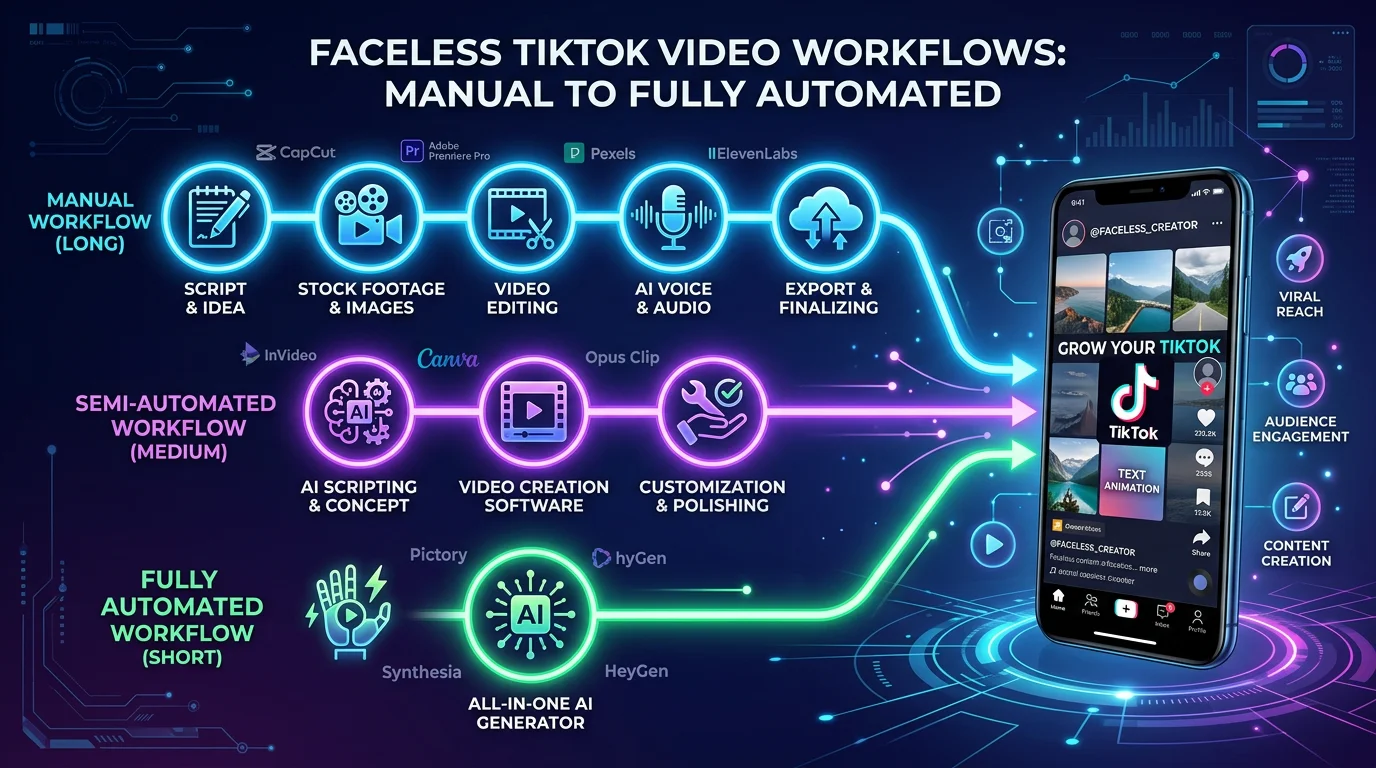
Instead of you having to script, film, and edit every single post, an automated system can build high-quality videos and post them for you. It's designed to handle the entire workflow:
- Smart Scripting: The AI generates scripts that are actually engaging for your specific niche.
- Visual Creation: It then finds and assembles relevant stock footage and visuals to match the script.
- Voice & Text: A natural-sounding voiceover is added, along with perfectly synced captions.
- Scheduled Posting: Finally, the videos are posted directly to your accounts based on a schedule you control.
This buys back your time, letting you pour your energy into the high-effort, flagship content that only you can create. It's a smart way to stay relevant across both platforms without spreading yourself too thin.
After all, linking Instagram and TikTok is a huge opportunity in 2026. You’re tapping into Instagram's 2.3 billion monthly users and TikTok's 1.6 billion, where people spend an average of over 55 minutes a day. Automation helps you avoid the 30-50% drop in engagement that often comes from just reposting the same video. For a deeper dive, check out these social media marketing statistics at newmedia.com.
A Strategy for Sustainable Growth
Think of automation less as a shortcut and more as a strategic pillar for long-term growth. For entrepreneurs or anyone with a side hustle, this is especially powerful. It transforms your social media presence from a constant chore into an asset that works for you, especially when you understand how to monetize TikTok.
By automating the daily content, you ensure your brand stays top-of-mind, building awareness and authority in your niche around the clock. This is how you turn a linked account strategy into a real monetization machine.
Imagine having a dashboard where you can select a niche—like history, finance, or science—and have viral-style videos generated for both TikTok and Instagram Reels automatically. Many services offer plans that deliver anywhere from 30 to 60 videos a month. That’s the kind of consistency that feeds the algorithms and compounds your audience growth over time.
Ultimately, this approach makes the goal to link IG to TikTok a far more manageable—and profitable—endeavor. If you're curious about other ways to put your accounts on autopilot, you can also read our guide on how to automate social media posts.
Common Questions and Quick Fixes
Even when you follow the steps, you can run into a few snags trying to connect Instagram and TikTok. Based on my experience helping creators with this, here are the most common questions that pop up and how to solve them.
What Happened to the Instagram Link Option?
If you go to edit your profile and the dedicated Instagram button is just… gone, you’re not alone. This is hands-down the most frequent issue, and 99% of the time it’s because you have a TikTok Business Account. For whatever reason, TikTok often reserves this direct social linking feature for Personal or Creator accounts.
You have two solid ways to handle this:
- Switch back to a Creator Account. This is my usual recommendation. Head into your settings, switch your account type, and the social link options should reappear almost instantly.
- Use your website slot. If you need to keep your Business Account, just treat your Instagram profile as your main website. Copy the full URL to your Instagram and paste it into the "Website" field in your bio. It works just as well.
Am I Going to Hurt My Engagement by Promoting Instagram?
It's a common worry, but you won't lose engagement if you're smart about it. Think of it less as an advertisement and more as an exclusive invitation. Your TikTok video needs to deliver value all on its own.
The trick is to give people a compelling reason to make that extra click.
Don't just end your video with a generic "Follow me on Instagram!" Instead, create genuine curiosity. Try something like, “I’m showing the full behind-the-scenes of this project over on my Instagram Stories right now,” or “Get the full recipe and a list of my favorite kitchen tools through the link in my bio.”
This approach makes your call-to-action feel like a helpful bonus for your most dedicated fans, not a pushy sales pitch.
Can I Add Other Social Media Accounts?
Absolutely. Right next to where the Instagram link goes, TikTok gives you a dedicated spot to connect your YouTube channel. You can have both linked up at the same time, which is great for driving traffic between your two main video platforms.
For anything else—like X (formerly Twitter), Facebook, or your personal blog—you’ll have to use that single "Website" field. Just pick the one platform you want to prioritize and use that link.
Tired of the content creation hamster wheel? FlowShorts can be a game-changer. It uses AI to generate and schedule a steady stream of high-quality videos for both TikTok and Instagram, keeping your audience engaged while you get your time back. See how you can automate your content with FlowShorts.
Free tools: Best Time to Post Calculator