SendShort Review 2026: AI Video Automation Tool (Honest Take)
SendShort turns long videos into viral shorts AND generates faceless content from scratch. Starting at $15/month, it's one of the cheapest options. But how does it compare to dedicated faceless tools? Here's the honest review.
FlowShorts Team
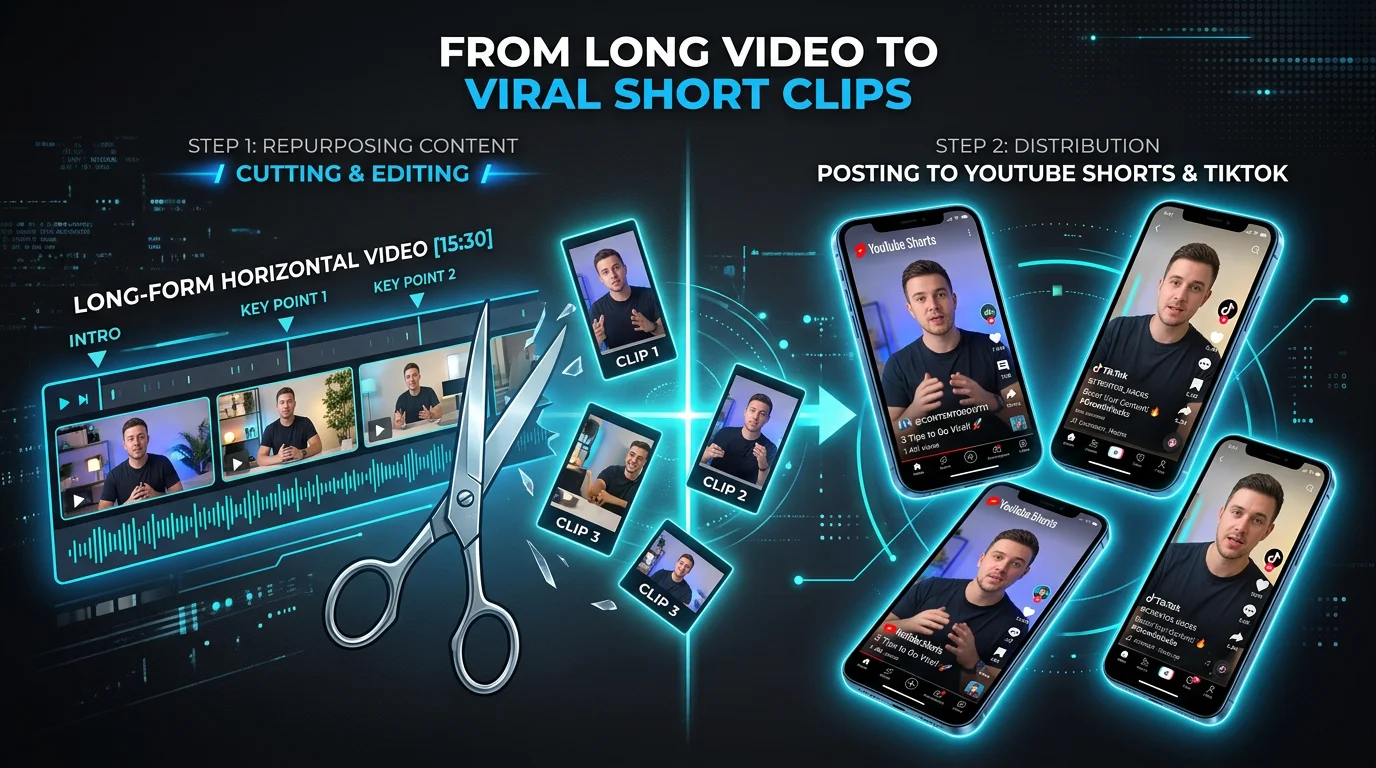
SendShort is an AI video platform that does two things: repurpose long videos into shorts (clip extraction) and generate faceless videos from scratch. It's one of the more versatile tools in the short-form video space, combining features that usually require separate subscriptions.
At $15/month starting price, it's also one of the cheapest. Here's whether the quality justifies the price.
What SendShort Does
SendShort has two core modes:
Mode 1: Long-to-Short Repurposing
Drop in a long video or paste a YouTube URL. The AI identifies the most engaging moments, extracts clips, adds captions, B-roll, music, and transitions. You get multiple vertical shorts from a single long video.
Mode 2: Faceless Video Generation
Enter a topic or script. The AI generates a complete faceless video with visuals, voiceover, captions, and music — similar to FlowShorts, AutoShorts, or BigMotion.
This dual capability is SendShort's biggest differentiator. Most competitors do one or the other, not both.
Pricing
| Plan | Monthly | Annual (per month) | Key Features |
|---|---|---|---|
| Starter | ~$20/mo | $15/mo | Basic features, limited exports |
| Professional | ~$35/mo | ~$25/mo | More exports, premium features |
| Business | ~$55/mo | ~$47/mo | Scheduling to TikTok + YouTube, "unlimited" exports |
Price advantage: SendShort's $15/month annual plan is cheaper than FlowShorts ($19), AutoShorts ($19), and significantly cheaper than ReVid ($39+). For budget-conscious creators, this matters.
Caveat: Auto-posting (scheduling to TikTok and YouTube) is only available on the Business plan (~$47/month). On Starter and Professional plans, you download and manually upload.
What SendShort Does Well
Looking for the Best Faceless Video Tool?
See why creators are switching to FlowShorts — AI video generation + auto-posting to 3 platforms from $19/mo.
Compare Plans →Long-to-Short Repurposing (Best Feature)
If you have existing long-form content (podcasts, tutorials, interviews, live streams), SendShort's clip extraction is genuinely useful. The AI picks engaging moments with reasonable accuracy, and the auto-captioning runs at 98.5% accuracy across 50+ languages — the highest accuracy claim in this tool category.
Price-to-Feature Ratio
At $15/month you get faceless generation + repurposing + auto-captions + B-roll. Competitors charge $19-$39 for fewer features. An agency owner reported their team could "3x output on short form clips" with SendShort.
Caption Customization
350+ customization options for captions — fonts, colors, animations, positioning. This is significantly more than most competitors offer. For creators who've built a brand around a specific caption style, this flexibility matters.
Multi-Platform Scheduling
Business plan includes scheduling to TikTok and YouTube Shorts. Set it and forget it — the AI posts while you sleep. (Note: Instagram Reels scheduling is supported via their cross-posting feature.)
Where SendShort Falls Short
Faceless Quality vs Dedicated Tools
SendShort's faceless video generation is a secondary feature, not the primary one. It works, but the output quality — scripts, voice, visual consistency — trails behind dedicated faceless tools like FlowShorts or even AutoShorts. If faceless content is your sole focus, a purpose-built tool will serve you better.
Auto-Posting Locked to Business Plan
Scheduling and auto-posting require the Business plan at ~$47/month. On cheaper plans, you download videos and upload manually. FlowShorts and AutoShorts include auto-posting on their $19/month starter plans.
"Unlimited" Upload Limits
Looking for the Best Faceless Video Tool?
See why creators are switching to FlowShorts — AI video generation + auto-posting to 3 platforms from $19/mo.
Compare Plans →Some Business plan users report hitting upload limits that contradict the "unlimited" marketing. The actual cap isn't clearly documented, which creates frustration for heavy users.
Editing Interface Performance
The web editor can be slow with large files. Users working with long videos (30+ minutes) report lag and occasional crashes. This is a browser-based tool limitation that doesn't affect shorter content.
SendShort vs FlowShorts: Head-to-Head
| Feature | SendShort | FlowShorts |
|---|---|---|
| Best for | Repurposing long videos + budget faceless | Dedicated faceless automation + auto-posting |
| Long-to-short repurposing | Yes (core feature) | No |
| Faceless generation | Yes (secondary) | Yes (primary, niche-optimized) |
| Voice quality | Good | ElevenLabs premium |
| Auto-post platforms | YouTube + TikTok (Business plan only) | YouTube + TikTok + Instagram (all plans) |
| Auto-post price | ~$47/mo (Business) | $19/mo (Starter) |
| Caption options | 350+ customizations | 6 TikTok-style animations |
| Caption accuracy | 98.5% | Whisper-based (95%+) |
| Languages | 50+ | Multiple (English-focused) |
| Starting price | $15/mo (annual) | $19/mo |
Choose SendShort if: You have existing long-form content to repurpose AND want to generate faceless shorts, all from one tool. Or if budget is the primary concern and you don't need auto-posting.
Choose FlowShorts if: Faceless content is your sole focus, you want auto-posting to all 3 platforms from day one ($19/mo), and you prioritize voice quality and niche-specific content optimization.
The Verdict
SendShort is the best value multi-purpose tool in the short-form video space. If you need BOTH long-to-short repurposing AND faceless video generation, it's the only tool that does both competently at a reasonable price.
But it's a jack of all trades, master of none. The repurposing feature is genuinely good — possibly the best use case for SendShort. The faceless generation works but doesn't match dedicated tools in quality. And locking auto-posting behind the $47/month plan undercuts the budget-friendly positioning.
For creators who primarily post faceless content: FlowShorts or AutoShorts are better choices. For creators who repurpose podcasts or long videos into shorts and want to add some faceless content too: SendShort is the smart pick.
Related Guides
- FlowShorts vs SendShort — Detailed Comparison
- Best AutoShorts Alternatives
- ReVid AI Review
- BigMotion AI Review
- Best Software for Faceless Channels
- Compare All Alternatives
Try our free tools: AI Video Script Generator · Video Hook Generator
More AI Video Tool Reviews
We review the most popular AI video tools so you can make an informed choice. Read our other honest reviews:


