InVideo AI Review 2026: Prompt-to-Video Done Right? (Honest Take)
Honest InVideo AI review for 2026. Covers prompt-to-video features, text-command editing, stock library, pricing (Free/Plus $25/Max $60/Generative $200), and comparison to FlowShorts.
FlowShorts Team
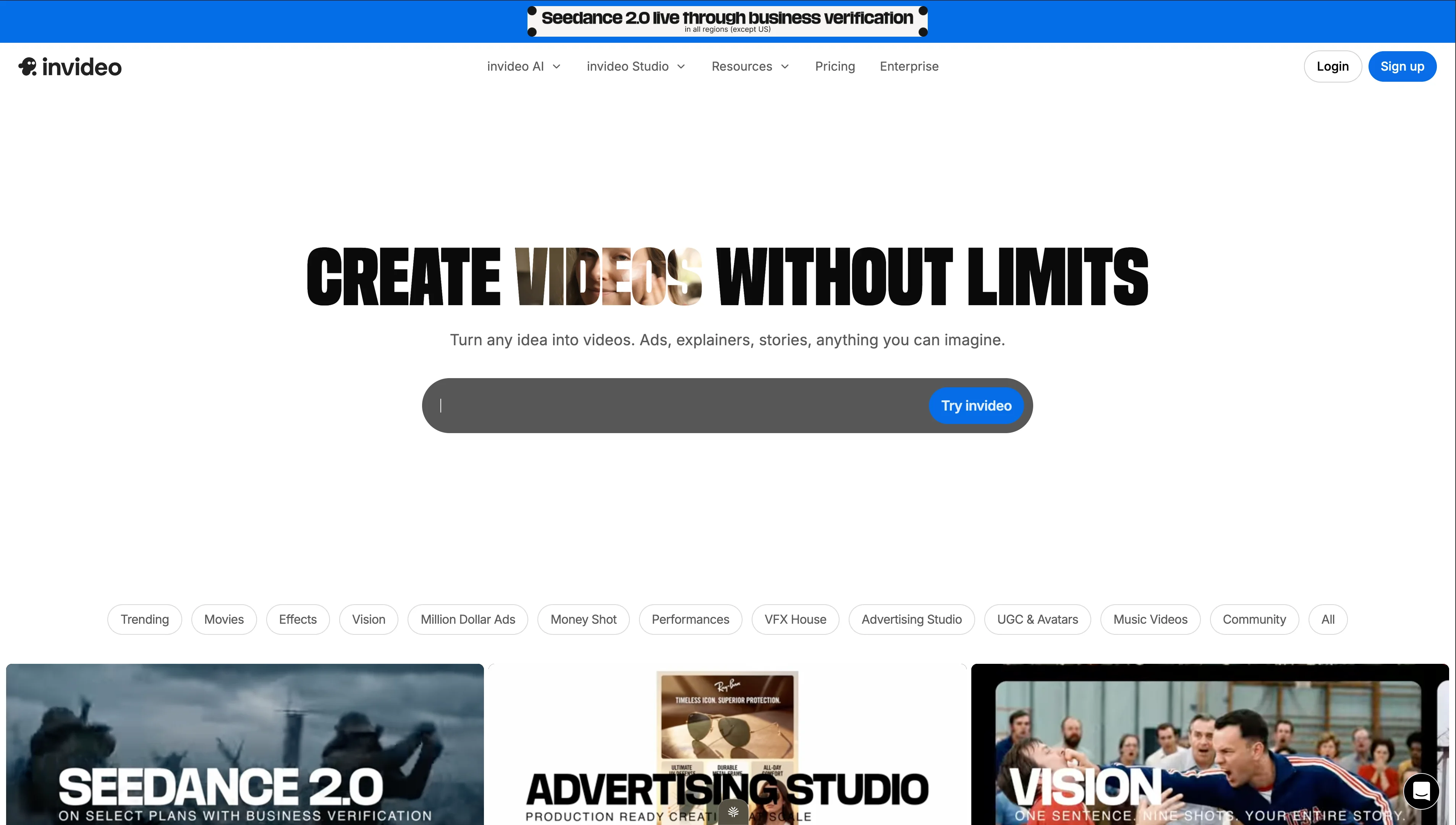
InVideo AI is a prompt-to-video tool that generates complete videos from a text description. Type what you want — "a 2-minute explainer about remote work productivity for LinkedIn" — and InVideo AI produces a full video with stock footage, voiceover, captions, transitions, and music. You can then edit every element in their built-in editor.
This review covers what InVideo AI delivers in practice, its pricing tiers in 2026, genuine strengths and weaknesses, who it's built for, and how it compares to FlowShorts and other alternatives.
What InVideo AI Does
InVideo AI operates in two modes:
- InVideo AI (prompt-to-video) — Type a description, get a complete video. The AI writes a script, selects matching stock clips, generates voiceover, adds captions, and assembles everything.
- InVideo Studio (template editor) — A traditional drag-and-drop editor with 5,000+ templates. You build videos manually from templates, stock footage, and your own assets.
The AI mode is the headline feature and what most people sign up for.
How InVideo AI Works
- Enter a prompt — Describe the video you want in natural language. You can specify topic, audience, tone, length, and platform.
- AI generates the video — InVideo's AI writes a script, selects stock footage from their library, generates voiceover, adds text overlays and captions, and applies transitions and music.
- Review and edit — Watch the draft. You can edit via text commands ("make the intro shorter," "swap the third clip for something more energetic") or switch to the manual editor to change individual elements.
- Export — Download in up to 4K resolution or share directly.
Key Features
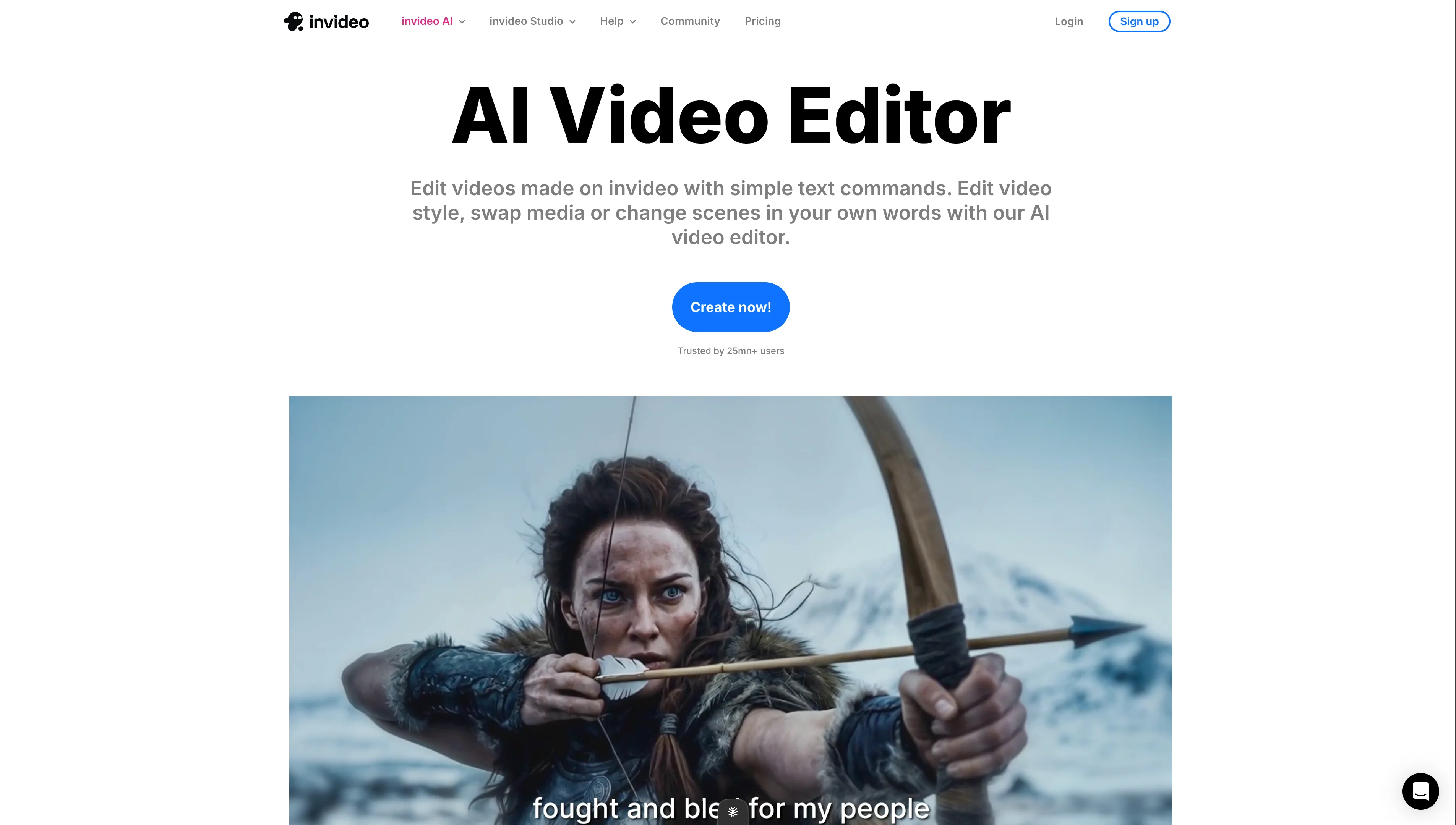
- Text-command editing — Edit your video by typing instructions instead of dragging timeline elements. "Remove the last scene," "add background music that's more upbeat," "change the voiceover to a female voice."
- AI avatars & voice clones — Create custom AI presenters or clone your own voice for consistent branding.
- Stock library — Access to millions of stock clips, images, and music tracks included in all plans.
- Multi-language — Generate videos in 50+ languages with native-sounding AI voiceover.
- AI workflows — Batch process multiple videos with similar parameters.
- iStock integration — Premium stock footage from iStock included in paid plans.
InVideo AI Pricing (2026)
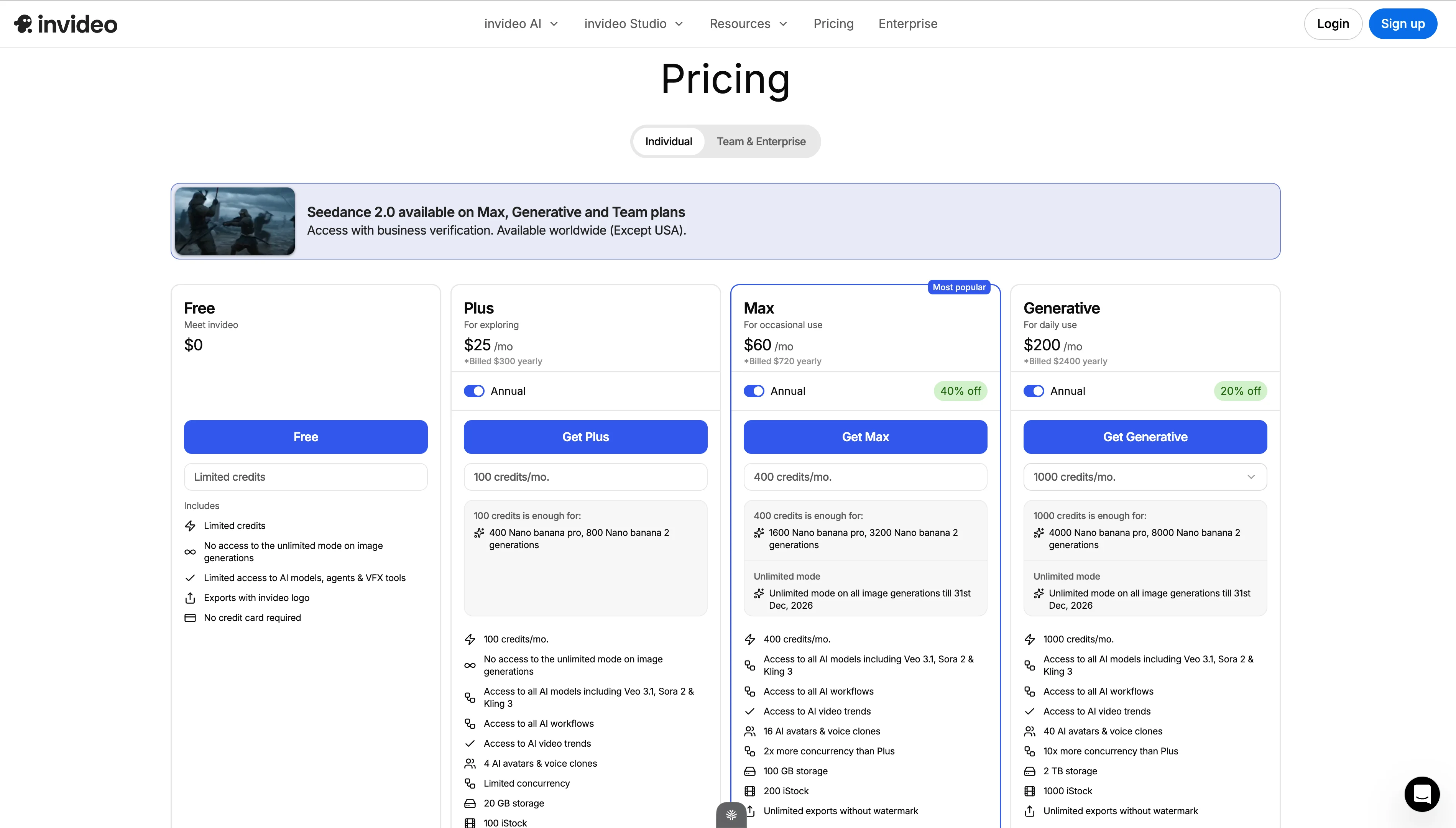
| Plan | Price (Annual) | Credits/mo | Key Features |
|---|---|---|---|
| Free | $0 | Limited | Limited credits, no unlimited image mode, limited AI models, InVideo watermark, no credit card required |
| Plus | $25/mo | 100 | No watermark, all AI models (Veo 3.1, Sora 2, King 3), all workflows, 4 AI avatars, 20 GB storage, 100 iStock credits |
| Max | $60/mo ($36 annual) | 400 | Everything in Plus + 16 AI avatars, voice clones, AI video trends, 100 GB storage, 200 iStock, 2x concurrency |
| Generative | $200/mo ($160 annual) | 1,000 | Everything in Max + 40 AI avatars, unlimited mode on all image generations, 2 TB storage, 1,000 iStock, 10x concurrency |
Pricing Context
InVideo AI is more expensive than most competitors at the Plus tier ($25/mo). The Max plan at $60/mo is premium territory. However, it includes stock footage that would cost separately elsewhere — if you'd be paying for stock footage anyway, the bundled pricing is competitive.
The credit system determines how many AI generations you can run. 100 credits (Plus) translates to roughly 50-100 video generations per month depending on complexity and length. Enough for most individual creators, tight for agencies.
What InVideo AI Does Well
1. Prompt-to-Video Quality Is the Best in Class
Among pure prompt-to-video tools, InVideo AI produces the most polished output. The stock footage selection is relevant (not random), transitions are smooth, and voiceover quality is natural. A first-draft video from a well-written prompt is 70-80% ready to publish — requiring only minor adjustments.
2. Text-Command Editing Is Genuinely Useful
Instead of learning a timeline editor, you edit by typing: "make the intro 3 seconds shorter," "replace the second clip with something showing a city skyline," "speed up the music." This lowers the learning curve dramatically. Non-editors can produce polished videos without understanding timeline mechanics.
3. Stock Library Is Massive and Included
Looking for the Best Faceless Video Tool?
See why creators are switching to FlowShorts — AI video generation + auto-posting to 3 platforms from $19/mo.
Compare Plans →Millions of stock clips, images, and music tracks — all included in the subscription. No additional licensing fees. The iStock integration on paid plans adds premium footage that would cost $10-30 per clip elsewhere. For marketing teams creating ad content, this bundled library is significant value.
4. Multi-Language Support Is Strong
50+ languages with natural-sounding AI voiceover. The AI doesn't just translate text — it generates culturally appropriate visuals and pacing for different markets. Useful for global brands and multilingual creators.
5. Multiple Output Formats
Generate in any aspect ratio — 16:9 (YouTube), 9:16 (Shorts/Reels/TikTok), 1:1 (Instagram feed), 4:5 (Instagram feed vertical). One prompt can produce multiple format versions. This is more flexible than most competitors.
Where InVideo AI Falls Short
1. Stock Footage Feels Generic
The AI selects from stock libraries, which means your video looks like... stock footage. For brands wanting a unique visual identity, this is a problem. Every InVideo AI video has a recognizable "stock footage compilation" aesthetic. It's polished but not distinctive.
2. Pricing Is Higher Than Alternatives
At $25/mo for Plus (with 100 credits), InVideo AI is more expensive than most alternatives for individual creators. CapCut is free. Kapwing Pro is $16/mo. FlowShorts starts at $19/mo with auto-posting included. The Max plan at $60/mo is hard to justify for solo creators.
3. Not Built for Faceless Short-Form at Scale
InVideo AI generates one video at a time from one prompt. There's no scheduling, no daily auto-posting, no niche-based content planning. Each video requires a new prompt and manual export. For creators who need 30+ Shorts per month posted automatically, InVideo AI is too manual.
4. AI-Generated Scripts Are Surface-Level
The AI writes scripts that are competent but generic. For niche topics requiring depth (finance, tech, education), the scripts need significant manual rewriting. The AI optimizes for broad appeal, which means it avoids specificity — exactly what niche content needs.
5. No Auto-Posting
You create the video in InVideo, download it, then manually upload to YouTube, TikTok, and Instagram separately. No integrated scheduling or auto-posting. For high-volume posting strategies, this manual step adds up quickly.
Who InVideo AI Is Best For
| Great Fit | Not a Great Fit |
|---|---|
| Marketing teams creating ad and explainer videos | Faceless channel creators needing daily automated content |
| Agencies producing client videos at scale | Creators on a tight budget (cheaper options exist) |
| Multilingual content for global audiences | Creators wanting unique visual style (stock footage is generic) |
| Non-editors who want prompt-based creation | Anyone needing auto-posting to social platforms |
| One-off marketing and social media videos | Niche creators needing deep, authoritative scripts |
InVideo AI vs. FlowShorts
| Feature | InVideo AI | FlowShorts |
|---|---|---|
| Primary use | Prompt-to-video (any format) | Automated faceless short-form video |
| Input | Text prompt per video | Niche selection (auto-generates topics + scripts) |
| Visual source | Stock footage library | AI-generated images (unique per video) |
| Voiceover | AI voices in 50+ languages | ElevenLabs AI (natural English voices) |
| Auto-posting | No — manual download and upload | Yes — YouTube Shorts, TikTok, Instagram Reels |
| Daily automated posting | No — each video needs a new prompt | Yes — pick a schedule, system posts daily |
| Output formats | 16:9, 9:16, 1:1, 4:5 (flexible) | 9:16 vertical (Shorts/Reels/TikTok focused) |
| Best for | Marketing teams, one-off videos, multilingual content | Faceless channels, daily automated Shorts, niche content |
| Starting price | $25/mo (Plus) | $19/mo (Starter — 8 videos + auto-post) |
Looking for the Best Faceless Video Tool?
See why creators are switching to FlowShorts — AI video generation + auto-posting to 3 platforms from $19/mo.
Compare Plans →When to choose InVideo AI: You need flexible video creation for marketing, ads, explainers, or multilingual content. You create videos one at a time for specific campaigns or clients.
When to choose FlowShorts: You want daily automated short-form content for faceless channels across YouTube Shorts, TikTok, and Instagram Reels. You set it up once and the system produces and posts daily.
InVideo AI vs. Other Alternatives
| Tool | Type | Best For | Starting Price |
|---|---|---|---|
| InVideo AI | Prompt-to-video (stock footage) | Marketing teams, multilingual content | $25/mo |
| FlowShorts | Automated short-form generator | Faceless channels, daily auto-posting | $19/mo |
| Opus Clip | AI video clipper | Repurposing long-form into Shorts | $15/mo |
| Kapwing | Browser-based editor | Teams, collaborative editing | Free / $16/mo |
| Synthesia | AI avatar presenter | Training, corporate, multilingual | $22/mo |
| Pictory | Blog/article to video | Repurposing written content | $19/mo |
For detailed comparisons, see our best AI video generators of 2026, text to video AI tools, and alternatives comparison page.
The Verdict
InVideo AI is the best prompt-to-video tool for marketing teams in 2026. The text-command editing, massive stock library, multilingual support, and flexible format output make it genuinely useful for agencies and marketing departments creating campaign videos, ads, and explainers.
For individual creators — especially those running faceless channels or needing daily short-form content — it's too expensive and too manual. Each video requires a new prompt, there's no auto-posting, and the stock footage aesthetic doesn't build a unique brand identity. For that use case, FlowShorts at $19/mo with AI-generated visuals and auto-posting is a better fit.
The two tools can complement each other: InVideo AI for occasional marketing and ad content, FlowShorts for daily faceless Shorts on autopilot.
Frequently Asked Questions
Is InVideo AI worth the price?
For marketing teams, yes. The bundled stock library alone is worth $100+/mo if you'd be licensing footage separately. For solo creators making short-form content, $25/mo (Plus) is steep when alternatives like FlowShorts ($19/mo with auto-posting) and CapCut (free) exist.
Is there a free version of InVideo AI?
Yes — a free tier with limited credits, no unlimited image mode, limited AI model access, and InVideo watermark on exports. It's enough to test the tool but not for production use. No credit card required to start.
Can InVideo AI create YouTube Shorts?
Yes. You can specify 9:16 vertical format and 15-60 second length in your prompt. The AI generates a Shorts-ready video. However, you must manually download and upload to YouTube — there's no auto-posting feature.
How does InVideo AI compare to FlowShorts?
InVideo AI creates one video at a time from a prompt using stock footage. FlowShorts generates videos daily on autopilot using AI-generated images and auto-posts to YouTube Shorts, TikTok, and Instagram Reels. InVideo AI is for flexible, one-off video creation. FlowShorts is for consistent, automated short-form content.
What AI models does InVideo use?
Paid plans include access to Veo 3.1, Sora 2, and King 3 for video generation, plus multiple AI voice models. The free tier has limited model access. InVideo regularly adds new AI models as they become available.
Related Guides
- FlowShorts vs InVideo AI Comparison
- Opus Clip Review
- Kapwing Review
- Best AI Video Generators of 2026
- Text to Video AI Tools
- All Alternatives Compared
Daily Short-Form Videos on Autopilot
Unlike prompt-per-video tools, FlowShorts generates complete videos daily — AI scripts, images, voiceover, captions — and auto-posts to YouTube Shorts, TikTok, and Instagram Reels. Set up once, content flows daily.


