Top 12 AI Video Creation Tools for 2026: The Ultimate Guide
Discover the top 12 AI video creation tools of 2026. This guide reviews the best platforms for automated content, faceless videos, and more.
FlowShorts Team

The creator economy moves at an unprecedented pace, demanding a constant stream of high-quality content for platforms like YouTube Shorts, TikTok, and Instagram Reels. For many, this content treadmill leads to burnout, creative blocks, and inconsistent posting. This is where AI video creation tools are changing the game.
They represent a fundamental shift in content strategy, enabling creators, marketers, and entrepreneurs to automate production, scale output, and reclaim their time. From generating scripts and lifelike voiceovers to assembling visuals and even auto-posting, these platforms handle the heavy lifting. This guide dives deep into the 12 best AI video creation tools available today.
We'll move beyond marketing claims to provide an honest assessment of each tool's core features, ideal use cases, practical limitations, and pricing. Each entry includes screenshots and direct links to help you evaluate your options. Whether you aim to build a faceless content empire, repurpose long-form audio, or create stunning cinematic clips from a single text prompt, this resource will help you find the right platform to achieve your goals efficiently. Our goal is to categorize these tools to help you navigate this fast-evolving space and make an informed decision for your specific needs, from generating faceless educational clips to producing consistent social media content.
1. FlowShorts
FlowShorts establishes itself as a powerful, end-to-end automation engine for creators aiming to produce faceless short-form videos at scale. Its core strength lies in its "set it and forget it" model. After a one-time setup that involves securely connecting your social accounts via OAuth and choosing a content niche (like finance, science, or motivation), the platform takes over completely. The AI handles script generation, visual asset sourcing from stock libraries, voiceover creation, and accurate captioning before publishing directly to your channels on a predefined schedule.

This automated workflow makes FlowShorts one of the best ai video creation tools for users who prioritize consistency and passive growth over deep creative control. It is an excellent fit for marketers, entrepreneurs, and side-hustlers looking to build an audience without the daily grind of manual editing or appearing on camera. The platform is designed for efficiency, simplifying cross-platform management by posting to YouTube Shorts, TikTok, and Instagram Reels from a single dashboard.
Key Benefit: The platform's main advantage is its true hands-off production. The AI manages the entire content lifecycle from script to scheduled post, allowing you to scale channel output without manual intervention.
Core Features & User Experience
FlowShorts provides a frictionless onboarding process. You can generate your first video for free without providing credit card details, allowing for a quick and direct evaluation of the output quality. The user interface is clean and focused on getting you started quickly.
- End-to-End Automation: Creates scripts, selects visuals, generates voiceovers, adds captions, and auto-posts.
- Multi-Platform Distribution: Connects directly to YouTube, TikTok, and Instagram for simultaneous, scheduled publishing.
- Niche Specialization: Offers pre-set content themes like history, luxury, and motivation to maintain a consistent channel identity.
- Free Content Tools: Includes a suite of generators for video ideas, channel names, and relevant tags to support your content strategy.
Pricing Structure
FlowShorts offers a tiered pricing model to accommodate different levels of production volume.
| Plan | Price (Monthly) | Videos/Month | Key Feature |
|---|---|---|---|
| Starter | $19 | 8 (2/week) | Ideal for beginners testing a channel concept. |
| Creator | $39 | 30 | Best value for daily content posting. |
| Pro | $69 | 60 | Suited for managing multiple channels or high-volume output. |
Annual billing options are available and provide a discount equivalent to two free months. Higher-tier plans also include priority customer support. You can cancel any plan at any time without being locked into a long-term contract.
Pros & Cons
Pros:
- Truly hands-off video production saves significant time and effort.
- Simplifies cross-platform growth with integrated, automated posting.
- Quick setup with secure OAuth and a no-commitment free trial video.
- Scalable plans with clear volume limits and annual discounts.
Cons:
- AI-generated content may require review for factual accuracy or brand alignment.
- Creative customization is limited by the stock assets and automated formats.
Website: https://flowshorts.app
2. Runway
Runway positions itself as a professional-grade generative video suite, ideal for creators who prioritize visual fidelity and cinematic motion. It stands out among AI video creation tools by offering a toolchain that handles everything from initial concept generation to final editing and export, all within a single workspace. This is the platform to choose when you need high-quality, realistic footage for a short film, a visually demanding marketing clip, or B-roll that needs to look authentic.

The platform's strength lies in its Gen-2 model, which provides some of the most consistent and realistic motion available. Unlike tools focused purely on automation, Runway gives you direct control over the creative process. You can use text prompts, source images, or even existing video clips to guide the generation.
Key Features & Use Case
- Text/Image-to-Video: The core feature, allowing you to generate 4-second clips from simple prompts.
- Integrated Editor: A significant advantage, this timeline editor lets you mask, add frame interpolation for slow-motion effects, and arrange your generated clips without leaving the platform.
- Generative Match: Modify the style of an existing video by applying the style of an image or prompt.
- Ideal For: Creators producing short, artistic films, musicians needing abstract visuals for music videos, or marketers requiring a few high-impact, custom B-roll shots for a campaign.
Pricing, Pros & Cons
Runway operates on a credit system. The free plan provides a starting allotment of credits but notably excludes watermarks and access to higher-quality models. Paid plans start at $12/editor/month (billed annually) for more credits and full model access.
- Pros: Top-tier realism and motion quality; robust all-in-one toolchain for generating, editing, and exporting.
- Cons: Credits are consumed very quickly, especially when using the best models and upscaling; the most powerful features are locked behind a paywall.
For creators focused more on producing a high volume of daily content for social media, the fine-grained control of Runway might be less efficient than a fully automated system. These users often benefit from understanding what content automation is and how it can produce consistent output for platforms like TikTok and YouTube Shorts with minimal manual intervention.
Website: https://runwayml.com
3. Pika
Pika brings a playful and accessible approach to the world of AI video creation tools, positioning itself as a go-to platform for creators focused on fast, stylized social media clips. It's designed for quick iteration and effects-driven shots, making it perfect for users who value speed and creative expression over cinematic realism. This is the tool for generating eye-catching visuals for TikTok, Instagram Reels, or other short-form content without a steep learning curve.

Unlike more complex professional suites, Pika’s interface is beginner-friendly and encourages experimentation. The platform uses a credit-based system that allows for immediate generation from text or images. Its strength is in producing short, dynamic video segments that are ideal for grabbing attention in a fast-scrolling feed.
Key Features & Use Case
- Text/Image-to-Video: Generate short video clips directly from text prompts or by animating a source image.
- Effect Modules: Add creative flair with specialized tools like modifying elements within a video or applying stylistic twists.
- Variable Output Quality: Users can choose their output resolution, from 480p on the free plan up to 1080p on paid tiers.
- Ideal For: Social media managers needing quick, engaging visuals, artists exploring abstract motion graphics, and creators wanting to produce memes or reaction clips with minimal effort.
Pricing, Pros & Cons
Pika offers a free tier with a starting number of credits, though it includes a watermark. Paid plans provide more credits, commercial usage rights, and faster generation speeds, with credits rolling over month-to-month. This model offers an affordable entry point for casual creators.
- Pros: Very beginner-friendly interface with fast generation for social content; affordable entry-level pricing.
- Cons: Generated clips have shorter maximum durations than some competitors; lacks the cinematic fidelity of high-end research models.
Website: https://pika.art/pricing
4. Luma AI (Dream Machine)
Luma AI and its Dream Machine tool excel in producing clips with exceptional spatial awareness and fluid, cinematic camera movements. It's a standout choice among AI video creation tools for creators needing dynamic B-roll, architectural visualizations, or detailed product shots. Luma delivers a sense of three-dimensional depth and realism that many other platforms struggle to match, making it ideal for visually rich content.

The platform’s strength is its ability to generate video that respects physical space, resulting in believable pans, zooms, and object motion. You can generate from text or an image, with advanced options to reframe or upscale your creations. The availability of high-resolution and HDR output makes it a powerful asset for projects demanding high visual quality.
Key Features & Use Case
- Advanced Camera Motion: Generates clips with realistic and consistent camera movements, ideal for establishing a sense of place.
- Text/Image-to-Video: Standard generation capabilities with added options like reference-based reframing and upscaling to 4K.
- HDR/EXR Support: A key differentiator for professionals, allowing for a wider color gamut and dynamic range in generated footage.
- Ideal For: Creators producing short-form content with a focus on product showcases, real estate visuals, or any scenario requiring believable, cinematic motion.
Pricing, Pros & Cons
Luma AI provides a free tier with a monthly allotment of generations. Paid plans, starting at $29.99/month, offer significantly more generations, priority access, and commercial usage rights without a watermark. Costs are tied to generation settings, with higher resolutions and HDR options consuming more credits.
- Pros: Excellent spatial consistency and believable camera motion; offers a clear path to high-resolution and HDR outputs.
- Cons: Clip duration is limited, typically around 10 seconds; per-clip credit costs can be high for premium features like 4K upscaling.
Website: https://lumalabs.ai/pricing
5. HeyGen
HeyGen is an avatar-driven platform focused on creating polished, spokesperson-style videos with remarkable speed. It excels at turning a simple script into a presentable video for corporate training, marketing messages, or product explainers. Its primary distinction among AI video creation tools is its massive library of realistic stock avatars and a powerful video translation feature that maintains natural-looking lip-sync across dozens of languages.

The workflow is straightforward: choose an avatar, paste your script, and generate the video. This makes it an excellent choice for businesses needing to localize their content or produce professional-looking announcements without the cost and logistics of a live-action shoot. The platform also supports creating a custom "Digital Twin" avatar of yourself for consistent, on-brand messaging.
Key Features & Use Case
- Stock & Custom Avatars: Access a library of over 700 stock video avatars or create a personalized one for brand consistency.
- Video Translation & Lip-Sync: A standout feature that translates your video's audio and precisely matches the avatar's lip movements to over 175 languages and dialects.
- Team & Enterprise Integrations: Built for collaboration with features like brand kits, SSO/SCIM, and integrations with Zapier, Make, and HubSpot on higher tiers.
- Ideal For: Businesses creating multilingual training modules, marketers localizing ad campaigns, and sales teams sending personalized video outreach at scale.
Pricing, Pros & Cons
HeyGen offers a free plan to test the platform, which includes 1 free credit and watermarked videos. Paid plans begin at $24/month (billed annually) for more credits and features. Enterprise plans provide advanced security, a dedicated account manager, and API access.
- Pros: Extremely fast script-to-video workflow for spokesperson content; best-in-class video translation and lip-sync capabilities; strong team and enterprise-level features.
- Cons: The polished, corporate aesthetic of the avatars may not fit every brand's style; advanced features like custom avatars and API access can become costly.
Website: https://www.heygen.com/pricing
6. Synthesia
Synthesia is an enterprise-grade AI presenter platform designed for creating consistent, compliant, and professional spokesperson videos. It's the go-to choice for corporations needing to produce training materials, internal communications, or how-to guides at scale. Among AI video creation tools, it excels at generating polished, localized content for regulated industries where brand consistency and accuracy are paramount.

The platform’s core strength is its library of high-quality AI avatars and voices, which can deliver a script with remarkable clarity and professional polish. Users can simply type their script, select an avatar, and generate a video in minutes. This approach removes the need for cameras, actors, and studios, making it an efficient solution for corporate content.
Key Features & Use Case
- 140+ Languages & Voices: Extensive support for global teams, allowing for the creation of localized training and marketing videos with included templates and auto-captions.
- Custom Avatars & Brand Controls: Enterprise plans allow the creation of a digital twin of an employee and offer team controls to maintain brand consistency.
- Smart Updates: Modify a small part of your script and re-render only that segment, saving generation minutes and time.
- Ideal For: HR departments creating onboarding videos, global companies localizing compliance training, or support teams producing multilingual product explainers.
Pricing, Pros & Cons
Synthesia’s pricing is based on a "minutes of video" model. The Personal plan starts at $22/month (billed annually) for 10 minutes of video generation per month. Enterprise plans offer custom pricing with more features and minutes.
- Pros: Mature enterprise controls and reliability; high-quality speech and lip-sync for polished presenter-style videos.
- Cons: The minute-based budget can be costly for high-volume use; creative options are confined to the avatar-and-presenter format.
While Synthesia is perfect for corporate explainers, creators looking to produce different styles of content, such as those made with an AI faceless video generator, might find its format restrictive for social media.
Website: https://www.synthesia.io/pricing
7. Descript
Descript approaches video creation from an editor’s perspective, making it a standout all-in-one suite for creators focused on repurposing existing content. Its core strength is its powerful text-based video editor, which transcribes your media and allows you to edit the final video simply by editing the text. This makes it an exceptional tool for transforming long-form podcasts, webinars, and interviews into a series of engaging short-form clips.

While it offers generative AI features, Descript shines brightest as a post-production and repurposing machine. The platform automatically identifies key moments and can generate clips, but its real value comes from giving you precise control over the final output through its intuitive script-based timeline. This is the tool of choice for podcasters and educators who value efficiency in content recycling.
Key Features & Use Case
- Text-Based Editing: The signature feature that lets you cut, paste, and delete parts of your video by editing the transcribed text. It includes automatic filler-word removal ("uh," "um").
- AI Clip Generation: Automatically finds and suggests compelling short clips from longer videos, complete with captions and formatting.
- Voice Cloning & Studio Sound: Create a high-quality clone of your own voice for text-to-speech corrections or generate new audio entirely. Studio Sound removes background noise and enhances voice quality.
- Ideal For: Podcasters turning audio episodes into video shorts, course creators repurposing webinar content for social media, and marketers who need to produce on-brand video highlights from customer interviews.
Pricing, Pros & Cons
Descript offers a free plan with limited transcription and watermark-free video export. Paid plans begin with the Creator tier at $12/user/month (billed annually), which includes more transcription hours and 4K video export. AI features like voice cloning and clip generation are credit-based.
- Pros: Excellent for efficiently turning long videos or podcasts into on-brand shorts; combines editing, voice generation, and captions in one application.
- Cons: Generative functions can consume AI credits quickly; it functions more as an advanced editing and repurposing tool than a pure text-to-video synthesizer.
Website: https://www.descript.com/pricing
8. OpusClip
OpusClip specializes in a very specific, high-demand task: automatically repurposing long-form videos into engaging, short-form clips. It's built for creators and marketers who already have a library of content, like podcasts, interviews, or educational lectures, and want to scale their output on TikTok, Reels, and Shorts without manual editing. This tool stands out among AI video creation tools by focusing on intelligent extraction rather than pure generation from text.
The core of the platform is its "golden moment" detection. The AI analyzes your long video, identifies the most compelling or viral-worthy segments, and automatically reframes them into a vertical format. It adds dynamic captions, emojis, and layouts designed to hold viewer attention on social media feeds, making it an incredibly efficient workflow for content multiplication.
Key Features & Use Case
- AI Curation: Automatically finds the most interesting parts of a long video to create multiple short clips.
- Auto-Reframing & Captions: Converts horizontal video to vertical and adds animated, word-by-word captions to improve accessibility and engagement.
- Template-Driven Styling: Provides pre-made styles that match current social media trends, ensuring clips look native to the platform.
- Ideal For: Podcasters turning audio discussions into video clips, educators creating bite-sized lessons from lectures, and marketers distributing webinar highlights across social channels.
Pricing, Pros & Cons
OpusClip offers a free trial with a limited number of upload minutes. Paid plans begin with the "Starter" tier at $9/month, providing more processing minutes and removing watermarks. Higher tiers offer more minutes, team access, and social media scheduling integrations.
- Pros: Extremely fast turnaround from a single long video to numerous ready-to-post short clips; simple, user-friendly interface with sensible defaults.
- Cons: It's a repurposing tool, not a text-to-video generator; creative control is limited compared to a traditional video editor.
For those considering similar repurposing workflows, it's helpful to see a direct comparison between OpusClip and other automation tools to understand the subtle differences in their features and ideal user profiles.
Website: https://www.opusclip.io/
9. Kapwing
Kapwing functions as a collaborative, web-based video editor that integrates AI-powered assistance for key post-production tasks. It’s an excellent choice for teams and individual creators who need a fast, browser-based workflow for creating platform-ready short-form content. The platform shines by combining a traditional timeline editor with smart tools that automate tedious jobs like subtitling, translation, and resizing for different social media formats.

Unlike pure generative AI video creation tools, Kapwing’s strength is in augmenting existing footage. You can upload your clips, use its stock libraries, or record directly in the app, then apply its AI features to finalize the video. This makes it ideal for editing talking-head videos, repurposing long-form content, or adding branded elements to user-generated clips for a marketing campaign.
Key Features & Use Case
- Auto-Subtitles & Translation: Automatically generate and edit captions for your videos, with translation available in over 60 languages to expand your content's reach.
- AI Dubbing & Text-to-Speech: Create voice-overs from text or dub your video into other languages with its AI voice cloning feature.
- Brand Kit & Collaboration: A significant benefit for teams, allowing you to maintain brand consistency with preset fonts, colors, and logos in a shared workspace.
- Ideal For: Social media managers producing daily captioned videos for TikTok and Reels, marketing teams collaborating on branded video ads, and creators who need a quick way to add subtitles and repurpose content.
Pricing, Pros & Cons
Kapwing offers a free plan with watermarks and export limits. The Pro plan, starting at $16/user/month (billed annually), removes watermarks, increases limits, provides 4K export, and unlocks the full suite of AI features with a clear credit allowance.
- Pros: Strong combination of a classic editor with useful AI assists; excellent for subtitling and international content; collaborative features are great for teams.
- Cons: The free tier is restrictive with watermarks and length limits; its generative AI capabilities are not as advanced as dedicated text-to-video platforms.
Website: https://www.kapwing.com/pricing
10. InVideo (InVideo AI)
InVideo is a script-to-video platform designed for social marketers and content creators who need to produce videos quickly and consistently. It stands out among AI video creation tools by offering a highly structured, template-driven workflow combined with access to extensive stock media libraries. This makes it a great choice for users who prioritize speed and predictable output over granular creative control, perfect for producing a steady stream of marketing content or social media updates.

The platform guides you from a simple text prompt to a finished video, automatically suggesting visuals from its asset library to match your script. Its strength is in simplifying the process for those who may not have video editing experience, allowing them to create polished-looking content for different social platforms by just selecting a pre-set aspect ratio.
Key Features & Use Case
- AI Script & Text-to-Video: Generates a script and storyboard from a single prompt, pairing it with stock footage and a voiceover.
- Large Stock Libraries: Includes millions of stock assets, with higher-tier plans offering a generous quota for premium iStock media.
- AI Avatars & Voice Cloning: Paid plans provide access to AI avatars and the ability to clone your own voice for a more personalized touch.
- Ideal For: Social media managers producing daily branded content, small businesses creating promotional videos, and YouTubers who rely on stock footage for informational "listicle" style videos.
Pricing, Pros & Cons
InVideo offers a free plan with a watermark and limited AI capabilities. Paid plans, which provide more AI minutes and access to premium stock media, begin at $20/month when billed annually. The credit and quota system for minutes, AI generation, and stock media usage is clearly defined on its pricing page.
- Pros: The templated approach significantly speeds up social video production; clear quotas for minutes, credits, and stock usage make it predictable for budgeting.
- Cons: The free tier is quite restrictive with a prominent watermark; understanding the credit system for different assets can be confusing at first.
Website: https://invideo.io/pricing
11. VEED
VEED positions itself as an all-in-one, browser-based video editor with a strong emphasis on AI-assisted features. It's designed for creators and teams who need a fast, accessible workflow for social media content, corporate communications, and marketing videos without needing to download complex software. The platform combines traditional timeline editing with a suite of generative AI tools, making it one of the more versatile ai video creation tools for quick-turnaround projects.

Its main appeal is convenience. You can upload footage, automatically generate accurate subtitles, translate them into different languages, record a new voiceover with text-to-speech, and pull from a large stock library, all within the same tab. It’s particularly useful for polishing content with branded elements, captions, and quick edits.
Key Features & Use Case
- AI Subtitles & Translation: Automatically transcribe and translate video audio with high accuracy, a major time-saver for creating accessible content.
- Text-to-Speech & Avatars: Generate voiceovers from text (including voice cloning on higher plans) and create AI avatar videos for presentations or faceless content.
- Large Stock Library: Access a substantial collection of stock video, audio, and images directly within the editor to supplement your footage.
- Ideal For: Social media managers adding subtitles and branding to videos, marketing teams creating quick promotional clips, and solo creators needing a simple tool for editing and light AI generation.
Pricing, Pros & Cons
VEED offers a free plan with watermarked exports and limited features. Paid plans, which provide access to 4K exports and advanced AI features, start at $12/editor/month when billed annually. Some of the newest AI features, like text-to-video, operate on a separate credit system, which may require purchasing add-on packs.
- Pros: Very easy to learn and use, especially for social media video editing; wide range of useful tools (subtitling, TTS, stock media) are available in one browser-based platform.
- Cons: Advanced AI generations consume credits that might require separate purchases; some users report initial confusion about how credits are used across different features.
Website: https://www.veed.io/
12. Quso (formerly Vidyo.ai)
Quso is a content repurposing powerhouse designed for creators who want to maximize their long-form video assets. It excels at taking a single podcast, webinar, or interview and slicing it into dozens of high-engagement social media shorts. The platform automates the most tedious parts of this process, including identifying key moments, generating captions, and reframing for vertical formats.

Its "CutMagic" technology analyzes your video to find the most compelling segments, while the integrated social scheduling allows for direct publishing to your platforms. This makes it an end-to-end solution for creators focused on consistent, high-volume output rather than purely generative video from text prompts. It's less a video generator and more a video multiplier.
Key Features & Use Case
- AI-Powered Repurposing: Automatically converts long-form videos into shorts with AI-selected clips, captions, and chapter titles.
- CutMagic & Smart Framing: Intelligently reframes horizontal video for vertical viewing (9:16) and other aspect ratios, keeping the speaker in focus.
- Social Scheduling: Plan and publish your generated clips directly to your social media channels from within the platform.
- Ideal For: Podcasters turning episodes into TikTok clips, educators breaking down lectures for Instagram Reels, and marketers creating a steady stream of promotional content from a single webinar.
Pricing, Pros & Cons
Quso offers a free plan to get started, but it's limited to 720p exports with a watermark. Paid plans unlock higher resolutions, remove watermarks, and provide more processing hours, starting at $15/month for the Lite plan.
- Pros: Excellent for efficiently repurposing existing content; built-in scheduling and content planning tools reduce app-switching.
- Cons: Not a true generative tool for creating new visuals from scratch; free plan is quite restrictive with watermarks and lower quality.
Website: https://quso.ai/pricing
Top 12 AI Video Creation Tools Comparison
| Product | Core features | Quality ★ | Value & Pricing 💰 | Best for & USP 👥✨ |
|---|---|---|---|---|
| 🏆 FlowShorts | AI script → visuals → VO → captions → auto-post (multi-platform) | ★★★★ | 💰 From $19/mo (Starter 2/wk); Creator $39; Pro $69; annual discounts | 👥 Creators/brands scaling Shorts — ✨ hands‑off daily auto-posting, niche templates, free first video |
| Runway | Text/image→video (Gen‑4/4.5), masking, interpolation, upscaling | ★★★★★ | 💰 Credit-based; free tier limits Gen‑4 access | 👥 Filmmakers & motion designers — ✨ high realism + integrated edit toolchain |
| Pika | Fast text/image→video, effect modules, 480–1080p outputs | ★★★ | 💰 Affordable entry; credit roll‑over on paid plans | 👥 Casual creators seeking stylized social clips — ✨ quick iteration & playful effects |
| Luma AI (Dream Machine) | 3D/spatial video, HDR/EXR, 4K up-res, reference reframing | ★★★★ | 💰 Per‑clip credits (varies by res/HDR) | 👥 Product/arch viz creators — ✨ spatially consistent camera motion & HDR outputs |
| HeyGen | Avatar-driven TTV, 700+ avatars, lip-sync in 175+ languages | ★★★★ | 💰 Tiered (team/enterprise features); credits for advanced runs | 👥 Marketers/localization teams — ✨ multilingual lip‑sync & enterprise integrations |
| Synthesia | Enterprise presenter videos, 140+ languages, templates, governance | ★★★★★ | 💰 Minutes-based pricing (can be costly at scale) | 👥 Enterprises & regulated industries — ✨ compliance, templates, custom avatars |
| Descript | Text-based editing, AI clip generator, voice cloning, Studio Sound | ★★★★ | 💰 Tiered plans (Creator/Business); some features credit‑heavy | 👥 Podcasters/repurposers — ✨ text editing → video + powerful voice tools |
| OpusClip | Auto-clipping from long videos, highlight detection, templates | ★★★★ | 💰 Subscription-based; focused on repurposing | 👥 Creators repurposing long-form content — ✨ fast golden‑moment extraction |
| Kapwing | Web editor with auto-subtitles, dubbing, translations, brand kit | ★★★★ | 💰 Pro removes watermarks; clear credit allowances | 👥 Teams needing captioned/translated shorts — ✨ collaborative brand workspace |
| InVideo (InVideo AI) | Script-to-video, large stock libraries, avatars, presets | ★★★ | 💰 Templated quotas; free tier has watermark | 👥 Social marketers wanting templated outputs — ✨ predictable stock/credit quotas |
| VEED | Browser editor: TTS, avatars, subtitles, translation, stock library | ★★★ | 💰 Pro & credit packs for premium AI | 👥 Quick branded edits in browser — ✨ easy UI + broad AI assists |
| Quso (Vidyo.ai) | Auto-clips, auto-chapters, aspect conversions, scheduling | ★★★★ | 💰 Free plan limited (720p watermark); paid tiers unlock features | 👥 Repurposers & planners — ✨ built-in AI planner + direct publishing integrations |
Choosing Your AI Co-Pilot: A Strategic Framework for Content Success
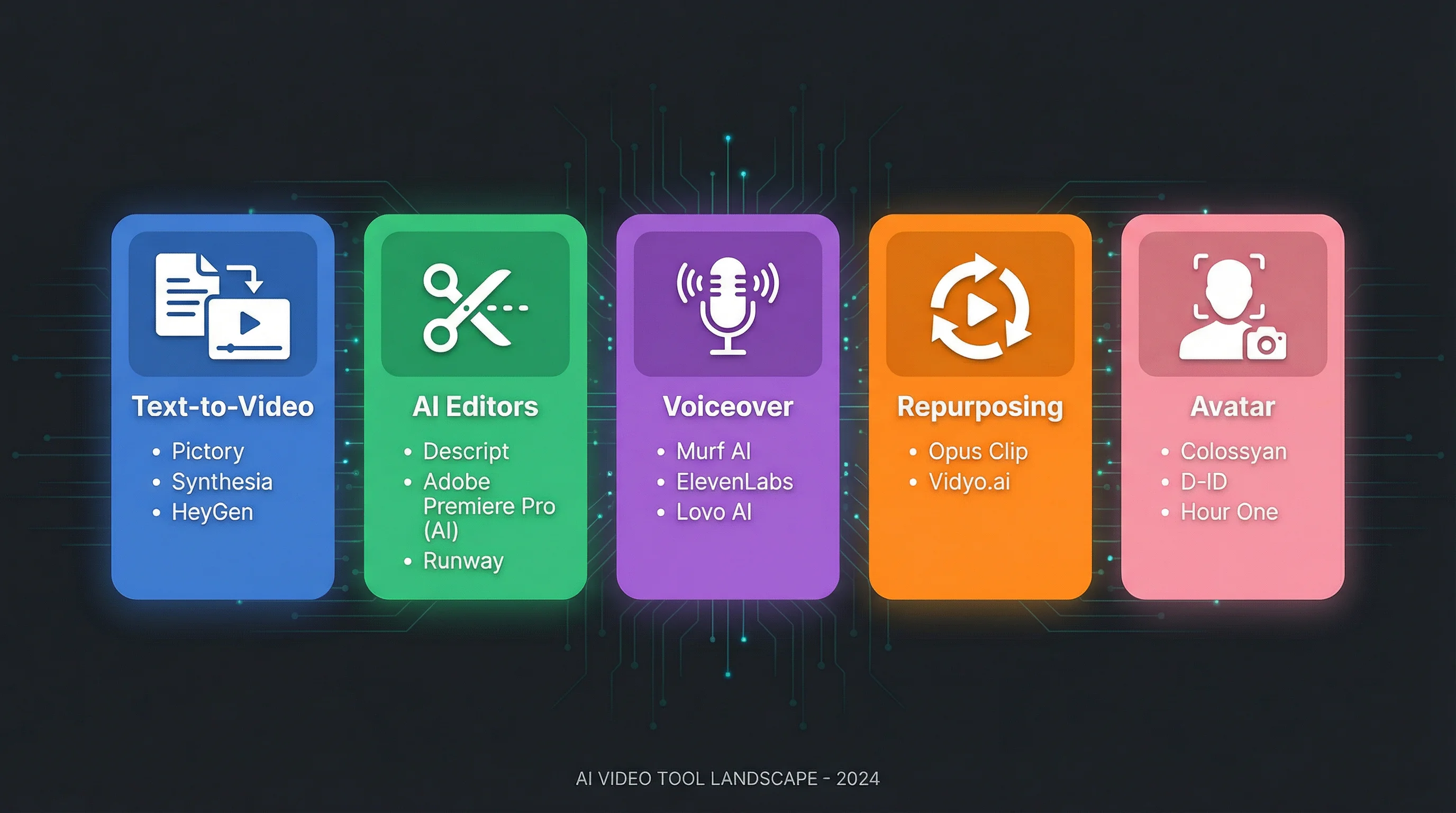
We've explored a dozen powerful AI video creation tools, each offering a distinct approach to content production. From the cinematic generation of Luma AI's Dream Machine and Runway to the avatar-led presentations from Synthesia and HeyGen, the options are as varied as the creators who use them. This wide selection demonstrates a clear market direction: AI is no longer just a novelty but a fundamental part of the modern creator's toolkit.
The central takeaway is that the "best" tool is entirely dependent on your workflow and goals. There is no single winner, only the right fit for a specific job. Making the correct choice requires you to first define your primary objective before you ever compare features or pricing.
A Decision-Making Framework
To select your ideal AI co-pilot, start by answering one critical question: What is my core content creation bottleneck? Your answer will guide you directly to the right category of tool.
- For pure automation and growth: If your goal is to grow an audience on platforms like YouTube Shorts, TikTok, and Instagram Reels with consistent, daily, faceless videos, your bottleneck is time and manual effort. A fully automated system like FlowShorts is built for this exact purpose, handling everything from script to posting so you can focus on strategy.
- For high-fidelity creative visuals: If you are a filmmaker, artist, or marketer who needs unique, high-quality B-roll or standalone artistic clips, your bottleneck is visual generation. In this case, advanced text-to-video models like Pika or Runway offer the granular control and aesthetic quality you need.
- For content repurposing at scale: If you already produce long-form content like podcasts, webinars, or interviews, your bottleneck is extracting shareable moments. Tools such as OpusClip and Quso are designed to find, clip, and style the most engaging segments for short-form platforms.
- For scalable corporate and educational video: If you produce training materials, product demos, or internal communications, your bottleneck is often the logistics of filming a human presenter. Avatar platforms like HeyGen and Synthesia solve this by providing a consistent, scalable, and multi-lingual digital presenter.
Final Considerations Before You Commit
Once you've identified the right category, consider these final points before making your choice. First, evaluate the learning curve. While a tool like Descript offers immense power, it also requires more hands-on time to master compared to a set-and-forget system. Second, think about your content's "shelf life." Niche educational content benefits from automation that consistently feeds an evergreen topic, whereas a single cinematic shot might be a one-off project.
Ultimately, these AI video creation tools are not here to replace your creativity; they are here to amplify it. They remove the tedious, repetitive tasks that stand between your ideas and your audience. By automating the mechanics of video production, they free you to do what matters most: connect with people, share knowledge, and build a brand. The most successful creators will be those who strategically integrate these AI co-pilots into their workflow, turning a time-consuming process into a sustainable system for growth.
Ready to put your faceless channel on autopilot? While many AI video creation tools require manual input for every video, FlowShorts is designed for true hands-off automation. Connect your accounts, define your niche, and let the system generate and post high-quality shorts for you every single day. Start growing your audience without the daily grind by visiting FlowShorts today.