YouTube Monetization in 2026: Complete Guide to Every Revenue Stream
The complete guide to YouTube monetization in 2026. Covers all 7 revenue streams — ad revenue, Shorts revenue sharing, channel memberships, Super Chat, merch shelf, brand deals, and affiliate marketing — with requirements and earnings data for each.
FlowShorts Team
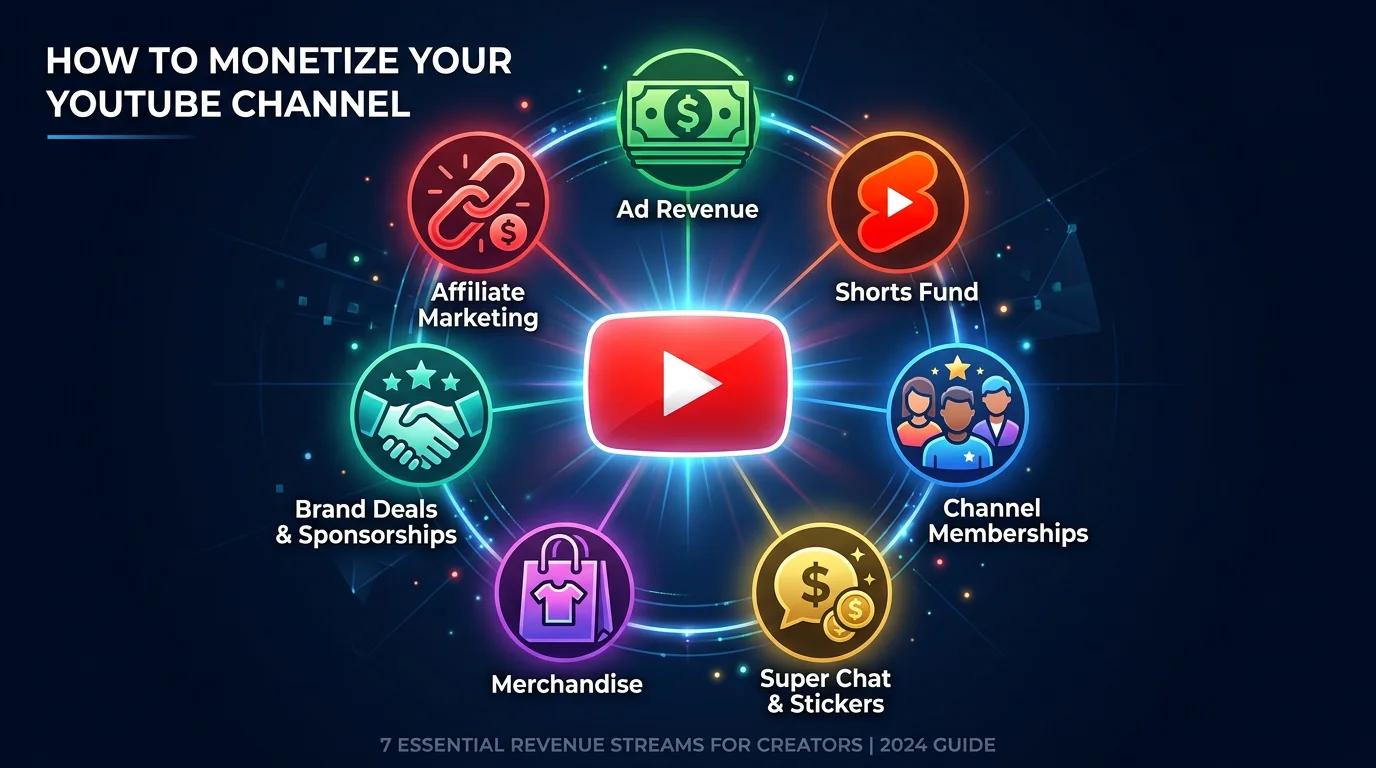
YouTube paid creators over $30 billion in 2025 alone. That number keeps climbing. Yet most creators only think about ad revenue when they hear the word "monetization." The reality is far more interesting — and far more profitable.
There are actually 7 distinct ways to make money on YouTube in 2026, each with different requirements, earning potential, and ideal use cases. Some work from the day you upload your first video. Others require hitting specific subscriber or watch-hour thresholds. A few don''t involve YouTube paying you at all — they involve brands and audiences paying you directly.
This guide breaks down every single revenue stream available to YouTube creators right now. For each one, you''ll get the requirements, realistic earnings ranges, and who it''s best for. Whether you''re starting from zero or looking to diversify an existing channel''s income, this is the complete picture.
YouTube Monetization Requirements at a Glance
Before we dive into each revenue stream individually, here''s the full landscape in one table. Bookmark this — it''s the quickest reference you''ll find for YouTube monetization requirements in 2026.
| Revenue Stream | Minimum Requirements | Typical Monthly Earnings |
|---|---|---|
| Ad Revenue | 1,000 subs + 4,000 watch hours (or 10M Shorts views) | $200–$20,000+ |
| Shorts Revenue Sharing | YouTube Partner Program member | $100–$5,000+ |
| Channel Memberships | 500 subs + 3 public uploads in 90 days | $500–$5,000 |
| Super Chat & Super Thanks | 500 subs + 3 public uploads in 90 days | $50–$10,000+ |
| YouTube Shopping / Merch Shelf | 1,000 subs + approved merch partner | Varies by product |
| Brand Deals & Sponsorships | None (brand-dependent) | $200–$20,000+ |
| Affiliate Marketing | None — works from day 1 | $100–$5,000+ |
Now let''s break each one down in detail.
The 7 YouTube Revenue Streams
1. YouTube Ad Revenue (The Big One)
Ad revenue is the foundation of YouTube monetization. It''s what most people think of when they imagine "getting paid by YouTube," and for good reason — it''s the most passive income stream on the platform.
How it works: Advertisers pay YouTube to show ads before, during, and after videos. YouTube keeps 45% and pays the creator 55% of the ad revenue generated on their content. You don''t choose the ads. You don''t negotiate rates. YouTube''s algorithm matches ads to your content and audience automatically.
Requirements: You must be accepted into the YouTube Partner Program (YPP). The standard requirements are:
- 1,000 subscribers
- 4,000 valid public watch hours in the past 12 months, OR 10 million public Shorts views in the past 90 days
- An active AdSense account linked to your channel
- Compliance with all YouTube monetization policies
Earnings range: This is where it gets interesting, because ad revenue varies dramatically by niche. The key metric is RPM (Revenue Per Mille) — how much you actually earn per 1,000 views after YouTube''s cut.
- Finance & investing: $8–$15 RPM
- Technology & software: $5–$12 RPM
- Education & tutorials: $4–$8 RPM
- Health & fitness: $3–$7 RPM
- Entertainment & comedy: $2–$5 RPM
- Gaming: $1.50–$4 RPM
CPM vs. RPM explained simply: CPM (Cost Per Mille) is what advertisers pay YouTube per 1,000 ad impressions. RPM is what you actually receive per 1,000 video views — after YouTube''s 45% cut and after accounting for views where no ad was shown. RPM is always lower than CPM. Focus on RPM because that''s your real number.
Best for: Channels with consistent uploads in high-CPM niches. Long-form content (8+ minutes) can run mid-roll ads, which significantly increases earnings per video. Check our YouTube Money Calculator to estimate earnings for your channel.
2. YouTube Shorts Revenue Sharing
YouTube overhauled Shorts monetization in 2023 with a revenue-sharing model, and it''s matured significantly since then. Instead of a flat fund, creators now earn a share of ad revenue from the Shorts feed.
How it works: Ads run between Shorts in the feed. Revenue from those ads gets pooled together, then allocated to creators based on their share of total Shorts views. Creators receive 45% of their allocated revenue — the same split as long-form content.
The catch: because ads aren''t tied to individual Shorts (they''re pooled across the entire feed), the per-view earnings are lower than long-form. Music licensing costs also get deducted from the creator pool before distribution.
Requirements: You need to be in the YouTube Partner Program. The same 1,000 subs + 4,000 watch hours (or 10M Shorts views) threshold applies.
Earnings range: Most creators report earning between $0.01 and $0.07 per 1,000 Shorts views, with the average sitting around $0.03–$0.05 RPM. That''s significantly lower than long-form, but Shorts can rack up millions of views quickly. A viral Short with 5 million views might earn $150–$350 — modest per-video, but volume adds up. Learn more in our detailed breakdown of how much YouTube pays for Shorts.
Why Shorts RPM is lower: With long-form videos, an ad plays specifically on your content. With Shorts, ads play between all Shorts in the feed, and revenue is split proportionally. You''re sharing a pool rather than claiming direct per-video ad revenue. Read our full guide to monetizing YouTube Shorts.
Best for: Creators who can produce high volumes of short content consistently. The math works when you''re posting daily and accumulating tens of millions of views per month.
3. Channel Memberships
Channel memberships let your most dedicated viewers pay a monthly subscription in exchange for perks like custom badges, exclusive emoji, members-only posts, and early access to videos.
How it works: You set up membership tiers ranging from $0.99 to $49.99 per month. Each tier includes different perks that you define. YouTube takes a 30% cut of membership revenue. Members get a visible badge next to their name in comments and live chat, which incentivizes sign-ups through social proof.
Requirements: YouTube''s lower YPP tier — just 500 subscribers plus 3 public uploads in the last 90 days. This is significantly easier to reach than the full YPP threshold. Your channel must also be based in an eligible country.
Earnings range: A mid-size channel (10K–100K subs) with an engaged community typically earns $500–$5,000 per month from memberships. The key variable is conversion rate. Most channels convert 1–3% of their subscribers into paying members. Channels with tight-knit communities — think niche hobbies, educational content, or creative communities — tend to convert at higher rates.
Start Earning with Faceless Content
FlowShorts creates and posts monetizable short-form videos daily — no filming, no editing, no uploading.
Create Your First Video →Best for: Channels with loyal, niche audiences who feel genuine connection to the creator or community. Tutorial channels, art channels, and niche hobby channels tend to perform best with memberships.
4. Super Chat & Super Thanks
Super Chat and Super Thanks are YouTube''s tipping features. Super Chat lets viewers pay to pin highlighted messages during live streams. Super Thanks lets viewers send a one-time paid "thank you" on regular uploaded videos.
How it works: During a live stream, viewers can pay anywhere from $1 to $500 to have their message highlighted and pinned in the chat for a set duration. The more they pay, the longer and more prominently their message is displayed. Super Thanks works similarly but on regular videos — viewers can pay to leave a highlighted comment. YouTube takes a 30% cut of both.
Requirements: Same lower YPP tier as memberships — 500 subscribers plus 3 public uploads in the last 90 days.
Earnings range: This varies wildly based on content type and audience. Gaming streamers and music channels tend to earn the most from Super Chat — top live streamers can pull in $1,000–$10,000+ per stream. For most creators, Super Thanks on regular videos generates a more modest $50–$500 per month. It''s rarely a primary income source, but it''s essentially free money on content you''re already creating.
Best for: Channels with active live-streaming schedules and highly engaged communities. If you don''t do live streams, Super Thanks still provides a passive trickle of income from your regular uploads.
5. YouTube Shopping / Merch Shelf
YouTube Shopping lets creators sell products directly on their channel — displayed beneath videos, in a dedicated "Store" tab, and tagged within video content itself.
How it works: You connect an approved merch partner (like Spreadshop, Spring, or Shopify) to your YouTube channel. Your products then appear in a dedicated shelf below your videos and in a Store tab on your channel page. In 2026, YouTube has expanded shopping features to include product tagging within videos, allowing creators to highlight products at specific timestamps.
Requirements: You need 1,000 subscribers, be in the YPP, and use an approved merchandise partner or have your own Shopify store connected. You must also be in an eligible country.
Earnings range: Entirely dependent on your product margins and sales volume. A creator selling custom merch (t-shirts, hoodies) at typical margins might earn $5–$15 per item sold. Channels with their own digital products or higher-margin goods can earn significantly more. The merch shelf works best as a complement to other revenue streams rather than a standalone income source.
Best for: Channels with a strong brand identity that translates to physical products, or creators who already sell products and want another distribution channel. Also works well for channels that review products they can sell through YouTube Shopping''s affiliate-like features.
6. Brand Deals & Sponsorships
Here''s where the real money is for most YouTube creators. Brand deals consistently pay more than ad revenue for channels of all sizes — sometimes dramatically more.
How it works: A brand pays you directly to feature, review, or mention their product in your video. This is a business transaction between you and the brand — YouTube isn''t involved and doesn''t take a cut. Deals typically involve a dedicated segment (30–90 seconds) within your video, or occasionally a fully sponsored video.
Requirements: None from YouTube''s side. You don''t need to be in the YPP. You don''t even need a minimum subscriber count. Brands care about engagement rate, audience demographics, and niche relevance — not arbitrary thresholds. That said, most brands start reaching out (or responding to pitches) once you''re above 5,000 subscribers.
Earnings by subscriber count:
- 5K–10K subscribers: $200–$500 per sponsored video
- 10K–50K subscribers: $500–$2,000 per sponsored video
- 50K–100K subscribers: $2,000–$5,000 per sponsored video
- 100K+ subscribers: $5,000–$20,000+ per sponsored video
These are averages. Niche matters enormously. A 20K-subscriber channel in B2B software might command $3,000 per sponsorship because the audience has high purchasing power. A 200K entertainment channel might only get $2,000 because the audience is younger and harder to convert.
Best for: Every creator, frankly. If you''re making content and have an engaged audience, you should be pursuing brand deals. Start pitching brands at 1,000–5,000 subscribers — many smaller brands are actively looking for micro-influencers.
7. Affiliate Marketing
Affiliate marketing is the most accessible monetization method on YouTube. It requires zero subscribers, zero watch hours, and zero approval from YouTube. You can start earning from your very first video.
How it works: You sign up for affiliate programs (Amazon Associates, ShareASale, Impact, individual brand programs, etc.) and get unique tracking links. Place those links in your video descriptions. When a viewer clicks your link and makes a purchase, you earn a commission — typically 3–15% of the sale, though some programs pay flat fees per signup.
Requirements: Absolutely none from YouTube. Individual affiliate programs have their own approval processes, but most accept creators of any size. Amazon Associates, for example, approves almost anyone — you just need to generate 3 qualifying sales within your first 180 days.
Earnings range: Highly niche-dependent.
- Finance & fintech: $20–$100+ per signup (credit cards, investing apps, banking products)
- Software & SaaS: $50–$200 per referral (recurring commissions common)
- Tech & electronics: 3–6% commission ($5–$50 per sale on Amazon)
- General consumer products: 3–10% commission ($2–$20 per sale)
A well-optimized review or tutorial channel can earn $100–$5,000+ per month from affiliate links alone, even with a small subscriber count. The key is creating content where product recommendations feel natural — "best of" lists, tutorials using specific tools, and honest reviews.
Best for: Review channels, tutorial channels, "best of" list channels, and faceless channels. Affiliate marketing pairs particularly well with faceless content because the focus is on the product, not the creator. Learn more about how faceless channels earn income.
Start Earning with Faceless Content
FlowShorts creates and posts monetizable short-form videos daily — no filming, no editing, no uploading.
Create Your First Video →YouTube Monetization by Channel Size
Not every revenue stream is available at every stage. Here''s what you can realistically access — and expect to earn — at each growth milestone.
| Channel Size | Available Revenue Streams | Est. Monthly Earnings |
|---|---|---|
| 0–500 subs | Affiliate marketing | $0–$200 |
| 500–1K subs | Affiliate + memberships + Super Chat/Thanks | $100–$500 |
| 1K–10K subs | All YPP streams (ads, Shorts, memberships, Super Chat, merch) | $500–$2,000 |
| 10K–100K subs | All YPP streams + brand deals at meaningful rates | $2,000–$10,000 |
| 100K+ subs | All streams at scale, premium brand deals | $10,000–$50,000+ |
The most important takeaway: don''t wait until 1,000 subscribers to start earning. Affiliate marketing and brand outreach can both generate income well before you hit YPP thresholds. Channels that diversify early build more sustainable businesses than those relying solely on ad revenue.
YouTube Monetization for Faceless Channels
One of the most common questions we see: can faceless channels — those that never show the creator on camera — actually monetize on YouTube? The answer is yes, through all 7 revenue streams.
Faceless channels have a key structural advantage: they''re easier to scale. There''s no filming bottleneck, no need for a studio setup, and no dependency on a single person''s availability or energy. This means you can often produce more content, more consistently, which compounds growth over time.
However, there''s an important caveat. YouTube has increased scrutiny of AI-generated and faceless content for "reused content" policy violations. The platform wants original, valuable content — not mass-produced compilations or text-to-speech slideshows with no creative effort. Make sure your faceless content adds genuine value, has original narration or commentary, and provides something viewers can''t easily get elsewhere.
Faceless channels perform particularly well with affiliate marketing (the content focuses on products, not the creator) and ad revenue (volume-based, so higher output helps). For a deeper look, read our guides on how to make faceless YouTube videos and faceless YouTube channel income.
How to Get Monetized Faster
Reaching YPP thresholds can feel slow, but these five strategies consistently help creators get monetized faster.
1. Focus on one niche. YouTube''s algorithm rewards topical authority. A channel that posts exclusively about home coffee brewing will grow faster than one that alternates between coffee, gaming, and travel vlogs. Pick one niche and go deep. Need help choosing? Check out our subscriber growth guide for niche selection frameworks.
2. Use Shorts to hit 10M views faster. For many creators, reaching 10 million Shorts views in 90 days is actually faster than accumulating 4,000 watch hours of long-form content. Shorts have higher discoverability and can go viral with smaller audiences. Post Shorts consistently and the views compound. See our full breakdown of Shorts monetization requirements.
3. Start affiliate marketing from day 1. You don''t need anyone''s permission to put affiliate links in your video descriptions. Even with 50 subscribers, if you''re making product reviews or tutorials, those links can generate income. Start building the habit and the revenue stream before YPP even enters the picture.
4. Optimize for watch time, not views. YouTube''s algorithm rewards retention — how long viewers actually watch — more than raw view counts. A video that 500 people watch to completion will outperform a video that 5,000 people click on and abandon after 10 seconds. Hook viewers early, deliver value throughout, and study your YouTube analytics to understand where people drop off.
5. Use tools to speed up content creation. The biggest bottleneck for most creators isn''t ideas — it''s production time. Use AI tools to handle scriptwriting, thumbnail creation, or video editing. The faster you can produce quality content, the faster you''ll hit monetization thresholds.
Frequently Asked Questions
How many subscribers do you need to get paid on YouTube?
It depends on the revenue stream. For affiliate marketing and brand deals, you need zero subscribers — both work from day 1. For channel memberships and Super Chat, you need 500 subscribers (the lower YPP tier). For ad revenue and Shorts revenue sharing, you need 1,000 subscribers plus either 4,000 watch hours or 10 million Shorts views. There''s no single "magic number" — the answer depends on which monetization method you''re pursuing.
How much does YouTube pay per 1,000 views?
YouTube pays creators based on RPM (Revenue Per Mille), which varies significantly by niche, audience location, and time of year. In 2026, typical RPM ranges from $2 to $15 per 1,000 views for long-form content. Finance and business channels sit at the high end ($8–$15), while entertainment and gaming channels are at the lower end ($2–$5). Shorts RPM is much lower — typically $0.01–$0.07 per 1,000 views due to the shared ad pool model.
Can you make money on YouTube without showing your face?
Absolutely. Faceless channels can access every single monetization method covered in this guide — ad revenue, Shorts revenue, memberships, Super Chat, merch, brand deals, and affiliate marketing. Many of the highest-earning YouTube channels are faceless, particularly in niches like relaxation music, educational compilations, tech tutorials, and motivational content. The key is producing original, high-quality content that provides genuine value.
What is the difference between CPM and RPM?
CPM (Cost Per Mille) is what advertisers pay YouTube for 1,000 ad impressions. RPM (Revenue Per Mille) is what you, the creator, actually earn per 1,000 video views. RPM is always lower than CPM for two reasons: YouTube takes a 45% cut, and not every view generates an ad impression (some viewers use ad blockers, some videos don''t have ads enabled, etc.). When evaluating your earnings potential, always focus on RPM — that''s your actual take-home metric.
How long does it take to get monetized on YouTube?
It varies enormously based on niche, posting frequency, and content quality. Typical timelines: aggressive Shorts creators can hit 10M views in 3–6 months. Long-form creators usually need 6–18 months to reach 1,000 subscribers and 4,000 watch hours. Some channels in trending niches with viral content get there in under 3 months. The median across all channels is roughly 12–15 months. Posting consistently (3–5 times per week) and choosing a specific niche are the two biggest accelerators.
The Bottom Line
YouTube has more revenue streams than any other creator platform — and that''s its biggest advantage. You''re not locked into a single way of earning. As your channel grows, you layer on additional income sources, each compounding on the others.
The smartest move? Don''t wait for the YouTube Partner Program to start earning. Begin with affiliate marketing from your very first video. Pitch brands once you hit a few thousand subscribers. Then, when YPP acceptance comes, ad revenue and Shorts revenue become the cherry on top of an already diversified income.
The creators who build sustainable YouTube businesses aren''t the ones with the most subscribers. They''re the ones who understood early that monetization isn''t one thing — it''s seven things working together.
Free Tools to Help You Grow
- YouTube Money Calculator — Estimate your potential ad revenue by niche and view count
- YouTube Shorts Ideas Generator — Get fresh content ideas tailored to your niche
- YouTube Channel Name Generator — Find the perfect name for your new channel


