YouTube Shorts: The Complete Guide for Creators (2026)
The complete YouTube Shorts guide for 2026 — creation, algorithm, monetization, AI tools, growth strategies, and more. Your starting point for every Shorts question.
FlowShorts Team

YouTube Shorts now pull in over 200 billion daily views, according to YouTube. If you're a creator and you're not publishing Shorts, you're invisible to the fastest-growing audience on the platform.
This guide covers everything you need to know about YouTube Shorts in 2026 — from creating your first Short to understanding the algorithm, growing your views, and actually making money. Whether you're brand new or looking to level up an existing channel, each section breaks down the essentials and links to a detailed deep-dive so you can go further.
Bookmark this page. It's your starting point for every YouTube Shorts question you'll have.
What Are YouTube Shorts?
YouTube Shorts are vertical, short-form videos designed for mobile viewing. They appear in a dedicated Shorts shelf on YouTube's homepage and in a swipeable feed — similar to TikTok or Instagram Reels.
Here's what makes a video qualify as a Short:
| Spec | Requirement |
|---|---|
| Orientation | Vertical (portrait) |
| Aspect ratio | 9:16 |
| Resolution | 1080 x 1920 pixels |
| Max length | 3 minutes (180 seconds) |
| Min length | No official minimum, but 15+ seconds recommended |
Why does the format matter? Shorts get surfaced to viewers who've never heard of your channel — unlike long-form videos, which rely heavily on existing subscribers and search. You can create Shorts directly in the YouTube app using the built-in camera, or upload pre-made vertical videos from your phone or desktop. YouTube automatically classifies videos as Shorts based on the aspect ratio and duration — no special tag needed.
Shorts live alongside your long-form content on the same channel. They share the same subscriber base, but reach an entirely different audience through the Shorts feed. For a full breakdown of dimensions, safe zones, and file specs, see our YouTube Shorts dimensions and specs guide.
How to Make YouTube Shorts (Step-by-Step)
Creating a YouTube Short takes five steps, whether you're recording on your phone or uploading from a desktop:
- Plan your content. Start with a topic and a hook — the first line viewers see. A strong video script keeps your Short focused and prevents rambling. Even 30 seconds of content benefits from a quick outline.
- Record or gather footage. Open the YouTube app, tap the "+" button, and select "Create a Short." Record directly using the built-in camera with features like speed controls, timers, and filters. Alternatively, record in your phone's camera app or use screen recordings, stock footage, or AI-generated visuals.
- Edit your Short. Trim clips, add text overlays, and include music from YouTube's audio library. For more control, use a dedicated editor. Our short-form video editing guide covers the full workflow across tools.
- Add metadata. Write a title (under 100 characters), add a description with relevant keywords, and select a category. Hashtags like #Shorts are no longer required but can help with discoverability.
- Publish. Choose your visibility (public, unlisted, or scheduled) and hit upload. For step-by-step publishing instructions including thumbnail selection, see how to post YouTube Shorts.
That's it. Your first Short can go from idea to published in under 15 minutes.
YouTube Shorts Algorithm: How Videos Get Recommended
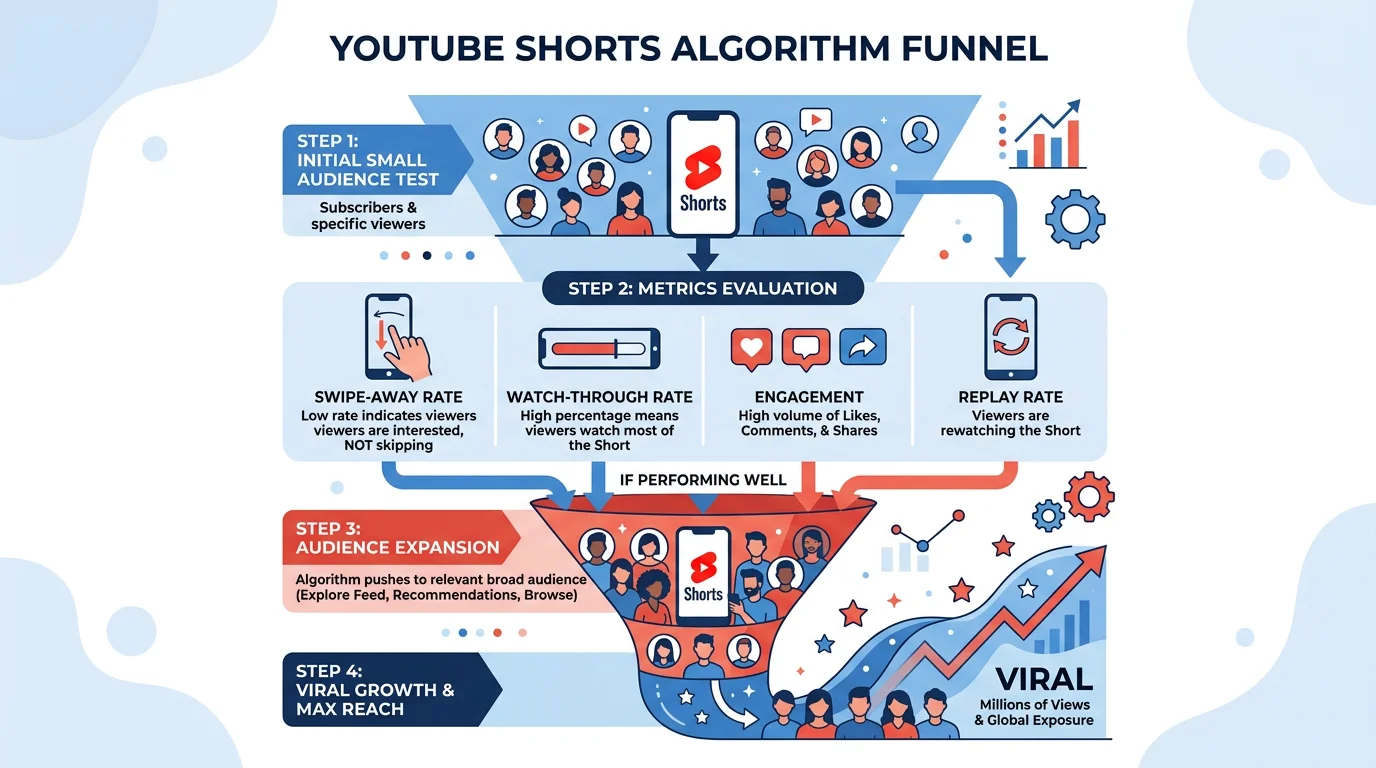
The Shorts algorithm works differently from long-form YouTube. Instead of relying on search and suggested videos, Shorts are primarily distributed through the Shorts shelf — a swipeable feed where YouTube tests your video with small batches of viewers and expands reach based on performance.
YouTube evaluates four primary signals:
- Swipe-away rate — How quickly viewers swipe past your Short. Lower is better. This is why your opening hook matters more than anything else.
- Watch-through rate — What percentage of viewers watch to the end. Shorts under 30 seconds tend to have higher completion rates.
- Engagement rate — Likes, comments, shares, and subscribes triggered by your Short.
- Replay rate — How often viewers watch your Short more than once. Looping content and surprising endings drive replays.
The algorithm tests your Short with a small audience first. If those viewers engage well, YouTube pushes it to a larger group. This cycle can repeat for days or even weeks — a Short can go viral long after you publish it.
One important detail: YouTube counts views differently for Shorts than for long-form videos. Every play in the Shorts feed counts as a view, with no minimum watch time required.
For a complete breakdown of how the algorithm ranks and distributes Shorts, read our YouTube Shorts algorithm deep-dive.
How to Get More Views on Shorts
Views on Shorts come down to two things: getting people to stop scrolling and getting them to watch until the end. Here's what moves the needle:
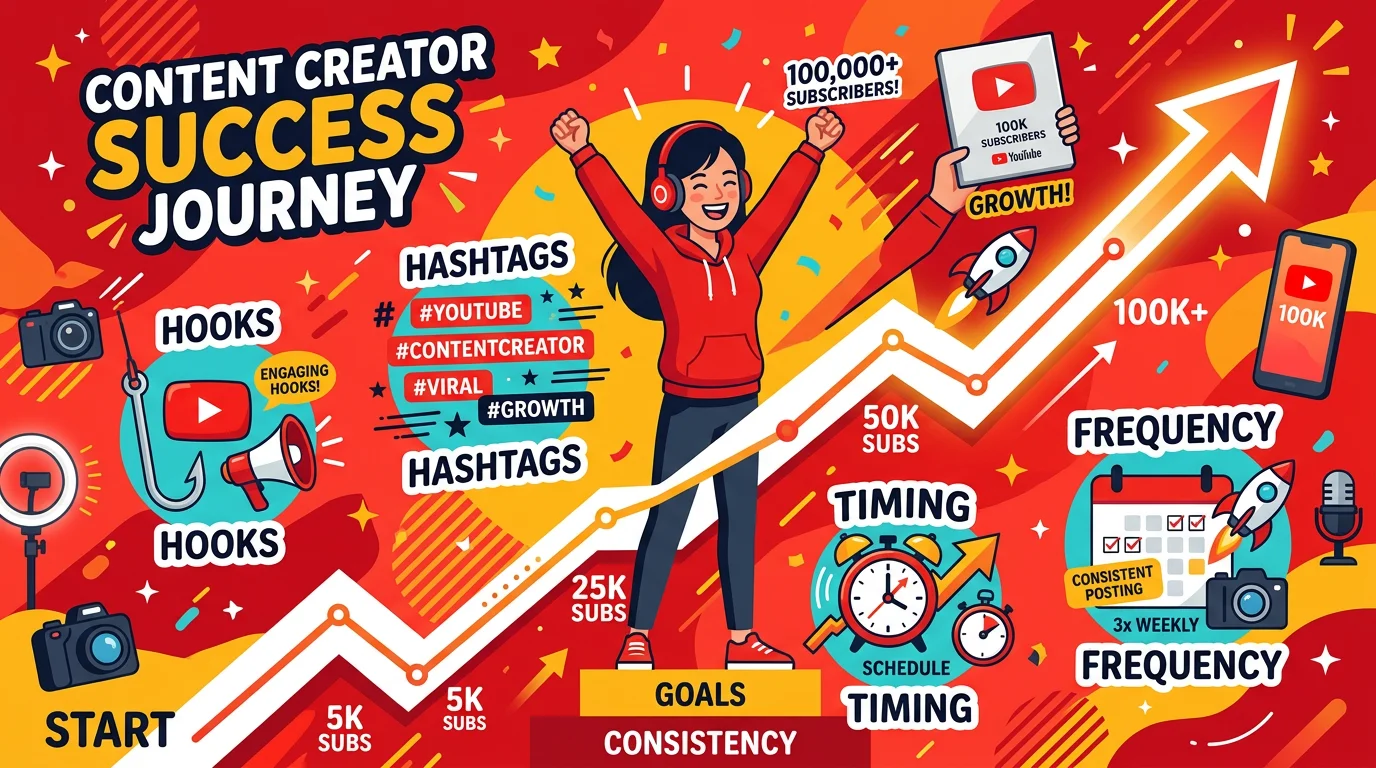
Nail your hook. The first 1-2 seconds decide whether someone watches or swipes. Open with a bold claim, a question, or a visual that creates curiosity. We compiled 47 proven hooks for short-form video you can adapt to any niche.
Post at the right frequency. Consistency matters more than volume. For most creators, 1-3 Shorts per day hits the sweet spot. Posting more doesn't hurt, but quality drops usually do.
Create Faceless Videos on Autopilot
FlowShorts generates and posts AI videos to YouTube, TikTok & Instagram while you sleep.
Try FlowShorts Free →Time your uploads. Publishing when your audience is active gives your Short a stronger initial push. Best times to post YouTube Shorts vary by niche, but weekday evenings (5-9 PM in your audience's timezone) tend to perform well across the board.
Use hashtags strategically. Don't spam 30 hashtags. Use 3-5 relevant ones that describe your content. Our best hashtags for YouTube Shorts guide covers which ones actually drive discovery.
For the full playbook, see how to get more views on YouTube Shorts.
YouTube Shorts Ideas and Content Strategy
The best Shorts channels don't post randomly — they pick a niche, build a content format, and repeat what works.
Choose a niche. Channels focused on a single topic (motivation, tech reviews, cooking, history) grow faster than general-purpose channels. If you're unsure, browse YouTube Shorts ideas by niche — we have curated lists for over 30 categories from anime to finance.
Pick a repeatable format. The most successful Shorts creators use 2-3 content templates they rotate. Some proven formats include:
- Top 5/10 lists
- "Did you know?" facts
- Before-and-after transformations
- Quick tutorials or how-tos
- Story-driven narratives (history, true crime, mythology)
See our 10 proven faceless video formats for templates you can start using today.
Consider going faceless. You don't need to show your face. Faceless channels using voiceover, stock footage, or AI-generated visuals are among the fastest-growing on YouTube. Browse 60 faceless YouTube channel ideas for inspiration.
For topic-specific ideas, try our free YouTube Shorts Ideas Generator — it creates niche-specific content ideas you can film or script immediately.
How to Monetize YouTube Shorts
YouTube Shorts now generate real revenue for creators — but the requirements and payouts differ from long-form content.
YouTube Partner Program Requirements for Shorts
To earn ad revenue from Shorts, you need to join the YouTube Partner Program. There are two paths:
| Path | Requirements | What You Get |
|---|---|---|
| Standard YPP | 1,000 subscribers + 4,000 watch hours (long-form) OR 10 million Shorts views (90 days) | Ad revenue sharing on Shorts + long-form |
| Expanded YPP | 500 subscribers + 3,000 watch hours OR 3 million Shorts views (90 days) | Fan funding (Super Thanks, memberships) — no ad revenue |
For the full eligibility checklist, see YouTube Shorts monetization requirements.
How Much Do Shorts Pay?
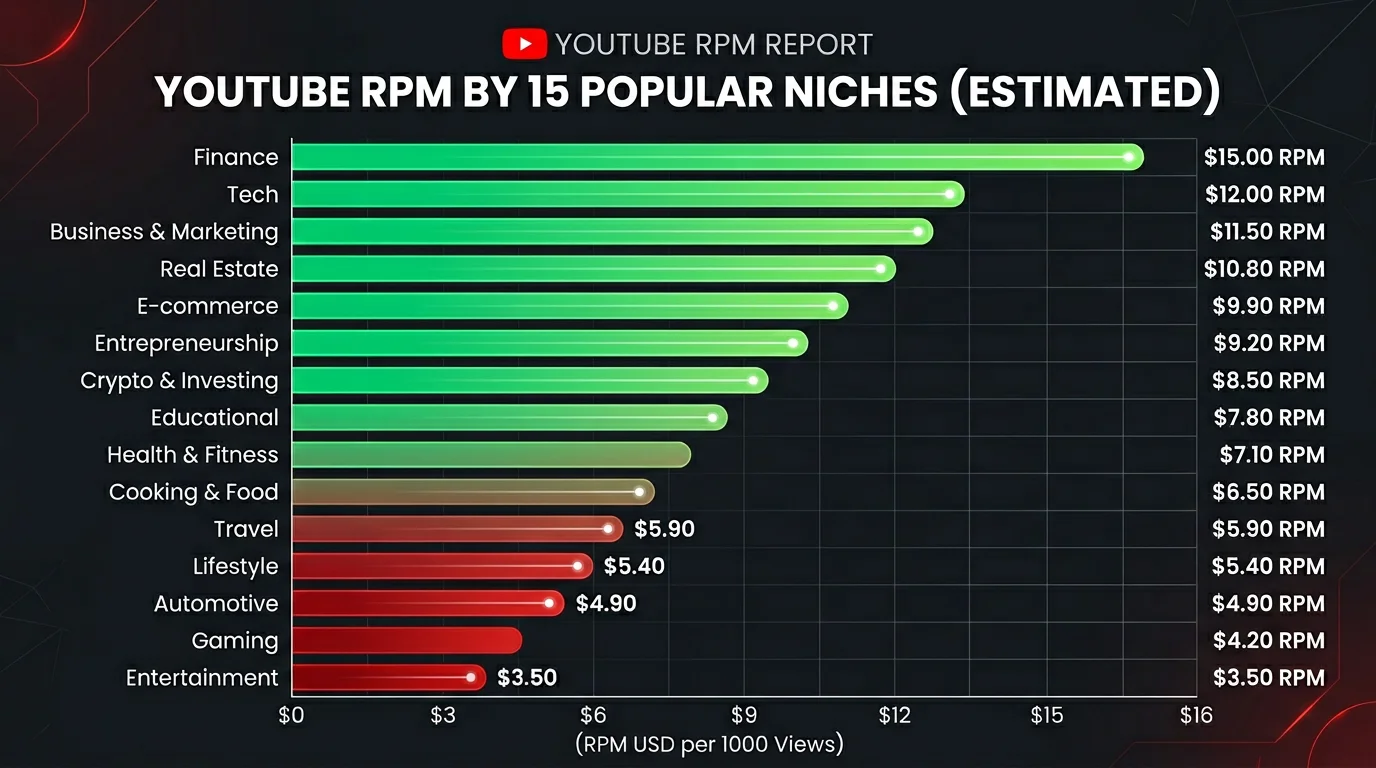
Shorts RPM (revenue per 1,000 views) typically ranges from $0.01 to $0.07 based on creator-reported data, depending on your audience's location and niche. Finance and tech niches pay more; entertainment and gaming pay less.
That means 1 million Shorts views earns roughly $10 to $70 in ad revenue alone. Not life-changing — but Shorts also drive subscribers who watch your long-form content, where RPMs are 10-50x higher.
For real earning data, read how much YouTube pays for Shorts and our breakdown of how YouTube Shorts revenue sharing works.
Beyond ad revenue, Shorts creators also earn through affiliate links, sponsorships, digital products, and driving traffic to other platforms. Our full Shorts monetization guide covers every revenue stream.
AI Tools and Automation for Shorts
Create Faceless Videos on Autopilot
FlowShorts generates and posts AI videos to YouTube, TikTok & Instagram while you sleep.
Try FlowShorts Free →Creating Shorts manually works, but it doesn't scale. If you want to post daily (or multiple times per day), automation tools can handle the heavy lifting.
The AI-powered Shorts workflow typically looks like this:
- Script generation — AI writes a narration script based on your topic and niche
- Visual creation — AI generates or selects images/footage to match each scene
- Voiceover — Text-to-speech engines create natural-sounding narration
- Assembly — The tool combines visuals, audio, captions, and music into a finished Short
- Posting — Some tools auto-post directly to YouTube on a schedule
AI YouTube Shorts generators now handle the full pipeline in 2026. Tools like FlowShorts handle the entire process — from script to published video — and auto-post to YouTube, TikTok, and Instagram Reels on a schedule you set.
Even if you prefer creating manually, automation helps with specific steps:
- Scheduling: How to schedule YouTube Shorts for consistent posting
- AI voices: How to add AI voiceovers to Shorts
- Full automation: How to automate your YouTube channel
For tool comparisons, see our roundup of free AI YouTube Shorts makers.
YouTube Shorts vs TikTok vs Reels
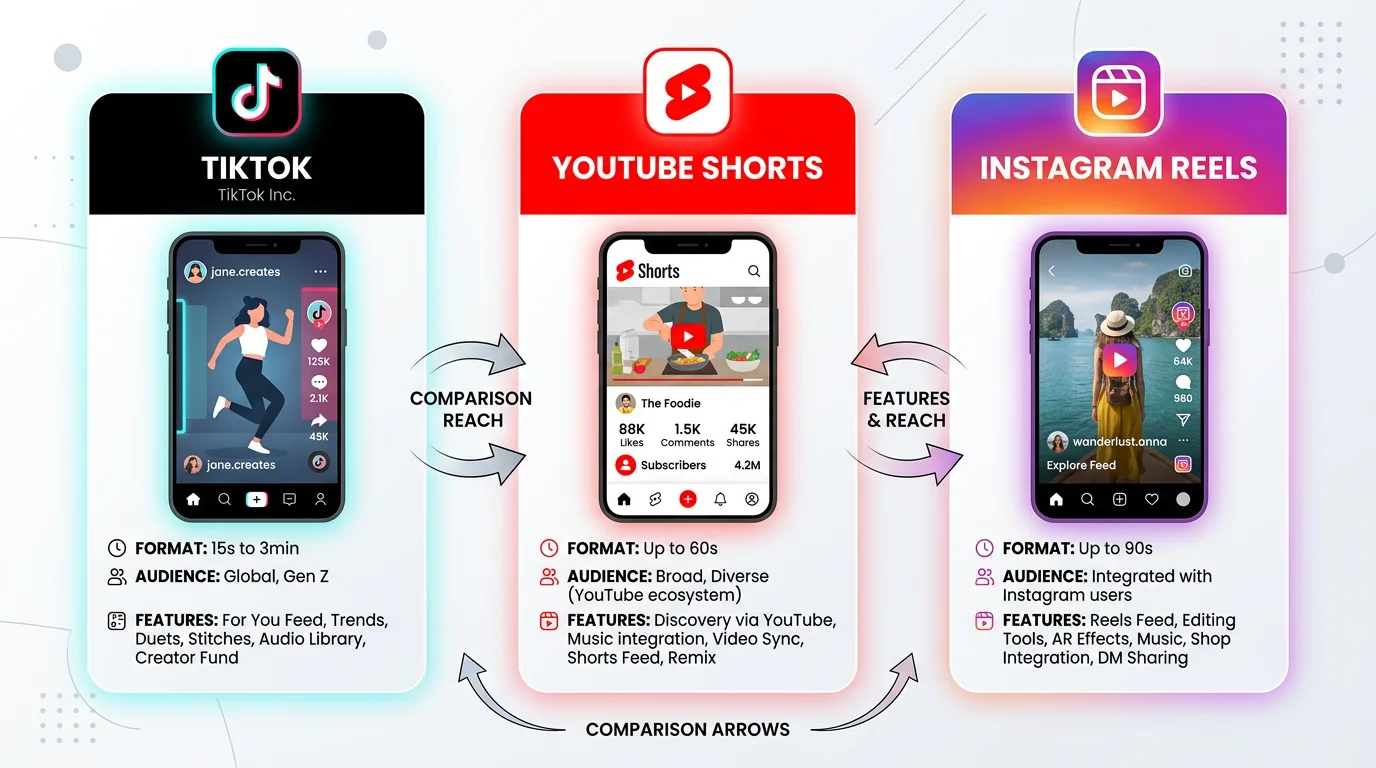
YouTube Shorts isn't the only short-form platform. Here's how it compares to TikTok and Instagram Reels:
| Feature | YouTube Shorts | TikTok | Instagram Reels |
|---|---|---|---|
| Max length | 3 minutes | 10 minutes | 3 minutes |
| Monetization | Ad revenue sharing (YPP) | Creativity Program ($0.50-$1 CPM) | Bonuses (limited), brand deals |
| Algorithm strength | Strong for new creators; content over followers | Best discovery algorithm; massive reach potential | Favors existing followers; slower organic reach |
| Audience | Broad age range (18-49), search-driven | Skews younger (16-34), trend-driven | 25-44, lifestyle and brand-focused |
| Long-term value | High — Shorts drive subscribers to long-form content | Medium — harder to convert followers off-platform | Medium — builds Instagram following |
| Search discoverability | Strong (YouTube is #2 search engine) | Growing search functionality | Minimal search |
The best strategy: Create once, post everywhere. Make your Short, then repurpose it to TikTok and Reels. For a detailed comparison, read YouTube Shorts vs TikTok vs Reels.
Frequently Asked Questions
How long can YouTube Shorts be?
YouTube Shorts can be up to 3 minutes (180 seconds) long. There's no official minimum, but videos under 15 seconds tend to feel too short to deliver value. The sweet spot for most creators is 30-60 seconds — long enough to tell a story, short enough to keep retention high.
Do Shorts hurt your channel?
No. YouTube confirmed that Shorts and long-form content are evaluated by separate algorithms. Posting Shorts won't tank your long-form video performance. In fact, Shorts often bring new subscribers who then discover your longer videos.
How many Shorts should you post per day?
1-3 per day if you can maintain quality. Consistency beats volume — posting 1 quality Short daily outperforms posting 5 mediocre ones. If you're just starting, aim for 3-5 Shorts per week and scale up as you build a workflow. Read our full posting frequency breakdown.
Can you monetize Shorts without 1,000 subscribers?
Not through ad revenue. You need at least 1,000 subscribers plus either 4,000 watch hours or 10 million Shorts views to join the standard YouTube Partner Program. However, with 500 subscribers and 3 million Shorts views, you can access fan funding features like Super Thanks. See the full monetization requirements.
Do Shorts count toward watch hours?
No. Views from the Shorts feed do not count toward the 4,000 watch-hour requirement for YPP. However, if someone watches your Short from your channel page (not the Shorts feed), those hours do count. For most creators, the easier path is hitting 10 million Shorts views instead.
Can you use copyrighted music in Shorts?
YouTube offers a library of licensed music and sounds you can use freely in Shorts. Using copyrighted music outside this library may result in a Content ID claim — the video stays up, but any revenue goes to the rights holder. Stick to YouTube's audio library or royalty-free sources to keep your earnings.
Start Creating YouTube Shorts
YouTube Shorts is the fastest path to building an audience on YouTube in 2026. The barrier to entry is low, the algorithm rewards new creators, and the format connects directly to YouTube's broader ecosystem of long-form content, memberships, and ad revenue.
Here's the shortest path from zero to your first 1,000 subscribers:
- Pick a niche (use our ideas generator if you need help)
- Create 2-3 content templates you can repeat
- Post 1 Short per day for 30 days
- Study your analytics — double down on what gets retention
Want to skip the manual work? FlowShorts generates and auto-posts YouTube Shorts using AI — from script to published video. Plans start at $19/month. Try it with a free video first — no credit card needed.